
Azan Azkar - Prayer Times PC
A.Abdo
Download Azan Azkar - Prayer Times on PC With GameLoop Emulator
Azan Azkar - Prayer Times on PC
Azan Azkar - Prayer Times, coming from the developer A.Abdo, is running on Android systerm in the past.
Now, You can play Azan Azkar - Prayer Times on PC with GameLoop smoothly.
Download it in the GameLoop library or search results. No more eyeing the battery or frustrating calls at the wrong time any more.
Just enjoy Azan Azkar - Prayer Times PC on the large screen for free!
Azan Azkar - Prayer Times Introduction
Stay on top of every prayer, build a daily dhikr habit, and find the Qibla — all in a freshly redesigned app.
Azan Azkar is your daily Islamic companion: precise prayer times, voices for the call to prayer, Hisn Al-Muslim athkar, a Qibla compass, a digital tasbih, the full Quran, and live Islamic radio.
Why you'll love it
• A brand-new design, calmer, clearer, easier on the eyes.
• Pray on time, every time: precise prayer times with automatic adjustment for travel, daylight saving, and timezone changes.
• A peaceful heart: morning, evening, sleep, and after-prayer athkar, beautifully organized.
• A daily rhythm: home-screen widgets, persistent notification, and a live countdown to the next prayer.
• Truly yours: 12 bundled athan voices, your own athan audio, a custom tasbih with the dhikr you choose.
Prayer times that travel with you
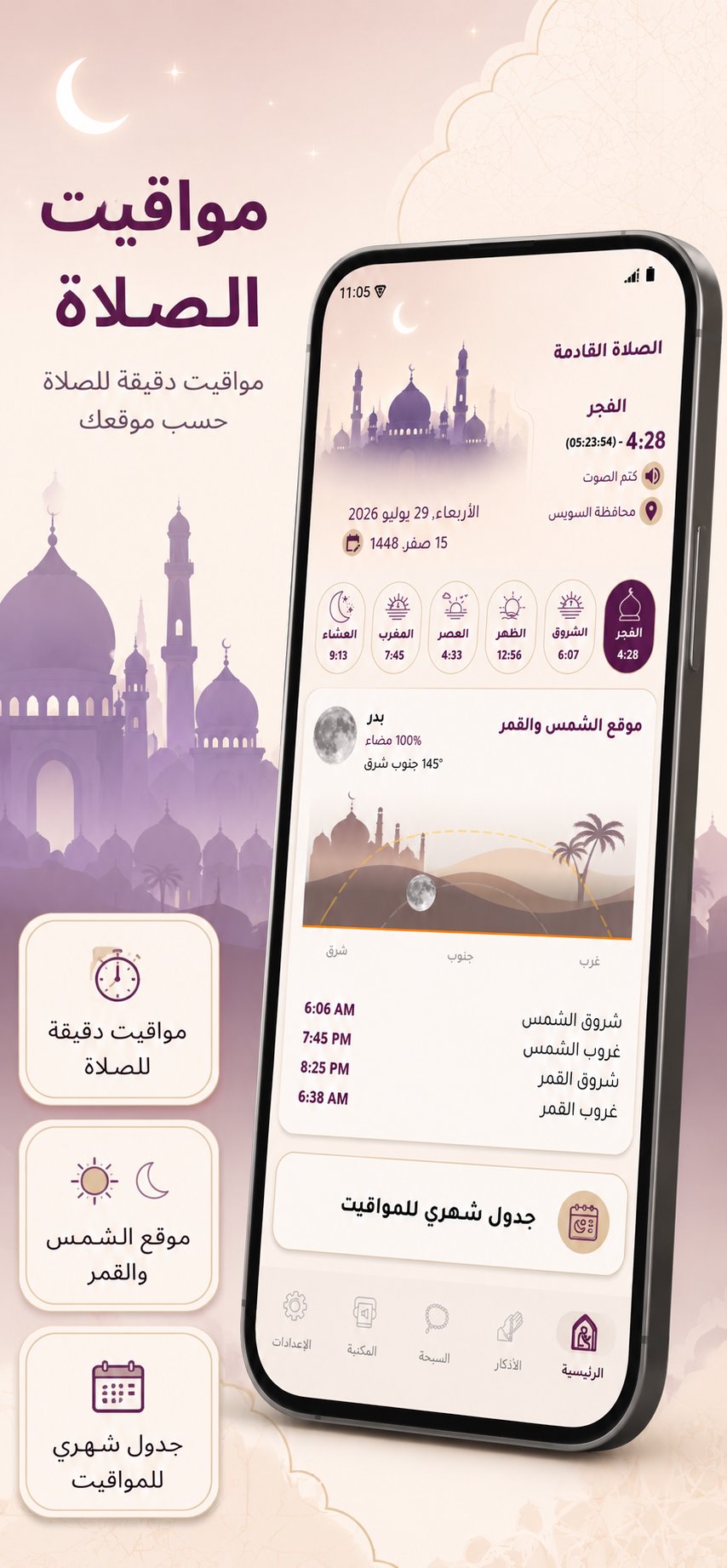
• Accurate times for the five daily prayers and Sunrise, using the method you select.
• Live countdown to the next prayer, plus a persistent notification without opening the app.
• Pre-athan reminder with a lead time you set.
• Mute or skip a specific prayer without affecting the others.
• Iqama timer after the athan.
• Full monthly prayer-times table for your city.
• Auto-activate silent mode after the athan.
The call to prayer
• 12 high-quality bundled athan voices from renowned muezzins.
• Pick your own athan audio from your device storage.
• Optional pre-athan voice and post-athan dua, both customizable.
• Calming visual effect during the athan.
The Qibla compass
• Accurate Qibla direction wherever you are.
• Built-in calibration helper for top accuracy.
• Works on any phone with a magnetic compass sensor.
Sun & Moon at a glance
• Live sun position so you always sense the time of day.
• Daily moon-phase display with a beautiful illustration.
• Follow Hijri months and the rhythm of prayer visually.
Adhkar & Tasbih
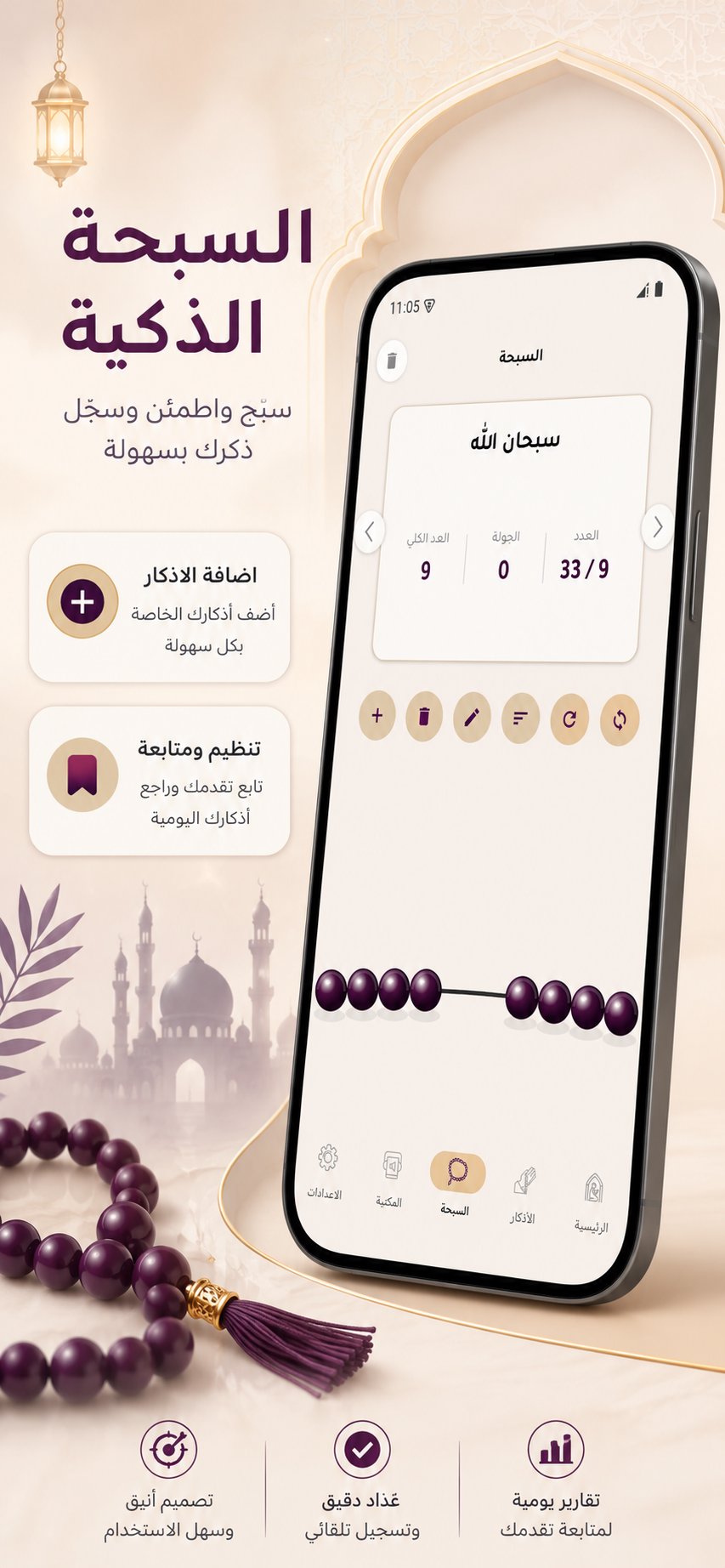
• The complete Hisn Al-Muslim library: morning, evening, sleep, waking up, mosque, and prophetic supplications.
• Copy any dhikr or share it to social apps in one tap.
• Bookmark the adhkar you love for quick access.
• Digital tasbih with a smooth counter and custom dhikr cards.
Home screen widgets
• Prayer-times widget showing the next prayer and its time.
• Countdown widget with a live timer.
• Quick-options widget to jump straight into settings.
Quran, radio & audio library
• Browse the full Quran and listen to recitations by your favorite qari.
• Live Islamic radio streams around the clock.
• Full audio library of athans, Quran, nasheeds, and lectures — stream or download.
• Share verses and recitations with friends and family.
Ramadan, the way you want it
• Full Imsakiya: Suhoor, Imtak, Fajr, Maghrib, Iftar.
• Traditional Iftar cannon (Madfa3) at Maghrib.
• Msharaty caller before Fajr with a lead time you set.
• Dedicated settings for Iftar, Suhoor, and Taraweeh notifications.
Free, focused, and always improving. Your feedback shapes what we build next — please rate the app. JazakAllahu khairan.
Preview
Tags
LifestyleInformation
Developer
A.Abdo
Latest Version
1.7.9
Last Updated
2026-09-11
Category
Lifestyle
Available on
Google Play
Show More
How to play Azan Azkar - Prayer Times with GameLoop on PC
1. Download GameLoop from the official website, then run the exe file to install GameLoop
2. Open GameLoop and search for “Azan Azkar - Prayer Times” , find Azan Azkar - Prayer Times in the search results and click “Install”
3. Enjoy playing Azan Azkar - Prayer Times on GameLoop
Minimum requirements
OS
Windows 8.1 64-bit or Windows 10 64-bit
GPU
GTX 1050
CPU
i3-8300
Memory
8GB RAM
Storage
1GB available space
Recommended requirements
OS
Windows 8.1 64-bit or Windows 10 64-bit
GPU
GTX 1050
CPU
i3-9320
Memory
16GB RAM
Storage
1GB available space