Water Tracker - Drink Reminder PC
Firehawk
Download Water Tracker - Drink Reminder on PC With GameLoop Emulator
Water Tracker - Drink Reminder on PC
Water Tracker - Drink Reminder, coming from the developer Firehawk, is running on Android systerm in the past.
Now, You can play Water Tracker - Drink Reminder on PC with GameLoop smoothly.
Download it in the GameLoop library or search results. No more eyeing the battery or frustrating calls at the wrong time any more.
Just enjoy Water Tracker - Drink Reminder PC on the large screen for free!
Water Tracker - Drink Reminder Introduction
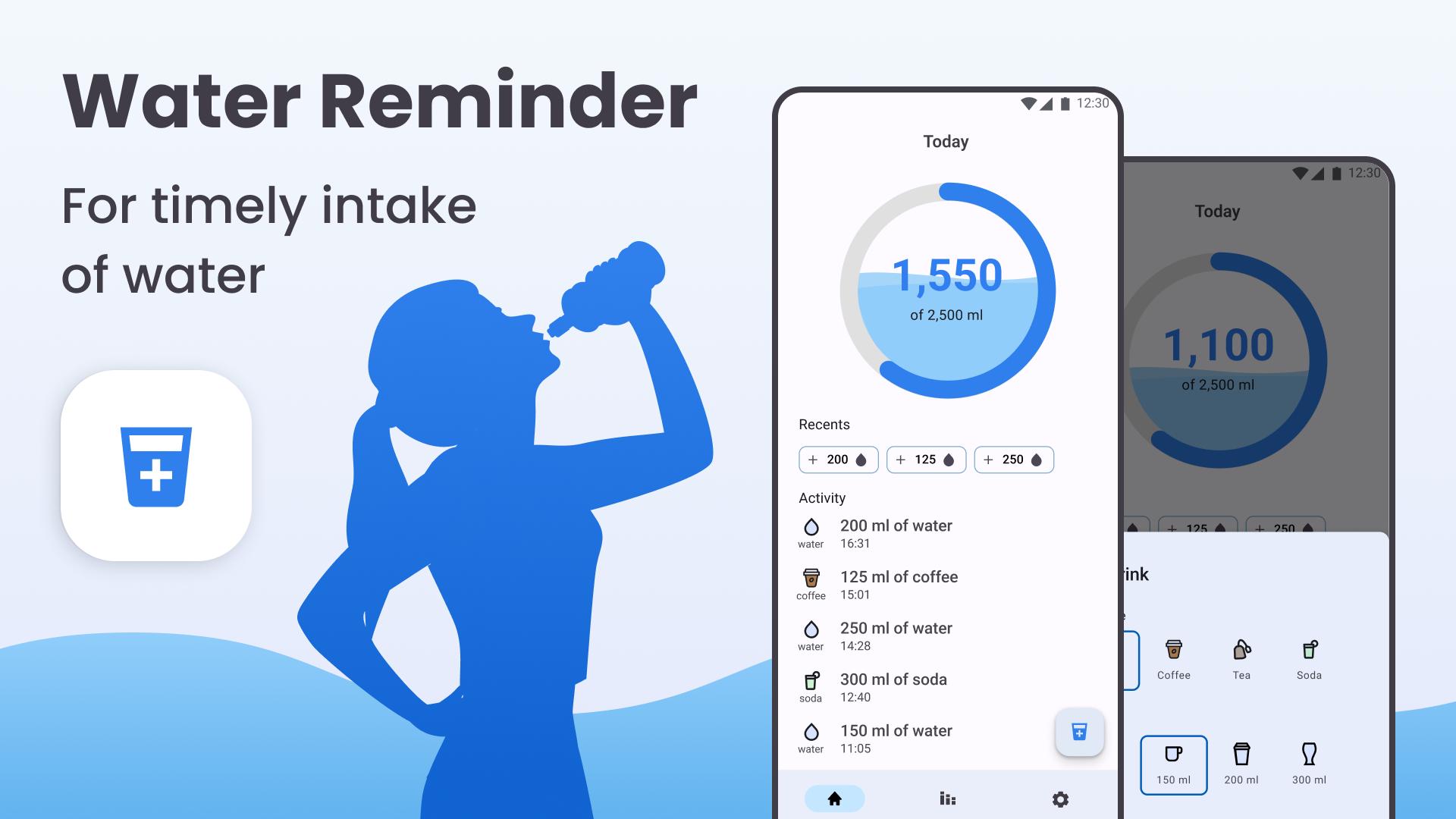
Being hydrated has never been easier! Just use the Water Tracker - Drink Water app.
💧 Proper hydration helps you lose weight and keeps your skin healthy.
Stay hydrated, keep track of your water intake, and take care of your health!
⏲️ Water Tracker reminds you to drink water, a fantastic water reminder app that takes care of your hydration and health.
🏃♂️ Let Water Tracker, the water-drinking app, remind you to drink water if you forget it. It is vital to stay hydrated. When you feel thirsty, your body is already dehydrated.
⏰ The Water Tracker has a drink water reminder working by your schedule. The water reminder app will notify you when to drink water.
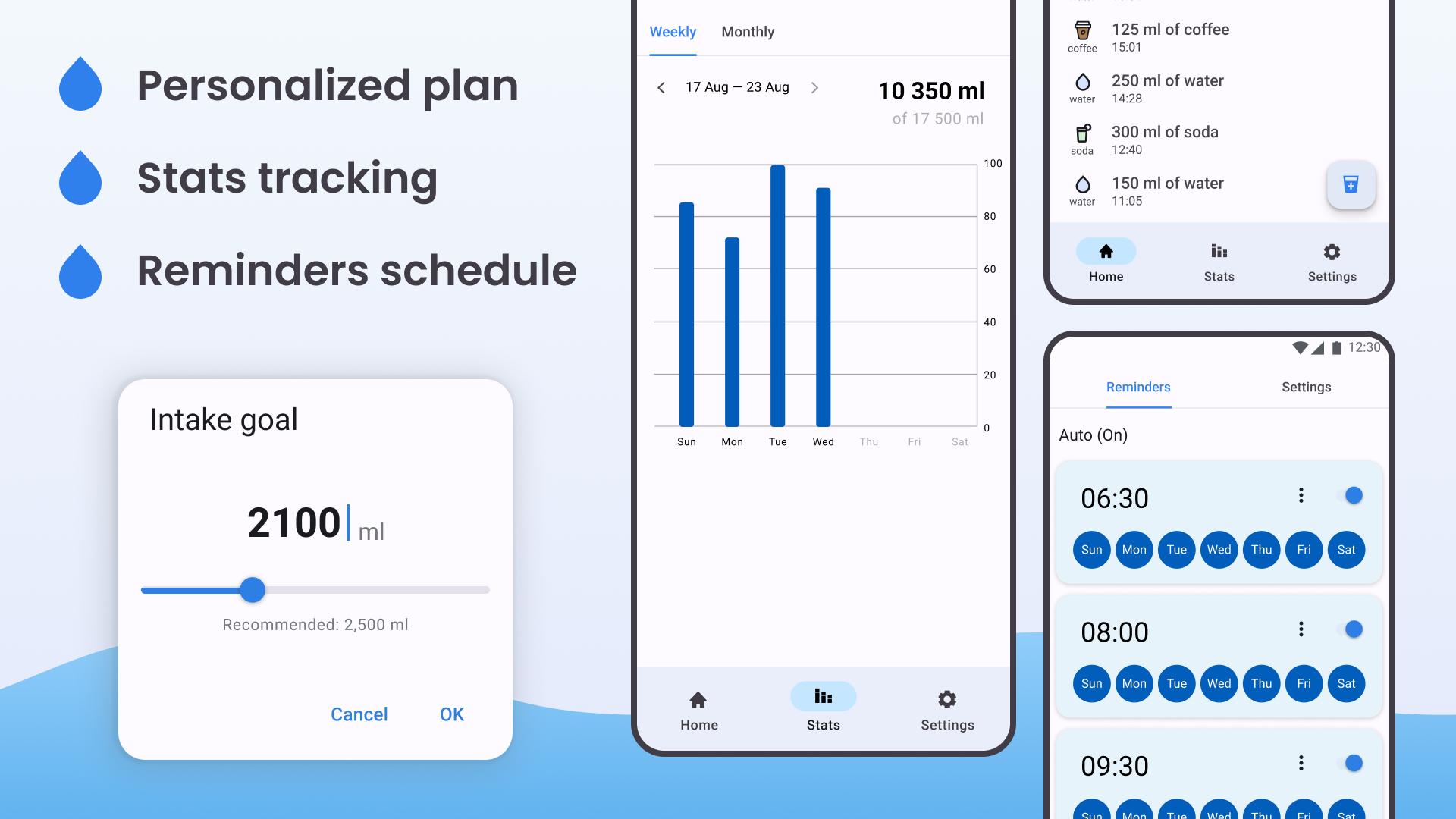
You only need to select a gender and enter your weight. The water reminder app will help you calculate how much water you should drink daily. You can use the water drinking app to reach your daily goal.
Water drinking reminders will help you build good habit and a healthy body.
The water drinking reminder app keeps track of your daily water drinking goal.
Features of Water Tracker - Drink Water App:
👉 Easy to use and has a beautiful interface.
👉 Based on gender and weight, the water drinking app will let you know how much water you should drink daily.
👉 Menu with different drinks.
👉 Customize the volume of water glass, metric (ml), and imperial (oz) units.
👉 With the water drinking app, you can choose the amount of water each time.
👉 Create custom water reminders.
👉 Water tracker by day, week, and month.
👉 Set time intervals to receive drink water reminder messages.
👉 History and graph to see your hydration progress.
Water tracker - Water Reminder App
Add your beverage with a single tap using notification whenever your water reminder app notifies you. This water reminder app makes it easier to stay hydrated.
Remember to update your water intake inside the Water Tracker - drink water app each time you have a glass of water. The drink water reminder app will remind you when it's time for another drink. The water drinking app tracks what you drink and reminds you when it's time for another glass of water.
Drinking water has many benefits, such as weight loss, healthy skin, reduced fatigue, and prevention of certain diseases. The water reminder app helps you keep track of your water intake each day and stimulates you to drink enough.
You don't have to drink just water. Everything you drink contributes to your hydration levels to some degree. You can choose between more types of drinks inside the water tracker.
If you want to be healthy, drink enough water. Want to drink enough, install a water drinking reminder!
Try Water Tracker - drink water, and your body will be grateful! ✨
!! Disclaimer !!
This app is intended to help users track their daily water intake and is provided for informational purposes only. It is not a substitute for professional health advice, diagnosis, or treatment. Decisions made based on information from this app are made at the user's own risk. We disclaim any liability for any adverse effects arising from the use of this app. Individual hydration needs can vary greatly based on factors such as weight, activity level, and health status. Therefore, users are encouraged to consult with a healthcare professional to determine their personal hydration needs. By using this app, you acknowledge and agree to these terms.
Preview
Tags
Health-&Information
Developer
Firehawk
Latest Version
1.2.1
Last Updated
2024-12-23
Category
Health-fitness
Available on
Google Play
Show More
How to play Water Tracker - Drink Reminder with GameLoop on PC
1. Download GameLoop from the official website, then run the exe file to install GameLoop
2. Open GameLoop and search for “Water Tracker - Drink Reminder” , find Water Tracker - Drink Reminder in the search results and click “Install”
3. Enjoy playing Water Tracker - Drink Reminder on GameLoop
Minimum requirements
OS
Windows 8.1 64-bit or Windows 10 64-bit
GPU
GTX 1050
CPU
i3-8300
Memory
8GB RAM
Storage
1GB available space
Recommended requirements
OS
Windows 8.1 64-bit or Windows 10 64-bit
GPU
GTX 1050
CPU
i3-9320
Memory
16GB RAM
Storage
1GB available space