Run Tracker PC
Smart Apps Pro
Download Run Tracker on PC With GameLoop Emulator
Run Tracker on PC
Run Tracker, coming from the developer Smart Apps Pro, is running on Android systerm in the past.
Now, You can play Run Tracker on PC with GameLoop smoothly.
Download it in the GameLoop library or search results. No more eyeing the battery or frustrating calls at the wrong time any more.
Just enjoy Run Tracker PC on the large screen for free!
Run Tracker Introduction
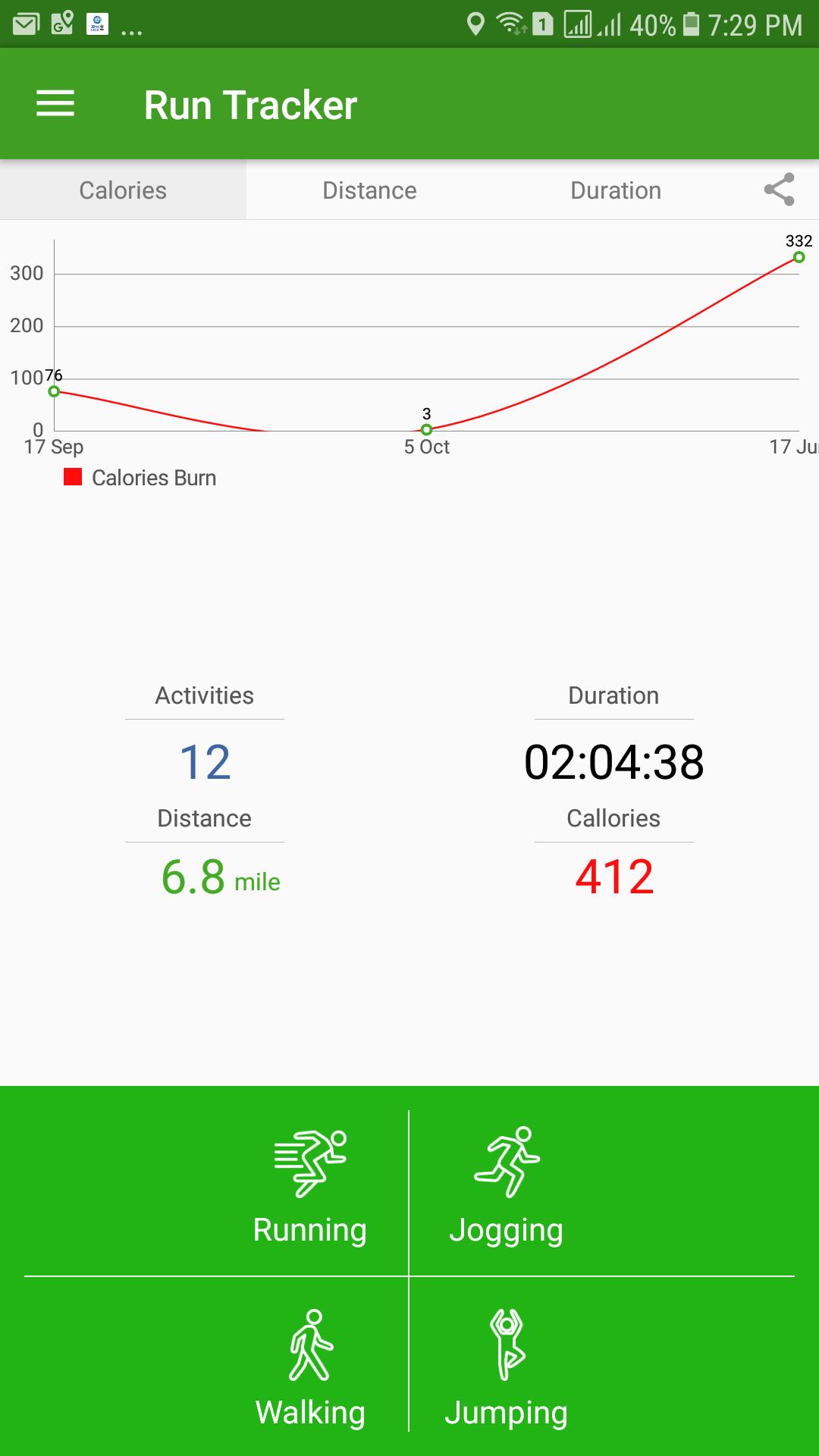
Elevate your fitness journey with Run Tracker, the ultimate GPS-powered app for running, jogging, walking, and jumping. Whether you’re training for a 5K, burning calories on a brisk walk, or simply staying active, Run Tracker gives you real-time insights on distance, duration, pace, speed, and calories burned—all offline, no data needed.
Why Run Tracker?
Accurate GPS Tracking: Precise distance, speed & pace measurements.
Custom Calorie Calculations: Uses your weight, height, age & gender to deliver personalized calorie-burn metrics.
Dual Units: Switch between kilometers & miles to suit your preference.
Clean, User-Friendly Interface: Simple controls & clear graphs make it perfect for all ages.
Offline Mode: Record activities anywhere—even without cell service.
Key Features:
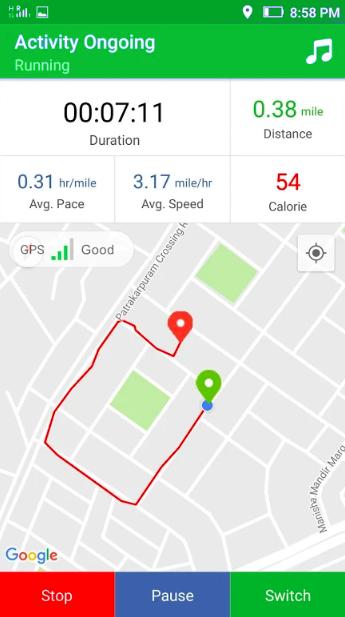
📍 Map View: See your routes & total distance at a glance.
🎯 Milestones & Goals: Set distance/time targets & celebrate achievements.
🏃♂️ Live Activity Switch: Seamlessly toggle between running, jogging, walking & jumping.
🔊 Audio Coaching & Cues: Custom alerts for time & distance checkpoints keep you on track.
📊 Calories Graph: Visualize your daily calorie burn history.
🎵 Music Access: Control your playlist without leaving the app.
🔄 Background Mode: Keep the app running while you use other apps.
📤 Easy Sharing: Post your workouts & achievements on social media.
How It Works:
Set Up: Enter your basic body info (weight, height, age, gender).
Choose Unit: Select kilometers or miles.
Start Activity: Pick from Running, Jogging, Walking or Jumping.
Track & Go: Follow real-time audio cues and watch your stats update on the map.
Review & Improve: Check your history, analyze your pace, and smash new milestones.
Transform your workouts with accurate data, motivating audio coaching, and insightful progress graphs. Download Run Tracker today and take your fitness to the next level!
Preview
Tags
Health-&Information
Developer
Smart Apps Pro
Latest Version
4.4
Last Updated
2025-07-24
Category
Health-fitness
Available on
Google Play
Show More
How to play Run Tracker with GameLoop on PC
1. Download GameLoop from the official website, then run the exe file to install GameLoop
2. Open GameLoop and search for “Run Tracker” , find Run Tracker in the search results and click “Install”
3. Enjoy playing Run Tracker on GameLoop
Minimum requirements
OS
Windows 8.1 64-bit or Windows 10 64-bit
GPU
GTX 1050
CPU
i3-8300
Memory
8GB RAM
Storage
1GB available space
Recommended requirements
OS
Windows 8.1 64-bit or Windows 10 64-bit
GPU
GTX 1050
CPU
i3-9320
Memory
16GB RAM
Storage
1GB available space