
Rain Sounds & Sweet Dreams PC
Hello World Games & Apps
Download Rain Sounds & Sweet Dreams on PC With GameLoop Emulator
Rain Sounds & Sweet Dreams on PC
Rain Sounds & Sweet Dreams, coming from the developer Hello World Games & Apps, is running on Android systerm in the past.
Now, You can play Rain Sounds & Sweet Dreams on PC with GameLoop smoothly.
Download it in the GameLoop library or search results. No more eyeing the battery or frustrating calls at the wrong time any more.
Just enjoy Rain Sounds & Sweet Dreams PC on the large screen for free!
Rain Sounds & Sweet Dreams Introduction
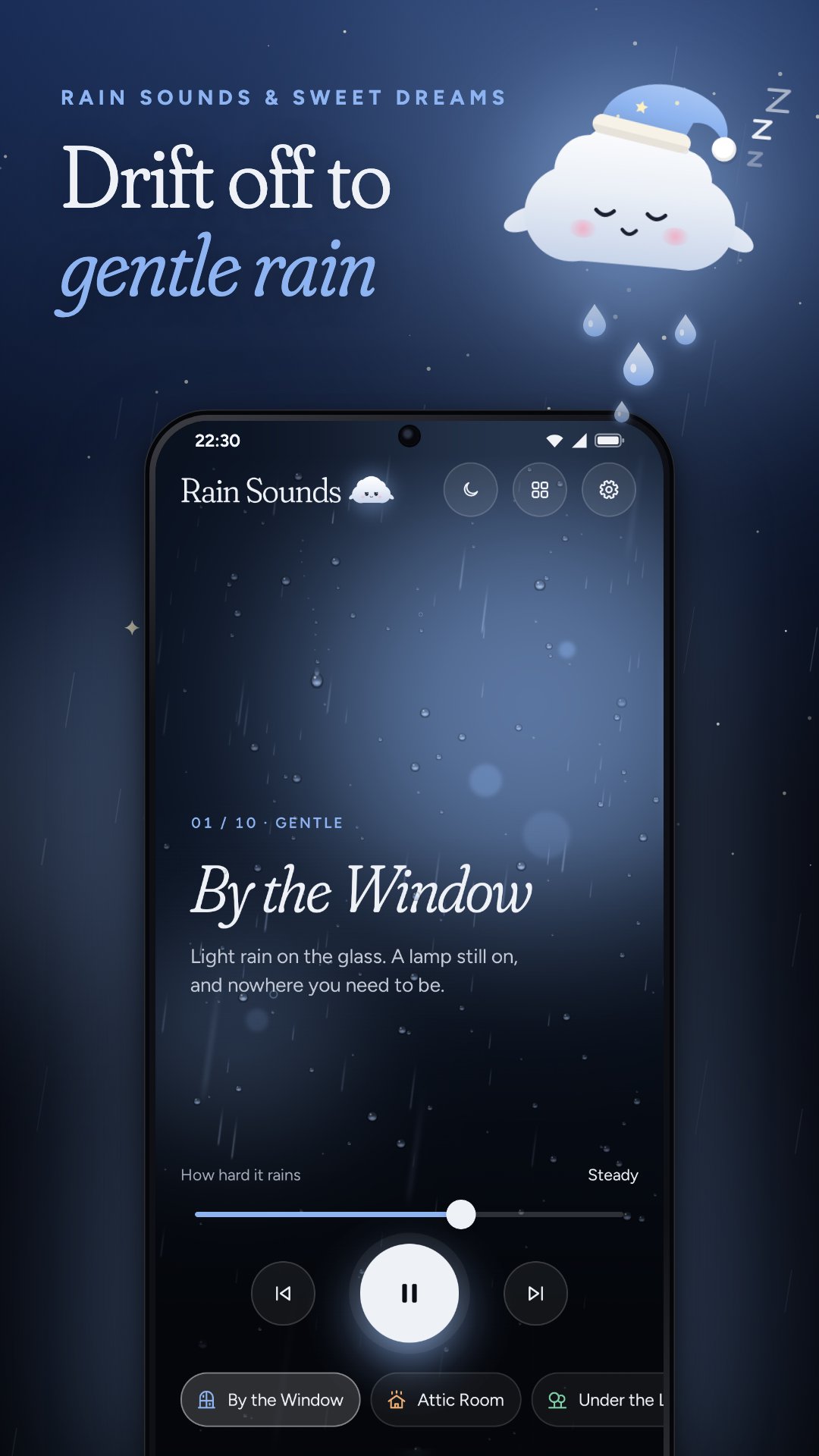
Relaxing rain sounds made like places you could fall asleep in: a window on a rainy night, an attic under a pattering roof, a tent in the pines. Choose one, put your phone down, and let the rain keep you company until morning, or until the sleep timer fades it out so slowly you won't notice it go.
No ads will wake you. It plays offline on your phone, tablet, TV or smartwatch, with no account to make and nothing to renew. Just rain, and Mizzle, a little cloud who says good night.
Ten rain sounds, ten places to sleep
• By the Window: light rain on the window glass, a lamp still on
• Attic Room: rain pattering on the roof just overhead
• Under the Leaves: forest rain sifting through the trees
• Distant Thunder: a thunderstorm rolling past, far away
• Tent at Night: rain on the tent and wind in the pines
• Sleeping City: soft city rain once the last bus has pulled in
• Silent Ship: fine rain on a dark harbor, boats rocking at the pier
• A Day Gone By: rain drumming on the roof of a parked car
• Monsoon: a warm, heavy rain that doesn't stop
• Secret Garden: rain on the glass roof of a hidden greenhouse
Each has two layers, the rain and the small things in it, like far thunder or a bell buoy out at sea. Both loop without a gap, all night long.
Make the rain your own
• Set how hard it rains, from a gentle drizzle to a heavy downpour
• Sleep timer: 15, 30 or 45 minutes, 1 hour, 90 minutes or all night
• Gentle fade-out over the last 5, 10, 20 or 30 minutes
• Bedside mode dims the screen to almost black, with a faint clock
• Plays with the screen off, with lock screen and headphone controls
• Can play alongside podcasts, audiobooks and music
• Pauses when headphones disconnect, so rain never spills out of the speaker
Rain on your wrist
Rain Sounds runs on Wear OS smartwatches by itself, no phone needed.
• All ten rain sounds; swipe to switch
• Turn the crown or bezel to set how hard it rains, or tap Drizzle, Steady or Downpour
• Start a sleep timer with a gentle fade-out from your wrist
• Bedside mode turns the watch screen black, with a dim clock and Mizzle asleep
• Round and square watches
Meet Mizzle, your little rain cloud
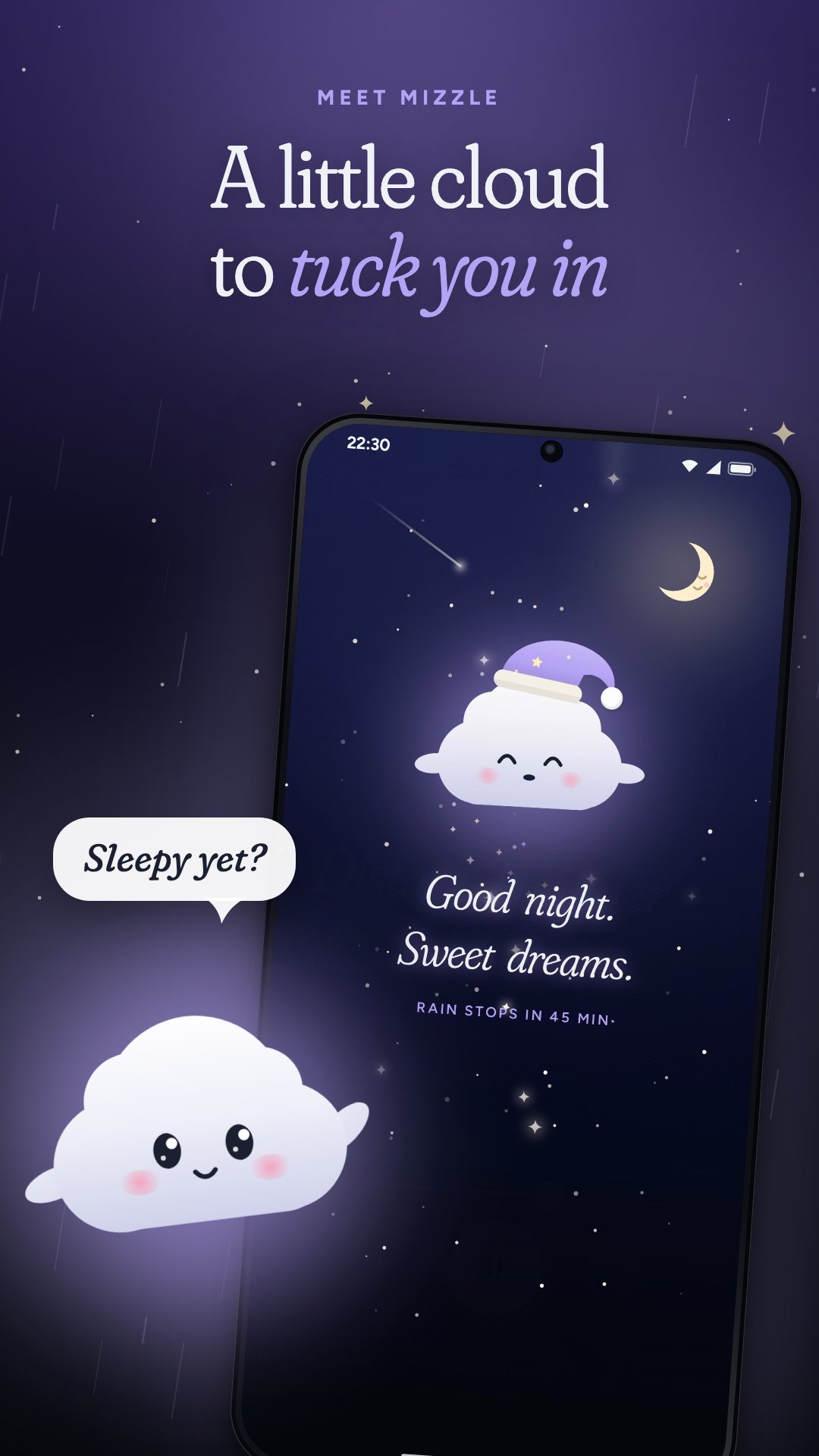
Mizzle says hello when you open the app, and in the evening it floats over to ask if you're sleepy. Say yes, and it starts the rain and your sleep timer, then says "Good night. Sweet dreams." out loud. It can dim the lights to a bedside clock, too. Add your name in Settings, then tap it for a kind word.
A bedtime reminder that's never pushy
Pick a time and the nights you want. Mizzle floats by with a soft nudge to wind down. Tap "Start the rain" right from the notification, or "15 more minutes" if you're not ready yet.
Rain wherever you rest
• Home-screen widget: tap Mizzle to start the rain, and it drifts off to sleep while the rain plays
• Phones, tablets, Chromebooks, Wear OS watches, Android TV and Google TV
• Works offline: every sleep sound lives on your device, so airplane mode is fine
• 27 languages, switchable inside the app
• Reduce motion and TalkBack support
Pay once, keep it private
Three rain sounds are yours from the first night. The other seven open with a single in-app purchase that's yours for good, with no subscription. It covers your phone, watch and TV alike: restore it on any device signed in to the same Google account. Each locked sound has five free minutes, so you can hear it first.
Rain Sounds has no account, no analytics and no tracking. It never asks for your microphone or location, and it doesn't track your sleep.
For nights, naps and quiet afternoons
Steady rain is calming, natural white noise. It softens a busy street, a snoring partner or an unfamiliar hotel room. Use these rain sounds to fall asleep, nap, read, study, focus or relax. They're made for light sleepers, night-shift workers and anyone far from home.
Good night. Sweet dreams.
Preview
Tags
Health-&Information
Developer
Hello World Games & Apps
Latest Version
3.0.0
Last Updated
2026-10-27
Category
Health-fitness
Available on
Google Play
Show More
How to play Rain Sounds & Sweet Dreams with GameLoop on PC
1. Download GameLoop from the official website, then run the exe file to install GameLoop
2. Open GameLoop and search for “Rain Sounds & Sweet Dreams” , find Rain Sounds & Sweet Dreams in the search results and click “Install”
3. Enjoy playing Rain Sounds & Sweet Dreams on GameLoop
Minimum requirements
OS
Windows 8.1 64-bit or Windows 10 64-bit
GPU
GTX 1050
CPU
i3-8300
Memory
8GB RAM
Storage
1GB available space
Recommended requirements
OS
Windows 8.1 64-bit or Windows 10 64-bit
GPU
GTX 1050
CPU
i3-9320
Memory
16GB RAM
Storage
1GB available space