
Inuheat PC
Inuheat Group AB
Download Inuheat on PC With GameLoop Emulator
Inuheat on PC
Inuheat, coming from the developer Inuheat Group AB, is running on Android systerm in the past.
Now, You can play Inuheat on PC with GameLoop smoothly.
Download it in the GameLoop library or search results. No more eyeing the battery or frustrating calls at the wrong time any more.
Just enjoy Inuheat PC on the large screen for free!
Inuheat Introduction
Remotely control the heat level and settings for your Inuheat compatible clothing.
Features:
• Time Control – Keeps you warm throughout your whole outdoor stay
• Branded Interface – One app, easy to use, for all your Inuheat compatible heated clothes
CONNECT YOUR SMARTPHONE TO THE POWERPACKS
Conveniently control the Inuheat PowerPacks from a Bluetooth 4 compatible Android phone.
EASY TO GET STARTED
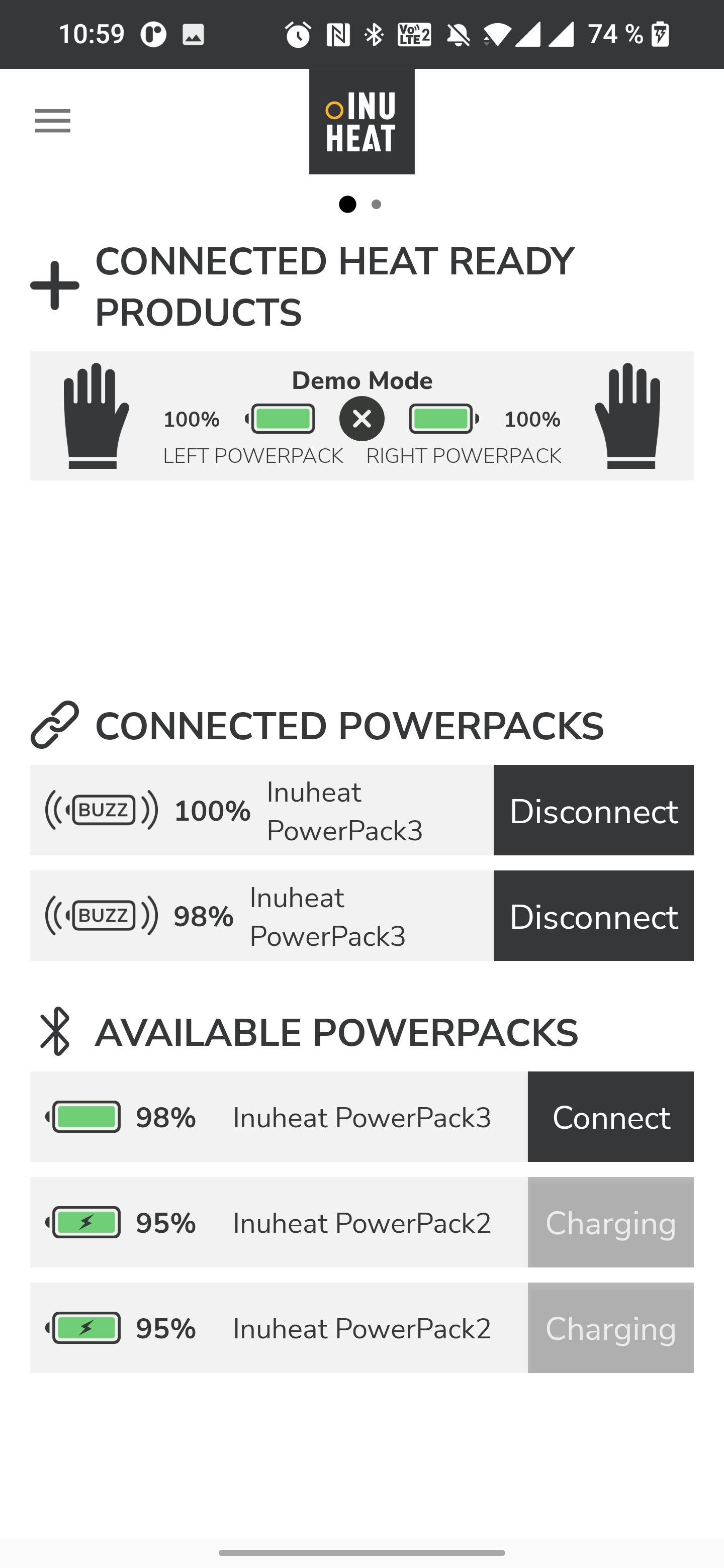
When a PowerPack is turned ON, it is automatically detected and will be listed in the connections window under “Available PowerPacks”. Connect those PowerPacks you want to use.
Slip a PowerPack in to the Inuheat label on your apparel. The PowerPack will then recognise the specific product and show it in the app.
In the app, swipe to the left when you are ready to turn on the heat. If you have several products you easily swipe between them for individual control.
Paired PowerPacks talk to each other. If you control the heat setting from the button on the PowerPack you only have to adjust the heat on one pack and the new setting will pass on to the other one.
Preview
Tags
Health-&Information
Developer
Inuheat Group AB
Latest Version
2.1.8
Last Updated
2024-11-26
Category
Health-fitness
Available on
Google Play
Show More
How to play Inuheat with GameLoop on PC
1. Download GameLoop from the official website, then run the exe file to install GameLoop
2. Open GameLoop and search for “Inuheat” , find Inuheat in the search results and click “Install”
3. Enjoy playing Inuheat on GameLoop
Minimum requirements
OS
Windows 8.1 64-bit or Windows 10 64-bit
GPU
GTX 1050
CPU
i3-8300
Memory
8GB RAM
Storage
1GB available space
Recommended requirements
OS
Windows 8.1 64-bit or Windows 10 64-bit
GPU
GTX 1050
CPU
i3-9320
Memory
16GB RAM
Storage
1GB available space