Eye protector: screen dimmer PC
Games MWS
Download Eye protector: screen dimmer on PC With GameLoop Emulator
Eye protector: screen dimmer on PC
Eye protector: screen dimmer, coming from the developer Games MWS, is running on Android systerm in the past.
Now, You can play Eye protector: screen dimmer on PC with GameLoop smoothly.
Download it in the GameLoop library or search results. No more eyeing the battery or frustrating calls at the wrong time any more.
Just enjoy Eye protector: screen dimmer PC on the large screen for free!
Eye protector: screen dimmer Introduction
Eyes are the body's most highly developed sensory organs. In fact, a far larger part of the brain is dedicated to vision than to hearing, taste, touch, or smell combined. Your eyes are your window to the world, allowing you to experience each moment. So its our responsibility to protect our eyes. Did you feel uncomfortable and feel a lot of stress on your eyes while using smart phone continuously ? The reason is blue-light and other bright lights or the lights which are not good for your eyes. These lights are harmful and damage your Retina and cause headache. For all those who use smart phone for a long time, eye protector screen dimmer is best application for eye care . Eye protector night screen dimmer is an effective screen dimmer which reduce the harmful lights to protect and secure your eyes specially at night. "Eye Protector: Night Screen Dimmer" control the brightness of your smart phone to protect your eyes. Eye protector screen dimmer make eyes health guardian angel, allowing you to use the phone more healthy. 708af130ab . By using "Eye Protector: Screen Dimmer" you don't need any safety glasses or eye protection glasses to use your smart phone, you just need to choose appropriate color and brightness and start protecting the eye. Night screen dimmer provides you a variety of 20+ colors , you can choose the best of your choice and set its brightness easily according to your need which best for your eyes. Start the "Eye Protector: Night Screen Dimmer" and enjoy a comfortable viewing while reading or watching movies, cartoons or any video on the phone and reduces the output from the mobile. Eye care becomes easy with "Eye Protector: Night Screen Dimmer".
Key Features:
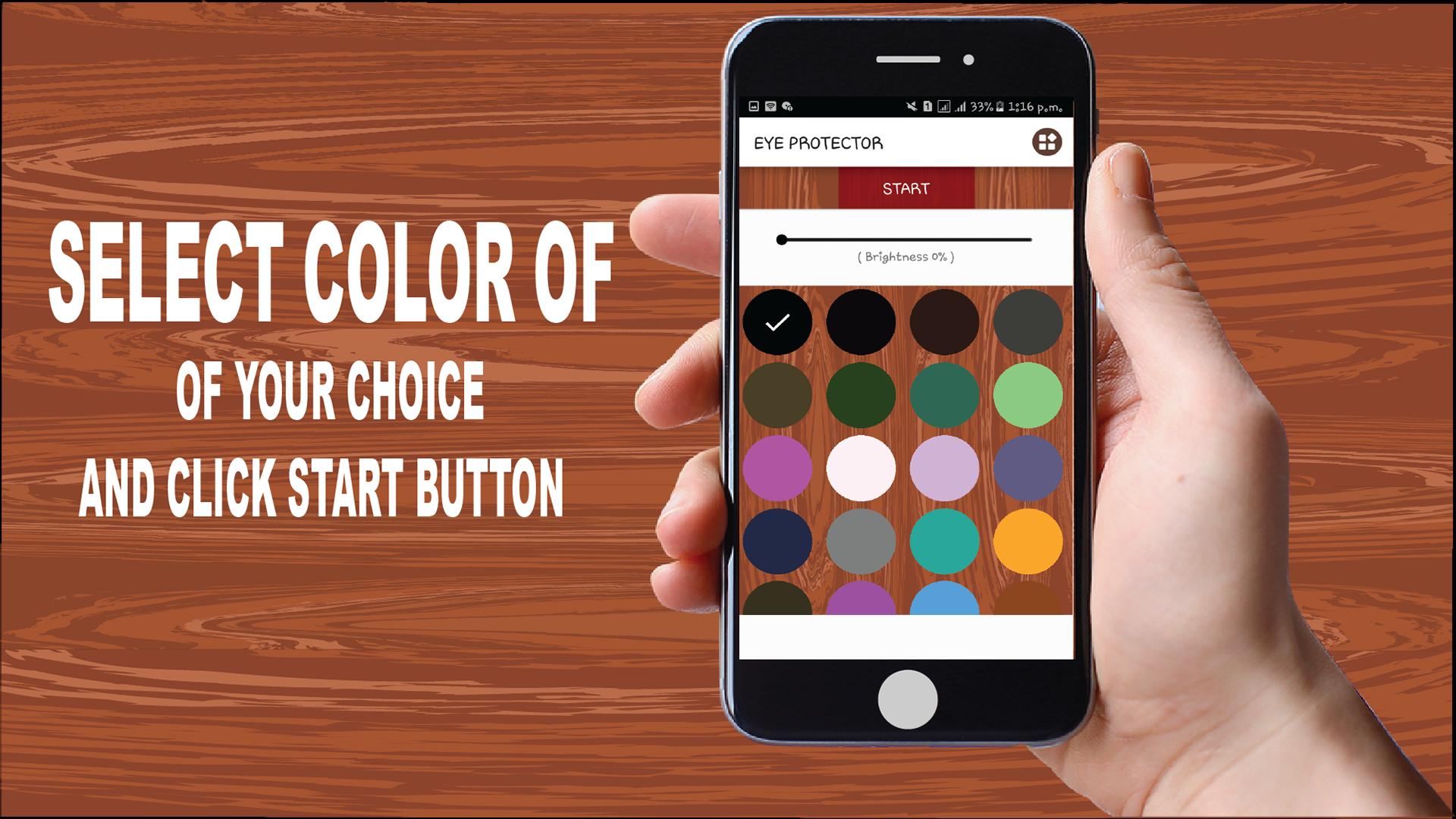
• Use a color of your choice to activate
• Edit the brightness of the color at your own choice
• Free
• eye protector screen dimmer is very easy to use
• Dim your screen light by using screen dim feature for eye care and good sleep
• This eye protector saves your phone battery power
• Screen Dimmer: Adjust the back-light brightness lower than default
•Start and Stop: Start and Stop the service by clicking a button
How To Use:
• Start the Eye protector screen dimmer
• Click on start button enable the permission of Eye protector screen dimmer
• Select a color of your choice and click start
Preview
Information
Developer
Games MWS
Latest Version
1.8
Last Updated
2019-11-25
Category
Health-fitness
Available on
Google Play
Show More
How to play Eye protector: screen dimmer with GameLoop on PC
1. Download GameLoop from the official website, then run the exe file to install GameLoop
2. Open GameLoop and search for “Eye protector: screen dimmer” , find Eye protector: screen dimmer in the search results and click “Install”
3. Enjoy playing Eye protector: screen dimmer on GameLoop
Minimum requirements
OS
Windows 8.1 64-bit or Windows 10 64-bit
GPU
GTX 1050
CPU
i3-8300
Memory
8GB RAM
Storage
1GB available space
Recommended requirements
OS
Windows 8.1 64-bit or Windows 10 64-bit
GPU
GTX 1050
CPU
i3-9320
Memory
16GB RAM
Storage
1GB available space