
E Numbers/Food Additives PC
Sun Light
Download E Numbers/Food Additives on PC With GameLoop Emulator
E Numbers/Food Additives on PC
E Numbers/Food Additives, coming from the developer Sun Light, is running on Android systerm in the past.
Now, You can play E Numbers/Food Additives on PC with GameLoop smoothly.
Download it in the GameLoop library or search results. No more eyeing the battery or frustrating calls at the wrong time any more.
Just enjoy E Numbers/Food Additives PC on the large screen for free!
E Numbers/Food Additives Introduction
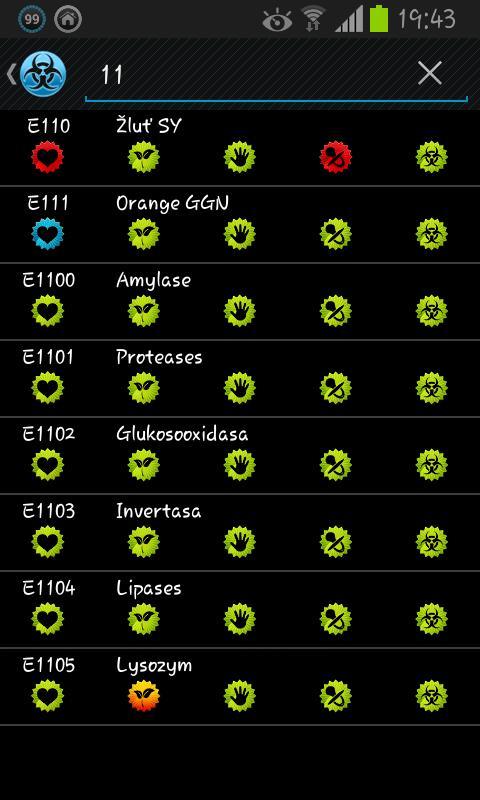
The application is used for quick orientation in E Numbers/Food Additives that after viewing the result provides a basic overview of features that make them easy to recognize whether a substance is dangerous to health. The database currently contains more than 500 entries.
E Numbers/Food Additives are used for many reasons:
- To extend the shelf life
- Protection from destruction
- Improve the taste, appearance and smell
- Create the impression of a high content of fruit, eggs, butter, natural juices, etc.
Unfortunately it is not easy at first look to determine which substance is safe and which are not. Not all E Numbers/Food Additives are dangerous; even there are some health benefits (for example vitamins). This application will help you to understand, if food additive is safe.
★What can be expected
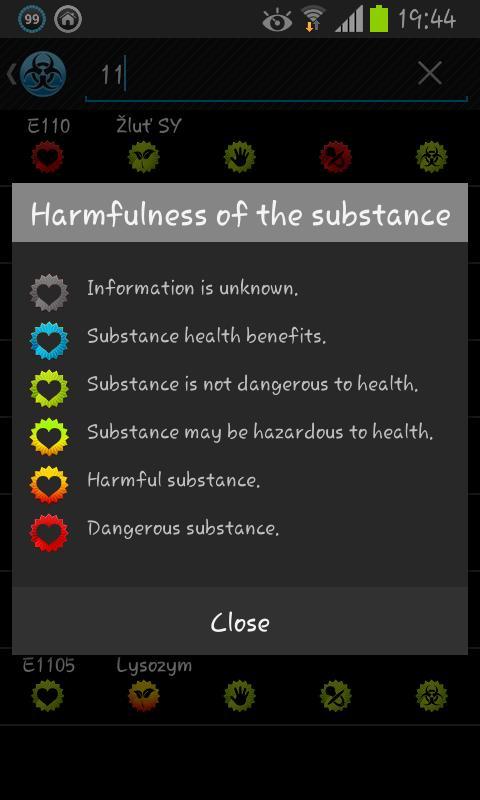
• Application searches E Numbers/Food Additives and displays their basic properties (harmfulness, suitable for vegetarians, suitable for sensitive persons, suitability for children, the source of the substance was / was not genetically modified)
• The application is available for free and without ads (target is not profit, but protect your health)
• The application is offline (no Internet connection required to display desired information)
★What can not be expected
• The current application does not include a detailed description of E Numbers/Food Additives
Preview
Tags
Health-&Information
Developer
Sun Light
Latest Version
2.0.0
Last Updated
2018-06-25
Category
Health-fitness
Available on
Google Play
Show More
How to play E Numbers/Food Additives with GameLoop on PC
1. Download GameLoop from the official website, then run the exe file to install GameLoop
2. Open GameLoop and search for “E Numbers/Food Additives” , find E Numbers/Food Additives in the search results and click “Install”
3. Enjoy playing E Numbers/Food Additives on GameLoop
Minimum requirements
OS
Windows 8.1 64-bit or Windows 10 64-bit
GPU
GTX 1050
CPU
i3-8300
Memory
8GB RAM
Storage
1GB available space
Recommended requirements
OS
Windows 8.1 64-bit or Windows 10 64-bit
GPU
GTX 1050
CPU
i3-9320
Memory
16GB RAM
Storage
1GB available space