BetterMe: Mental Health PC
BetterMe Limited
Download BetterMe: Mental Health on PC With GameLoop Emulator
BetterMe: Mental Health on PC
BetterMe: Mental Health, coming from the developer BetterMe Limited, is running on Android systerm in the past.
Now, You can play BetterMe: Mental Health on PC with GameLoop smoothly.
Download it in the GameLoop library or search results. No more eyeing the battery or frustrating calls at the wrong time any more.
Just enjoy BetterMe: Mental Health PC on the large screen for free!
BetterMe: Mental Health Introduction
BetterMe: Mental Health—an all-in-one app for your mental well-being, offering meditations, courses, and other tools.
Mindfulness is key to a balanced life, and BetterMe offers simple, practical relaxation methods for everyone, whether you're just starting out or already a pro. Dive into guided practices and start discovering your inner peace today—let's embrace the good vibes together!
Teaming up with mental health experts, we have used effective tools and strategies from Cognitive Behavioral Therapy (CBT) to help you tune in to the world surrounding you.
Incorporate mindfulness into your daily routine through guided meditations, stress-relief practices, breathwork, sleep meditations, and hundreds of mental health exercises. When your mind is clear, you concentrate better, feel inspired, and get more life energy.
Just a few minutes can really boost your well-being. Opt for quick breathing practices to set the intention for the day or longer meditations to soothe your nerves.
Start your journey with BetterMe as you reduce stress, discover self-love, and enhance your mental well-being.
🌿 BetterMe Mental Health features:
• Step-by-step plan
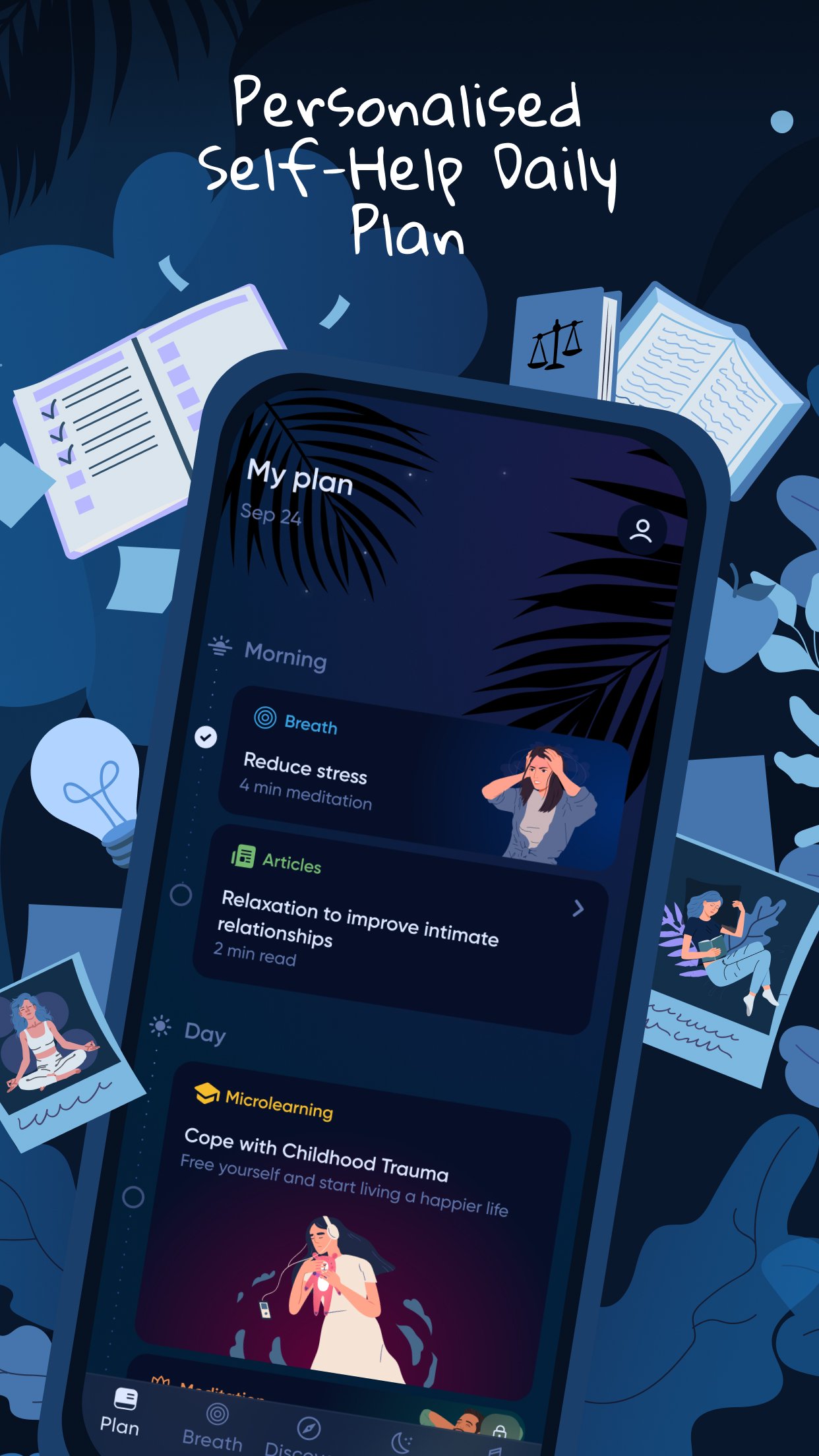
Get your daily tasks for morning, afternoon, and evening. Each one consists of a breathing exercise or guided meditation and takes no more than 5 minutes.
• Breathing exercises
Access a collection of 3-minute breathing sessions to shake off worry, stress, and anger. Practice anytime and anywhere—whether you're walking, taking the bus, or waiting in line.
• Meditations
Explore hundreds of guided meditations to boost mindfulness, recharge your energy, and fully embrace the present moment.
• Sleep stories and calming sounds
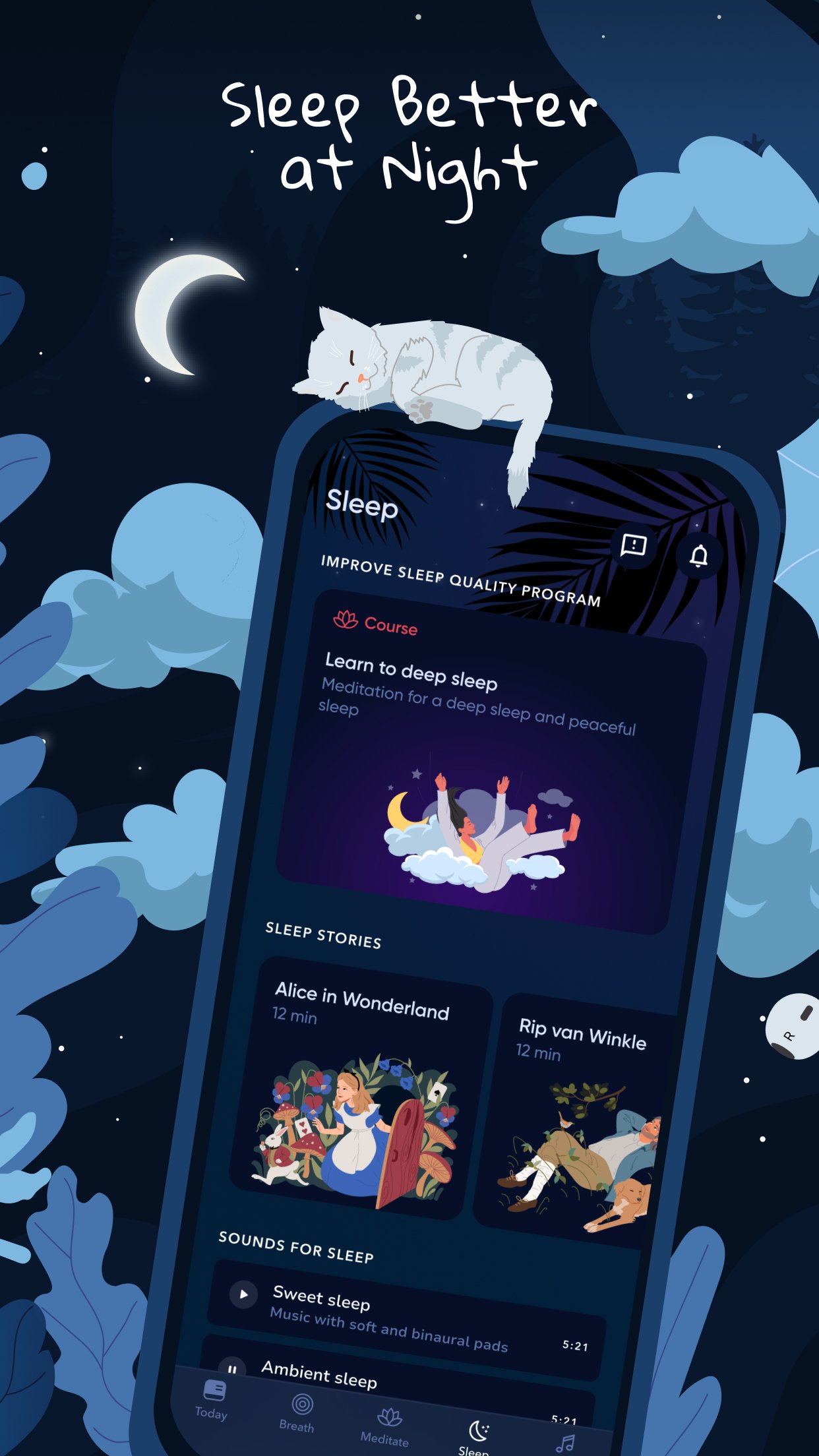
Relax with soothing stories and mellow sounds to enhance your sleep quality and unwind after a long day.
• Mix and match relaxation sounds
Snow Steps, Beach Waves, Birds, Cat Purr, Fire, Forest, Rain, and more—create an ideal atmosphere that aligns with your emotions.
Turn on our sleep timer to wrap up your evening on the perfect note.
• Interactive Mental Assistant
Start a chat with your go-to advisor for emotional support and guidance.
Download BetterMe now and embark on your journey to a more peaceful, balanced life.
We offer flexible subscription plans on Google Play, so you can choose what works best for you. Please note that subscriptions automatically renew within 24 hours before the end of the free trial or the current subscription period. You can manage or cancel your subscription anytime through your Google Play account settings.
ℹ️ BetterMe: Mental Health provides general guidance on relaxation and mindfulness. It is not designed or intended to diagnose, treat, cure, or prevent any health conditions. The insights from the app are not a substitute for professional medical care and might not be suitable for everyone. Before adopting any advice or activities described above, always consult a healthcare professional. Use this app at your own discretion.
Terms of Use - https://betterme.world/terms
Privacy Policy - https://betterme.world/privacy-policy
Subscription Terms - https://betterme.world/subscription-terms
Preview
Tags
Health-&Information
Developer
BetterMe Limited
Latest Version
4.59.0
Last Updated
2026-10-07
Category
Health-fitness
Available on
Google Play
Show More
How to play BetterMe: Mental Health with GameLoop on PC
1. Download GameLoop from the official website, then run the exe file to install GameLoop
2. Open GameLoop and search for “BetterMe: Mental Health” , find BetterMe: Mental Health in the search results and click “Install”
3. Enjoy playing BetterMe: Mental Health on GameLoop
Minimum requirements
OS
Windows 8.1 64-bit or Windows 10 64-bit
GPU
GTX 1050
CPU
i3-8300
Memory
8GB RAM
Storage
1GB available space
Recommended requirements
OS
Windows 8.1 64-bit or Windows 10 64-bit
GPU
GTX 1050
CPU
i3-9320
Memory
16GB RAM
Storage
1GB available space