
TVMucho - Watch UK TV Abroad PC
Ultimate TV Experience Abroad
Download TVMucho - Watch UK TV Abroad on PC With GameLoop Emulator
TVMucho - Watch UK TV Abroad on PC
TVMucho - Watch UK TV Abroad, coming from the developer Ultimate TV Experience Abroad, is running on Android systerm in the past.
Now, You can play TVMucho - Watch UK TV Abroad on PC with GameLoop smoothly.
Download it in the GameLoop library or search results. No more eyeing the battery or frustrating calls at the wrong time any more.
Just enjoy TVMucho - Watch UK TV Abroad PC on the large screen for free!
TVMucho - Watch UK TV Abroad Introduction
WATCH UK, IRISH, FRENCH & GERMAN LIVE TV.
Looking for a TV app to watch your favourite UK, Irish, French and German live TV channels from home, abroad? Smile... having relocated needn't mean leaving your favourite live television channels behind.
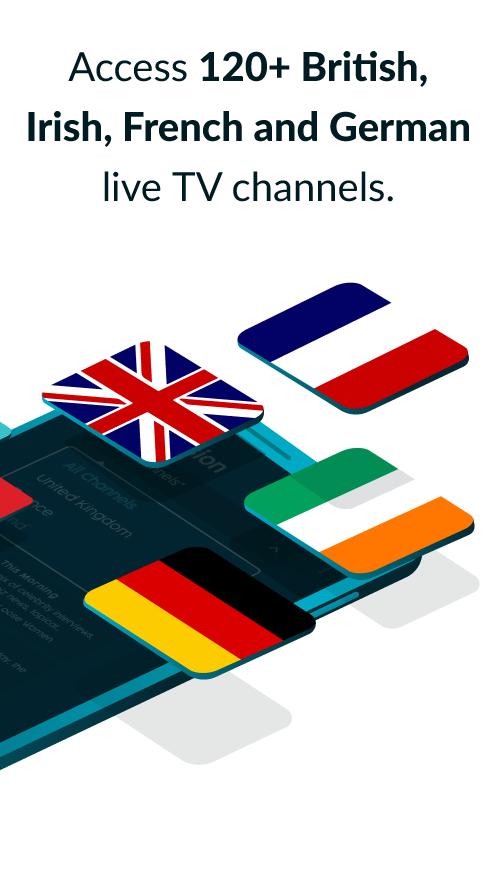
Get instant satellite access and watch Free-To-Air TV from home, while abroad, with TVMucho. With 120+ channels from the UK, Ireland, Germany and France, you can watch your favourite TV anywhere, anytime, helping you stay connected with your culture, language and compatriots back home.
LIVE TV PERFECTION.
TVMucho provides the ultimate live TV experience. Just download the TVMucho app to access and watch all your favourite UK, Irish, German and French television directly off the satellite.
TVMucho works on your TV and all your devices too - mobile, tablet, pc, set-top-box & more - without additional software or expensive satellite television equipment. And you don't need to worry about your privacy, security or online piracy either. Just install, relax and press PLAY. It's that easy.
TVMUCHO FEATURES:
• Access 120+ British, Irish, German and French live Free-To-Air TV channels directly off the satellite.
• Watch your favourite UK TV programs, shows, news, sports and more.
• Keep track of what's on TV with our interactive TV guide.
• Record live TV or schedule to record upcoming programs with Personal Cloud Video Recording.
• Tune in to 100+ UK radio stations.
• Works with all your devices: mobile, tablet, pc, set-top-box & TV.*
• Sign up for our free trial and get 15 mins free TV per day for 7 days.
*Minimum 2Mbit stable Internet connection required.
HOW DOES TVMUCHO WORK?
A TVMucho Membership includes all you need to access satellite streams from your home country. It is almost like having a hardware-based satellite receiver box. Your TVMucho membership includes the cost of renting remote receiving hardware, a Virtualized Satellite Receiver Box, and free use of the TV control apps. Watch telly in real-time, unaltered, unedited, and without additional advertising, straight off the satellite. To get started, simply:
1. Install and set up TVMucho.
2. Find out what's on using the integrated TV guide.
3. Choose a TV programme to watch and click play.
BECOME A TVMUCHO MEMBER TODAY.
Sign up for our free trial and get 15 mins free TV per day for 7 days.
Or get a paid TVMucho membership from just €5.99 and get:
• Unlimited Live TV time (HD where available).
• 50x 7-day recordings.
• 24-7 support via chat, email or telephone.
• Regular updates and improvements.
• No ads added. No contracts.
• No nonsense money-back guarantee.
What are you waiting for? Download the TVMucho app today!
TVMucho ~ TV-ing abroad for expats & travellers.
Disclaimer: This app contains older streams and videos that could be displayed in original aspect ratio and original video quality.
Preview

Tags
EntertainmentInformation
Developer
Ultimate TV Experience Abroad
Latest Version
12.10.0
Last Updated
2023-05-31
Category
Entertainment
Available on
Google Play
Show More
How to play TVMucho - Watch UK TV Abroad with GameLoop on PC
1. Download GameLoop from the official website, then run the exe file to install GameLoop
2. Open GameLoop and search for “TVMucho - Watch UK TV Abroad” , find TVMucho - Watch UK TV Abroad in the search results and click “Install”
3. Enjoy playing TVMucho - Watch UK TV Abroad on GameLoop
Minimum requirements
OS
Windows 8.1 64-bit or Windows 10 64-bit
GPU
GTX 1050
CPU
i3-8300
Memory
8GB RAM
Storage
1GB available space
Recommended requirements
OS
Windows 8.1 64-bit or Windows 10 64-bit
GPU
GTX 1050
CPU
i3-9320
Memory
16GB RAM
Storage
1GB available space