Tale of Mulan PC
Classic fairy tales Interactive book for kids
Download Tale of Mulan on PC With GameLoop Emulator
Tale of Mulan on PC
Tale of Mulan, coming from the developer Classic fairy tales Interactive book for kids, is running on Android systerm in the past.
Now, You can play Tale of Mulan on PC with GameLoop smoothly.
Download it in the GameLoop library or search results. No more eyeing the battery or frustrating calls at the wrong time any more.
Just enjoy Tale of Mulan PC on the large screen for free!
Tale of Mulan Introduction
"We offer your kids with the best selection of classic short stories and fairy tales to let your children have a fun time. This is one of the stories - Mulan. An interactive book with story reading and educational and learning games like coloring and jigsaw puzzles for kids and children to entertain for hours.
It´s an app of classic collection of short stories, undoubtedly the best interactive book with audios of story reading, educational games of coloring pages and jigsaw puzzles, perfect for tablet use by children in preschool education or kids who go to primary school. Your kids will have a lot of fun with this interesting story – Mulan.
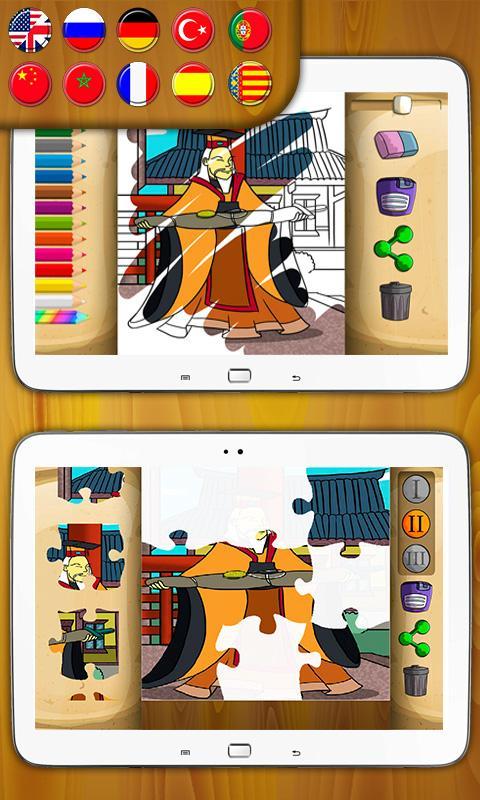
• Choose from the various languages: English, Spanish, Chinese, French, German, Portuguese, Russian or Valencian.
• Choose the story Mulan.
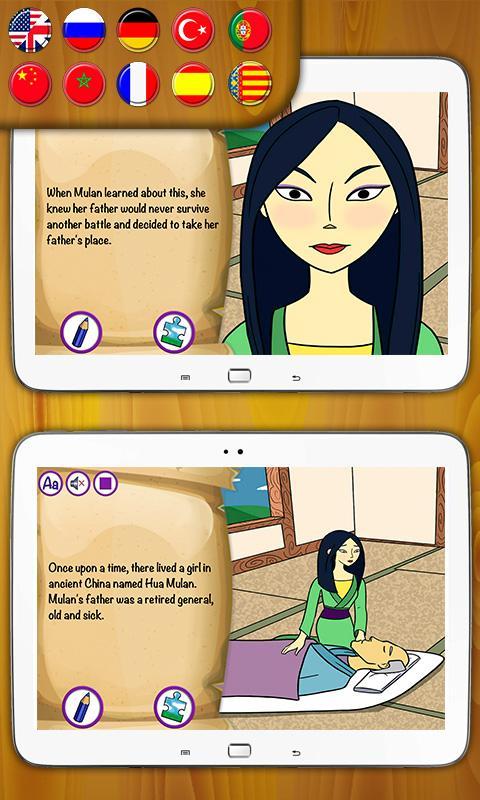
• Read the story: Your children can listen to the story by pressing the audio button to play the sound. The audio is now available in English, Spanish, Chinese, French, Portuguese and Valencian, accompanied by beautiful background music and sound effects.
• Game 1 - Coloring book. Your kids can jump to the coloring pages while reading different scenes of the story, painting and coloring scenes with magic pens and brushes of different colors to paint the image automatically. You can undo or save the image share the picture with your family or friends.
• Game 2 - Jigsaw puzzles of different scenes from the story with three levels of difficulty. Your children can play with interesting jigsaw puzzles while reading different parts of the story and discover the pictures.
About the images used in this app, some were specially designed for this application and are copyrighted, while others were acquired by the company for exclusive use which are copyrighted and belong to their author. If you want to use them for commercial purposes, please contact us first.
"
Preview
Information
Developer
Classic fairy tales Interactive book for kids
Latest Version
3755 v3
Last Updated
2016-12-01
Category
Entertainment
Available on
Google Play
Show More
How to play Tale of Mulan with GameLoop on PC
1. Download GameLoop from the official website, then run the exe file to install GameLoop
2. Open GameLoop and search for “Tale of Mulan” , find Tale of Mulan in the search results and click “Install”
3. Enjoy playing Tale of Mulan on GameLoop
Minimum requirements
OS
Windows 8.1 64-bit or Windows 10 64-bit
GPU
GTX 1050
CPU
i3-8300
Memory
8GB RAM
Storage
1GB available space
Recommended requirements
OS
Windows 8.1 64-bit or Windows 10 64-bit
GPU
GTX 1050
CPU
i3-9320
Memory
16GB RAM
Storage
1GB available space