
FanSpace: Esports & Gaming PC
Fanspace Team
Download FanSpace: Esports & Gaming on PC With GameLoop Emulator
FanSpace: Esports & Gaming on PC
FanSpace: Esports & Gaming, coming from the developer Fanspace Team, is running on Android systerm in the past.
Now, You can play FanSpace: Esports & Gaming on PC with GameLoop smoothly.
Download it in the GameLoop library or search results. No more eyeing the battery or frustrating calls at the wrong time any more.
Just enjoy FanSpace: Esports & Gaming PC on the large screen for free!
FanSpace: Esports & Gaming Introduction
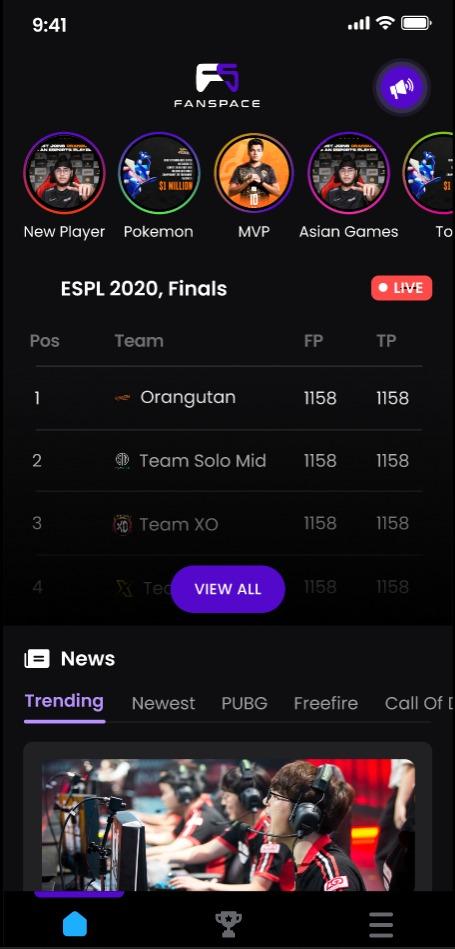
FanSpace is a digital community. Our multi-title platform provides live updates, statistics and content about Esports and Gaming.
We provide live tournament and match updates from our centralized eSports dashboard that covers multiple games and tournaments. Additionally, we offer multiple avenues of content consumption from written articles to videos to stories and more!
Top features:
Kill Feed:
Never miss a beat with our Industry first Kill Feed feature, enabling you to get instant updates on the status of a match.
Match/tournaments stats:
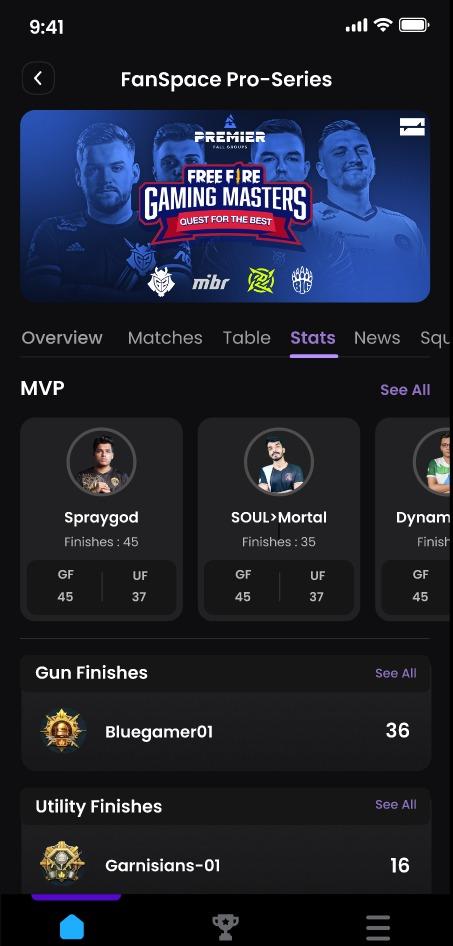
To further compliment your experience as a user, we provide live insights into player and team stats along with information about the teams competing. In another industry first initiative, we do this live.
Player/teams stats:
Statistical aggregations of the performance of your favorite teams and players in the biggest tournaments
Video and written content:
Covering multiple forms of content from games such as Valorant, PUBG: New State, FreeFire, Dota, EA-FIFA, COD:Mobile.
Sustainability is at the core of everything that we do and hence, we aim to expand our selection of games slowly and strategically.
Preview
Tags
EntertainmentInformation
Developer
Fanspace Team
Latest Version
1.8
Last Updated
2022-12-28
Category
Entertainment
Available on
Google Play
Show More
How to play FanSpace: Esports & Gaming with GameLoop on PC
1. Download GameLoop from the official website, then run the exe file to install GameLoop
2. Open GameLoop and search for “FanSpace: Esports & Gaming” , find FanSpace: Esports & Gaming in the search results and click “Install”
3. Enjoy playing FanSpace: Esports & Gaming on GameLoop
Minimum requirements
OS
Windows 8.1 64-bit or Windows 10 64-bit
GPU
GTX 1050
CPU
i3-8300
Memory
8GB RAM
Storage
1GB available space
Recommended requirements
OS
Windows 8.1 64-bit or Windows 10 64-bit
GPU
GTX 1050
CPU
i3-9320
Memory
16GB RAM
Storage
1GB available space