
Fake Chat Maker - WhatsMessage PC
Tiawy Labs
Download Fake Chat Maker - WhatsMessage on PC With GameLoop Emulator
Fake Chat Maker - WhatsMessage on PC
Fake Chat Maker - WhatsMessage, coming from the developer Tiawy Labs, is running on Android systerm in the past.
Now, You can play Fake Chat Maker - WhatsMessage on PC with GameLoop smoothly.
Download it in the GameLoop library or search results. No more eyeing the battery or frustrating calls at the wrong time any more.
Just enjoy Fake Chat Maker - WhatsMessage PC on the large screen for free!
Fake Chat Maker - WhatsMessage Introduction
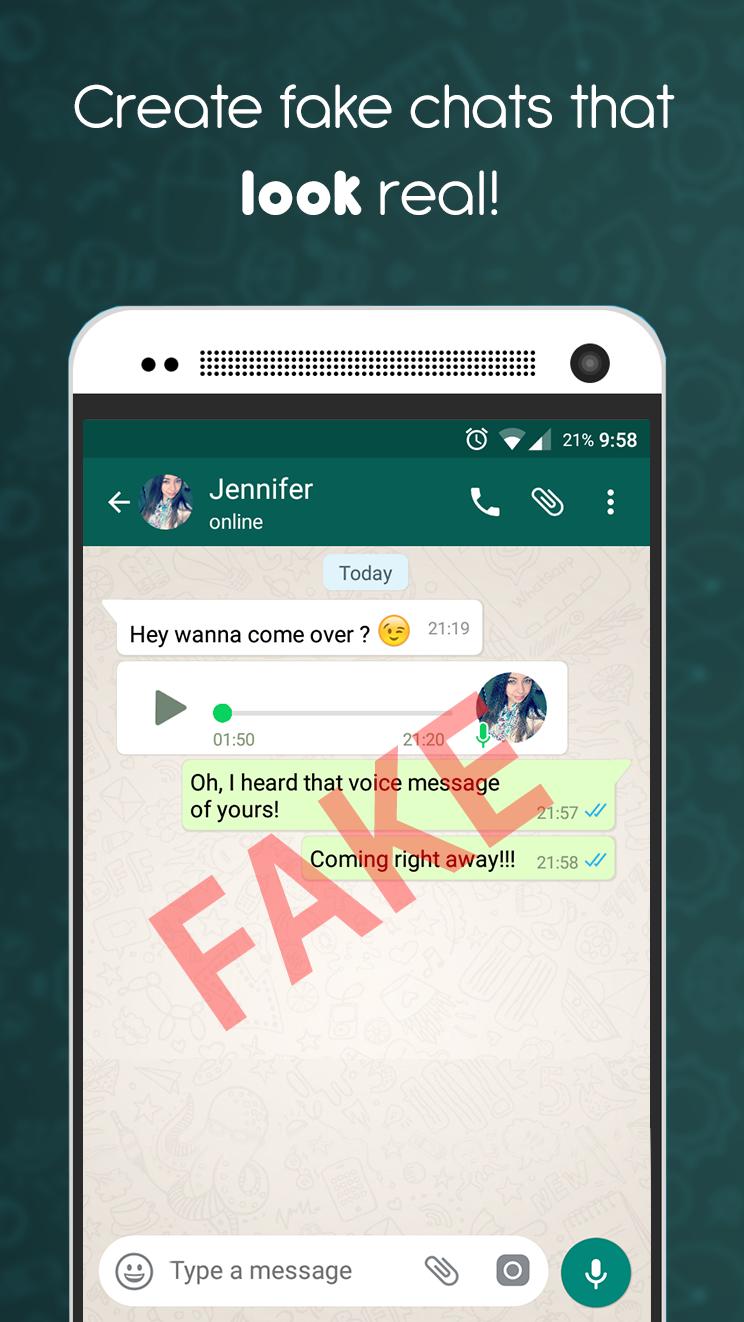
Fake Chat Conversation app is not a real chat app. This is a fake chat maker you can joke with your friends by creating fake chats and stories.
You can make jokes to your friends using the fake chat app. After creating a fake chat, take screenshots and send them to your friends.
What You can do with the fake chat app:
* You can joke with your friends.
* You can talk to your imaginary friends with fake chat.
* You can surprise your friends on social media.
* Unlimited and free use.
fake chat features:
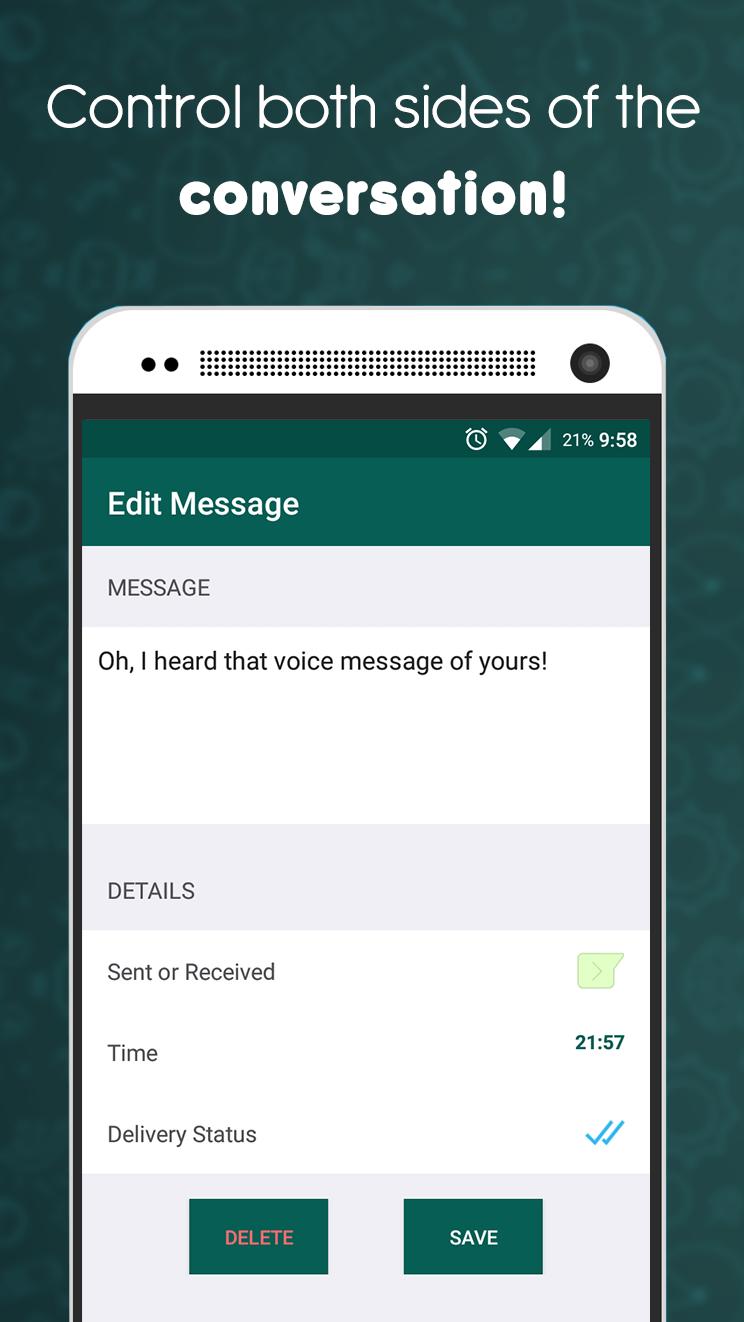
* Easily edit mutual conversations
* Choose the side of the fake message
* Create unlimited fake chat
* Sending fake audio recordings
* Fake search feature
* New emoji support
* You can edit every detail
* Easily take a screenshot of your fake chat
* The size of the Fake Chat Conversation is very small.
* You can rearrange dates, contacts and fake chat.
* Read-unread information
* Incoming fake message count indicator
* Change fake chat background
* Change font sizes in fake chat.
* Fake profile
* Fake voice messages
* Fake calls
Note: The Fake Chat Conversation app is a prank app. It is not a real chat app. It only allows you to create fake chats.
DISCLAIMER: This app is intended for entertainment purposes only and is not affiliated with any other messaging app in any way. This app does not try to compete with or replace the original.
Have Fun!
Preview
Tags
EntertainmentInformation
Developer
Tiawy Labs
Latest Version
2.2
Last Updated
2023-08-31
Category
Entertainment
Available on
Google Play
Show More
How to play Fake Chat Maker - WhatsMessage with GameLoop on PC
1. Download GameLoop from the official website, then run the exe file to install GameLoop
2. Open GameLoop and search for “Fake Chat Maker - WhatsMessage” , find Fake Chat Maker - WhatsMessage in the search results and click “Install”
3. Enjoy playing Fake Chat Maker - WhatsMessage on GameLoop
Minimum requirements
OS
Windows 8.1 64-bit or Windows 10 64-bit
GPU
GTX 1050
CPU
i3-8300
Memory
8GB RAM
Storage
1GB available space
Recommended requirements
OS
Windows 8.1 64-bit or Windows 10 64-bit
GPU
GTX 1050
CPU
i3-9320
Memory
16GB RAM
Storage
1GB available space