
Drone Radar Simulation PC
AFapps.de
Download Drone Radar Simulation on PC With GameLoop Emulator
Drone Radar Simulation on PC
Drone Radar Simulation, coming from the developer AFapps.de, is running on Android systerm in the past.
Now, You can play Drone Radar Simulation on PC with GameLoop smoothly.
Download it in the GameLoop library or search results. No more eyeing the battery or frustrating calls at the wrong time any more.
Just enjoy Drone Radar Simulation PC on the large screen for free!
Drone Radar Simulation Introduction
Drones and Multicopter flying everywhere through the skies. The Drone Radar simulates a tracking of this flying cameras, as everyone wants. Such a radar screen could improve air safety immensely. Also everyone could protect against spying from the sky.
Until such a visualization is realy possible, you can prank (!) your friends with this free simulation app. You can tell them that the recognition actually works. Only you know, it's just a joke and not a real radarscreen for your android smartphone or tablet.
Important note: This is just a non-real simulation for pranking your friends. A drone radar on a simple smartphone is not possible yet and without real detection hardware!
How this free drone radar simulation works:
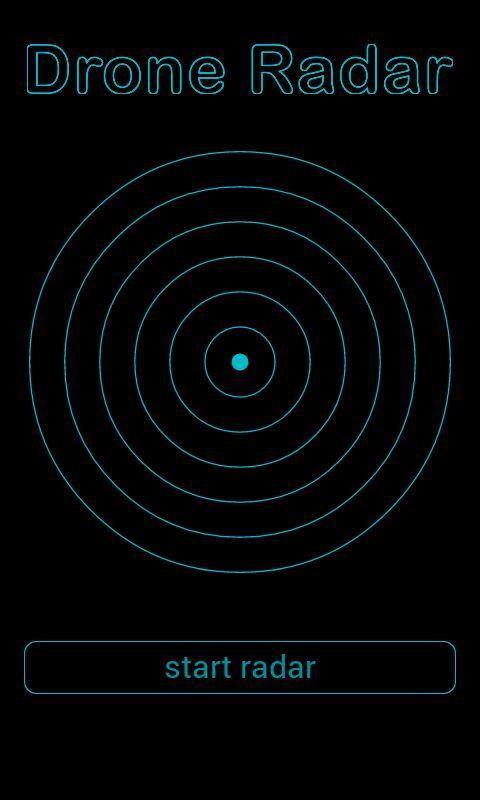
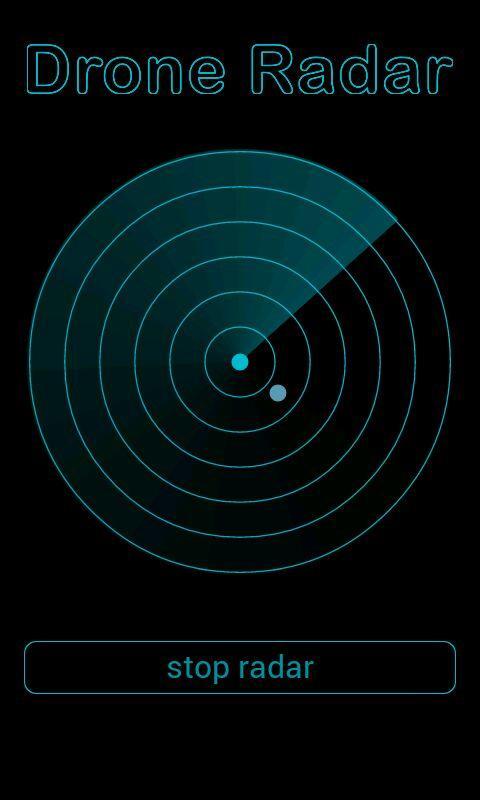
After starting the application, several menu items are displayed. With a simple click you reach the radarscreen and activate the dronetracking.
Fake multicopter near by you are displayed randomly. After a short time they disappear again. This acts like a real airradar.
In the settings you can change the visualization of the quadrocopters. It is recommended on first start that you take the time for the configuration. For example, you can specify that a sound is played at drone appear. Also, you can activate the vibration. If supported by your smartphone, you can let rotate the radarscreen with your orientation.
In the near future there will be many more options and addons. This will make the drone radar even more realistic. So you can prank more of your friends.
If you like the app, please rate fife stars on Google Play. of course you can also tell how you've pranked your friends or at which funny locations a drone has appeared on radar screen.
In case of errors please send me an email, I will try to fix as soon as possible. Use the same way for telling me suggestions for improvement the RPA Scanner (remotely piloted aircraft).
PS: If flying copters like the phantom UAV (unmanned aircraft system) are no interest for you and your friends, you can find more free radar simulations on my developer page at Google Play. Just have a look, maybe you'll find something else indeed.
Preview
Tags
EntertainmentInformation
Developer
AFapps.de
Latest Version
1.1
Last Updated
2016-05-02
Category
Entertainment
Available on
Google Play
Show More
How to play Drone Radar Simulation with GameLoop on PC
1. Download GameLoop from the official website, then run the exe file to install GameLoop
2. Open GameLoop and search for “Drone Radar Simulation” , find Drone Radar Simulation in the search results and click “Install”
3. Enjoy playing Drone Radar Simulation on GameLoop
Minimum requirements
OS
Windows 8.1 64-bit or Windows 10 64-bit
GPU
GTX 1050
CPU
i3-8300
Memory
8GB RAM
Storage
1GB available space
Recommended requirements
OS
Windows 8.1 64-bit or Windows 10 64-bit
GPU
GTX 1050
CPU
i3-9320
Memory
16GB RAM
Storage
1GB available space