
Nihongo Dash - Lite PC
MardukCorp
Download Nihongo Dash - Lite on PC With GameLoop Emulator
Nihongo Dash - Lite on PC
Nihongo Dash - Lite, coming from the developer MardukCorp, is running on Android systerm in the past.
Now, You can play Nihongo Dash - Lite on PC with GameLoop smoothly.
Download it in the GameLoop library or search results. No more eyeing the battery or frustrating calls at the wrong time any more.
Just enjoy Nihongo Dash - Lite PC on the large screen for free!
Nihongo Dash - Lite Introduction
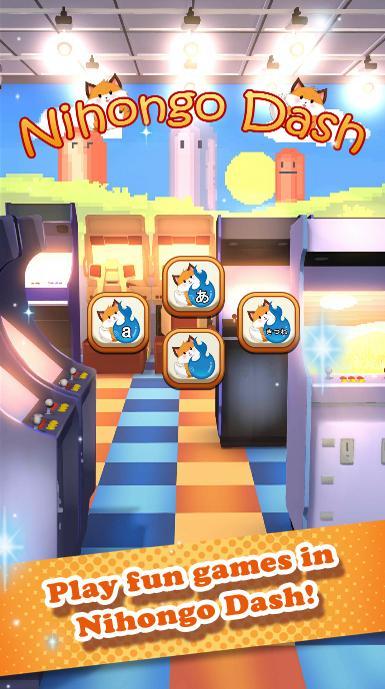
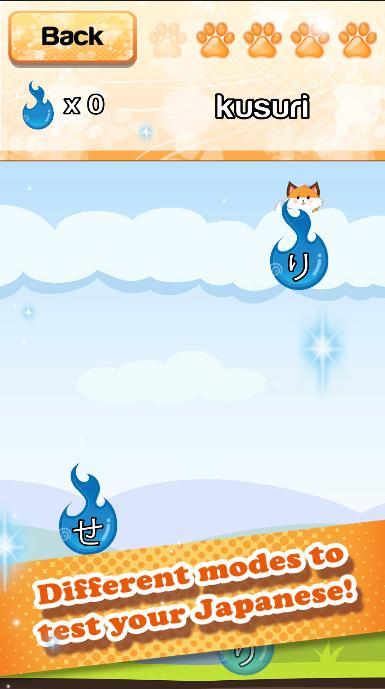
Form Japanese words from Hiragana or Katakana and test your Japanese skills in our newest learning game!
But be careful! The hungry foxes are unforgiving and eat all your mistakes!
Easy gameplay get's you quickly started but hard to master!
Download the full version and get access to more words, game modes, background music and rankings to compete with others!
★ Game content
▸ Test your knowledge with JLPT N5 words
▸ Form words from Hiragana or Katakana
▸ No In-App purchases!
★ Additional content of full version
▸ Test your knowledge with over 100 JLPT N5 words
▸ Different game modes: Form words from Hiragana, Katakana or Romaji
▸ Share your scores with friends or compete with other players around the world
▸ Choose from different background music
★ Learning game known from kawaii日本語
▸ Do you want to learn more Japanese? You can find this game and more in our Japanese learning app kawaii日本語 available here on Google Play Store!
Contact: support@mardukcorp.de
Preview
Information
Developer
MardukCorp
Latest Version
1.0
Last Updated
2016-11-22
Category
Educational
Available on
Google Play
Show More
How to play Nihongo Dash - Lite with GameLoop on PC
1. Download GameLoop from the official website, then run the exe file to install GameLoop
2. Open GameLoop and search for “Nihongo Dash - Lite” , find Nihongo Dash - Lite in the search results and click “Install”
3. Enjoy playing Nihongo Dash - Lite on GameLoop
Minimum requirements
OS
Windows 8.1 64-bit or Windows 10 64-bit
GPU
GTX 1050
CPU
i3-8300
Memory
8GB RAM
Storage
1GB available space
Recommended requirements
OS
Windows 8.1 64-bit or Windows 10 64-bit
GPU
GTX 1050
CPU
i3-9320
Memory
16GB RAM
Storage
1GB available space