
Genealogical tree 3D PC
Dmitriy Konyuhov
Download Genealogical tree 3D on PC With GameLoop Emulator
Genealogical tree 3D on PC
Genealogical tree 3D, coming from the developer Dmitriy Konyuhov, is running on Android systerm in the past.
Now, You can play Genealogical tree 3D on PC with GameLoop smoothly.
Download it in the GameLoop library or search results. No more eyeing the battery or frustrating calls at the wrong time any more.
Just enjoy Genealogical tree 3D PC on the large screen for free!
Genealogical tree 3D Introduction
It is necessary to study the history of your family. She fosters pride in belonging to her family, her surname, her desire to become the same as grandfathers. A child who learns about the past of his loved ones feels part of a large and reliable whole. Since childhood, a sense of responsibility begins to form before the memory of their ancestors.
Studying the past, parents can talk about what tendencies and talents their children can have, how to educate and develop them.
It is believed that the guardian angels are the ancestors we know about. Therefore, the more we know our ancestors, the more guardian angels we have. The memory of our ancestors makes us stronger, calmer and wiser.
With the advent of a child, the family becomes richer for the whole world. The new man unites two families, two clans - two completely different stories. This is how a new generation is born.
Studying a family tree is akin to a historical investigation. There are facts, legends, assumptions. Feel yourself the Explorer of your Family with the program Genealogical Tree 3D.
You can start small. Build your tree with the child in a playful form.
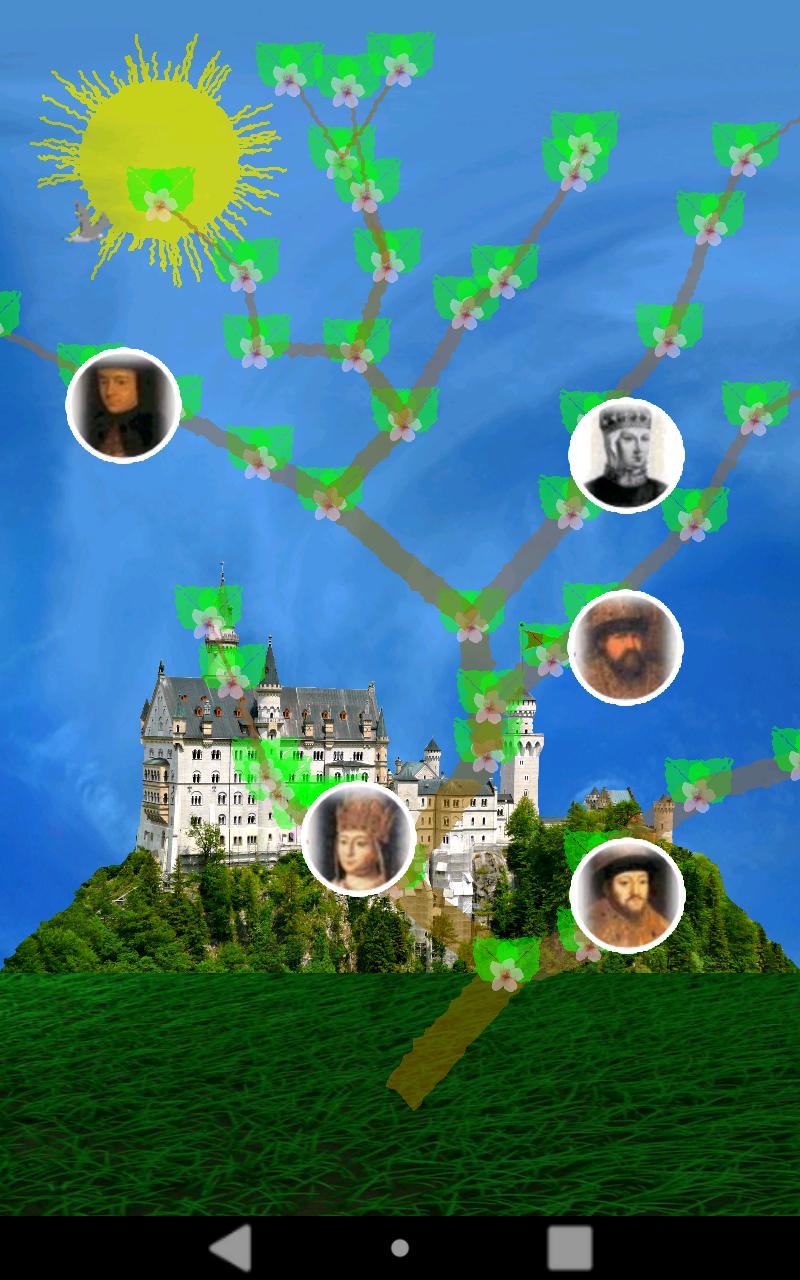
The program is designed to build an animated family tree 3D. You become a genealogist and an artist for a while.
When the program starts, the tree rotates clockwise.
Controlling the rotation of the tree is simple:
- When clicking on the screen, the rotation of the tree stops.
- When you move your finger across the screen from left to right or from right to left, the tree starts to rotate in the appropriate direction.
The tree is formed in a random order and consists of a trunk, and large and small branches. Each connection of the trunk with the branch and the connection of the large and small branches is called the node.
Each person is at his own node, from which he can be transferred to another free node. To do this, put your finger on the icon and move it across the screen to transfer to a free node.
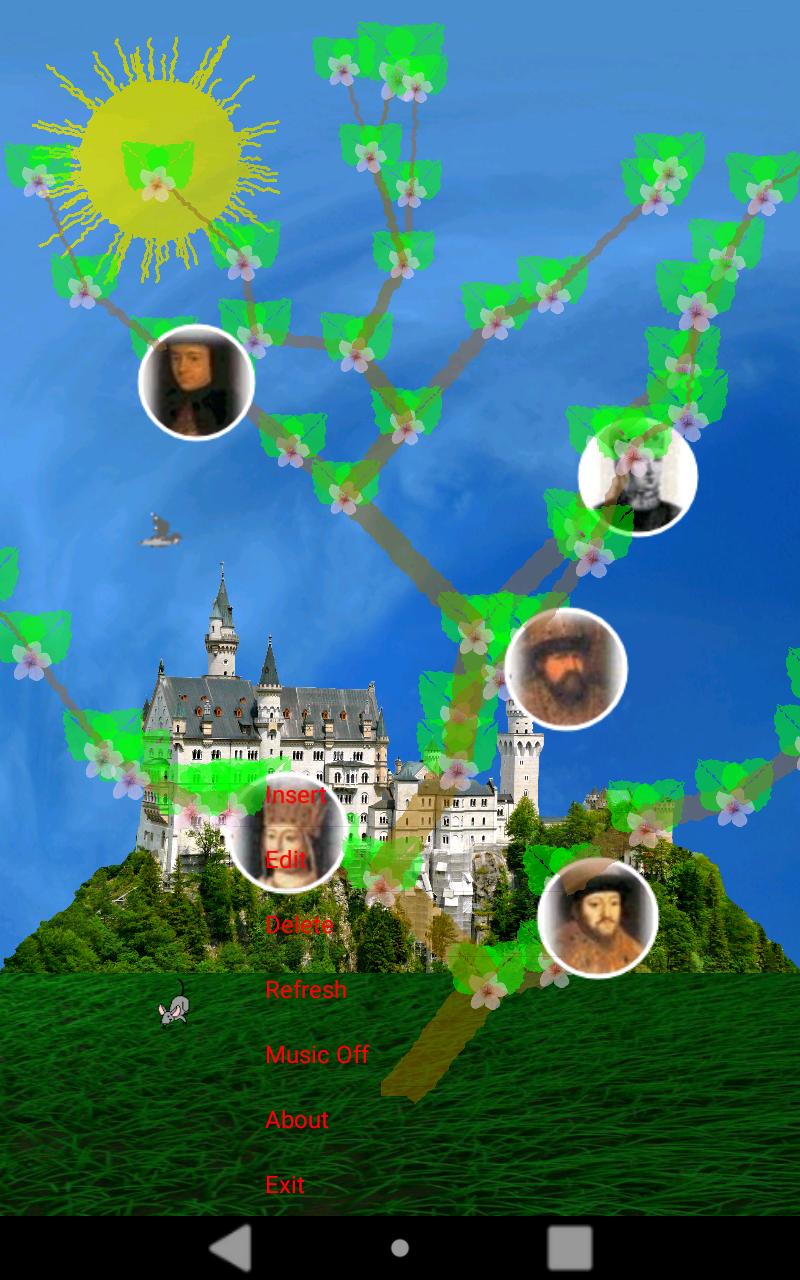
The program is controlled using the menu. To call up the menu, hold your finger on the screen or press the Menu button on the device.
The Insert menu is used to insert a new person's icon into the tree from the photo gallery on the device. The new person is inserted into the first free cell. From where it can be moved to any other free cell.
The Edit menu is used to assign a name to a person. It is necessary to click on the person icon, and then call the Menu and select - Edit.
Menu Delete - is used to delete the person icon from the tree. It is necessary to click on the icon of the person, and then call the Menu and select - Delete.
Music menu On / Off - Used to turn the background music on or off.
Menu Redraw - used to change the view of the tree. Pressing her program draws a new tree in a random order.
The training game is intended for both smartphones and tablets.
Preview
Tags
EducationalInformation
Developer
Dmitriy Konyuhov
Latest Version
3.5
Last Updated
2023-11-21
Category
Educational
Available on
Google Play
Show More
How to play Genealogical tree 3D with GameLoop on PC
1. Download GameLoop from the official website, then run the exe file to install GameLoop
2. Open GameLoop and search for “Genealogical tree 3D” , find Genealogical tree 3D in the search results and click “Install”
3. Enjoy playing Genealogical tree 3D on GameLoop
Minimum requirements
OS
Windows 8.1 64-bit or Windows 10 64-bit
GPU
GTX 1050
CPU
i3-8300
Memory
8GB RAM
Storage
1GB available space
Recommended requirements
OS
Windows 8.1 64-bit or Windows 10 64-bit
GPU
GTX 1050
CPU
i3-9320
Memory
16GB RAM
Storage
1GB available space