
WordBit Inglês PC
WordBit
Download WordBit Inglês on PC With GameLoop Emulator
WordBit Inglês on PC
WordBit Inglês, coming from the developer WordBit, is running on Android systerm in the past.
Now, You can play WordBit Inglês on PC with GameLoop smoothly.
Download it in the GameLoop library or search results. No more eyeing the battery or frustrating calls at the wrong time any more.
Just enjoy WordBit Inglês PC on the large screen for free!
WordBit Inglês Introduction
🇩🇪🇩🇪 WordBit German 👉👉👉 http://bit.ly/appalemao
■ How many times do you look at your phone per day?
On average, a person looks at their phone 100 times a day and unlocks it about 50 times. If you studied English words every time you looked at your phone, you could learn about 3,000 words in just one month!
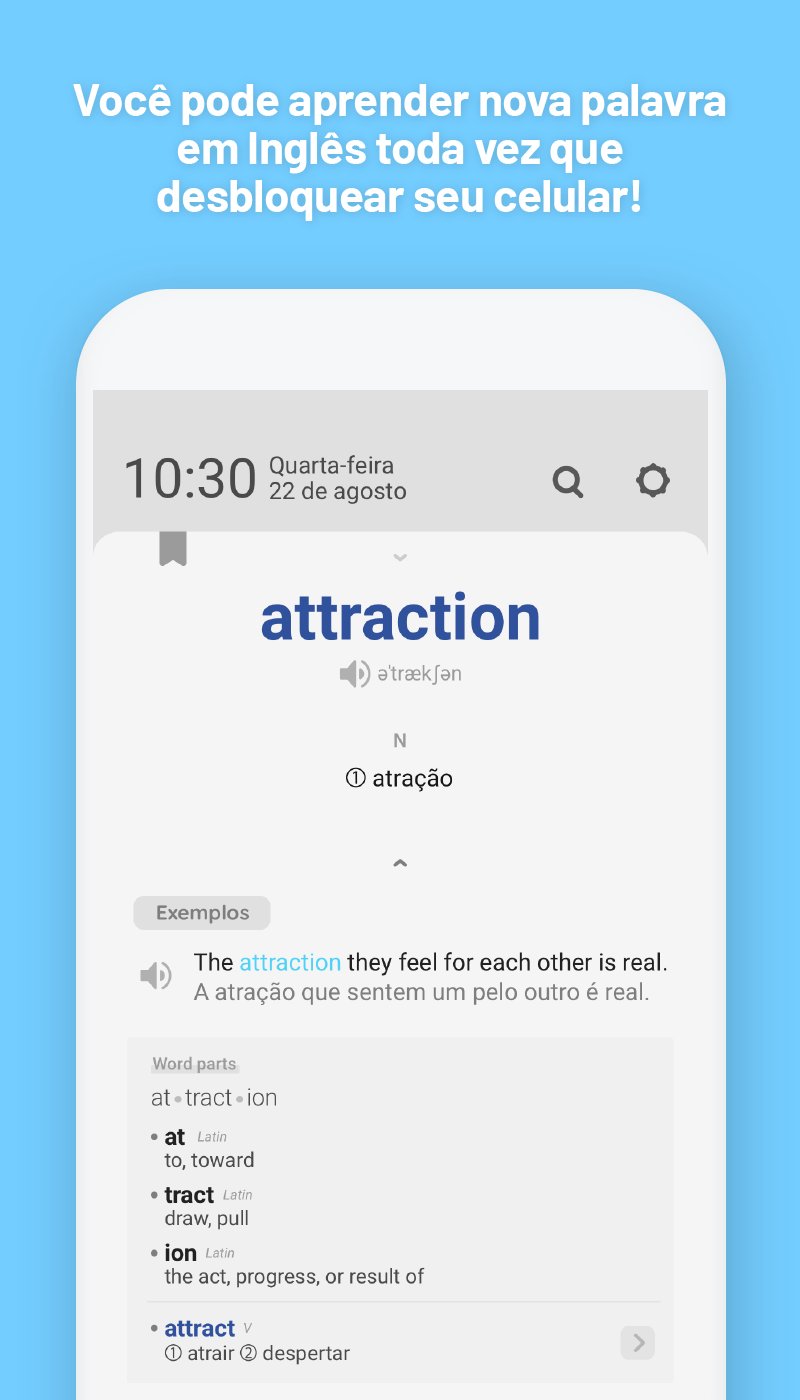
Wordbit English is an app that lets you study English on your phone's lock screen.
Brings valuable treasures to your lock screen. Plus, it's completely free!
[Study Alarm]
You can receive various study alarms, such as word association, daily reports, and flashcard review, at the times you prefer.
■ Vocabulary memorization is key to learning a foreign language, and the most basic technique for memorizing vocabulary is repetition.
You can memorize vocabulary perfectly only by reviewing words repeatedly.
Our app will not only help you learn new words but also retain your knowledge!
■■ WordBit Features ■■
●1. An innovative and content-rich app
A complete list of words from basic, beginner, to advanced levels. (A1 to C1)
List of words used in the IELTS, TOEFL, and even the SAT
Most commonly used expressions for any occasion: phrases, colloquial expressions, romantic phrases, business phrases, etc.
Over 10,000 words and expressions completely free!
●2. Study the fun way!
This app lets you learn vocabulary the fun way with flashcards, slides, and quizzes!
●3. Audio
We offer audio so you can hear the correct pronunciation for all English vocabulary.
● 4. Useful Options:
- A review of learned words
- Automatic audio to hear pronunciation
- Option to share interesting phrases in beautiful images with your friends
- 9 different color bands
● 5. Personalized Options
① Favorites Option
② Option to delete words already learned (you can delete words you already know from the vocabulary list)
③ Automatic recording of your incorrect answers
-----------------------------------------
■■ Content provided ■■
■ Vocabulary (for beginners)
Number, Time
Animals, Plants
Food
Relationships
Other
■ Vocabulary (by level)
A1 (Basic 1)
A2 (Basic 2)
B1 (Intermediate 1)
B2 (Intermediate 2)
C1 (Advanced)
■ Vocabulary (for exams)
IELTS
TOEFL
■ Phrases (We do not offer a Quiz mode with phrases)
Phrases (easy)
Phrases (normal)
Famous Phrases
Practical Pronunciation
Daily Expressions
-----------------------------------------
🌞[Feature Description] 🌞
(1) After downloading and launching the app, Learn Mode will be automatically activated.
- This app is designed to learn English automatically. Therefore, every time you turn on your phone, the app will activate, allowing you to learn English.
(2) If you want to temporarily disable the app's automatic study mode, you can do so by adjusting the app's Settings.
(3) For certain smartphone operating systems (Huawei, Xiaomi, Oppo, etc.), the app may shut down automatically. In this case, you can access and adjust your device's settings (e.g., power saving and power management) to resolve the shutdown issue. If you have any questions about using the app, please don't hesitate to contact us.
👉👉👉 contact@wordbit.net
Preview

Tags
EducationInformation
Developer
WordBit
Latest Version
1.7.1.11
Last Updated
2025-12-29
Category
Education
Available on
Google Play
Show More
How to play WordBit Inglês with GameLoop on PC
1. Download GameLoop from the official website, then run the exe file to install GameLoop
2. Open GameLoop and search for “WordBit Inglês” , find WordBit Inglês in the search results and click “Install”
3. Enjoy playing WordBit Inglês on GameLoop
Minimum requirements
OS
Windows 8.1 64-bit or Windows 10 64-bit
GPU
GTX 1050
CPU
i3-8300
Memory
8GB RAM
Storage
1GB available space
Recommended requirements
OS
Windows 8.1 64-bit or Windows 10 64-bit
GPU
GTX 1050
CPU
i3-9320
Memory
16GB RAM
Storage
1GB available space