
Sibme PC
Sibme
Download Sibme on PC With GameLoop Emulator
Sibme on PC
Sibme, coming from the developer Sibme, is running on Android systerm in the past.
Now, You can play Sibme on PC with GameLoop smoothly.
Download it in the GameLoop library or search results. No more eyeing the battery or frustrating calls at the wrong time any more.
Just enjoy Sibme PC on the large screen for free!
Sibme Introduction
Unlock the Power of AI for Educator Excellence
Sibme is the premier Educator Copilot and online coaching and collaboration platform designed to elevate instructional practices through innovative video and audio reflection and feedback tools. With our new AI Copilot, Sibme revolutionizes the way educators enhance their teaching and leadership strategies, improve student outcomes, and save hours in their workweek by reducing administrative load.
Key Features:
- Sibme Copilot: Our groundbreaking AI Copilot for educators offers generative AI tools that assist in lesson planning, creating feedback, and other administrative tasks. It unlocks hours in your day and reduces the administrative load for both teachers and instructional leaders.
- Generative AI Tools: Fine-tuned specifically for educators, our tools help streamline workflow and enhance productivity.
- AI Insights: Receive in-depth AI-driven analyses of your teaching practices to pinpoint strengths and areas for improvement.
- AI Reports: Access actionable insights based on research-based pedagogical practices to inform your instructional decisions.
- Record and Review: Capture lessons, observations, presentations, and more for self-reflection or collaborative review. Benefit from automatic transcription to easily analyze and reflect on recorded content.
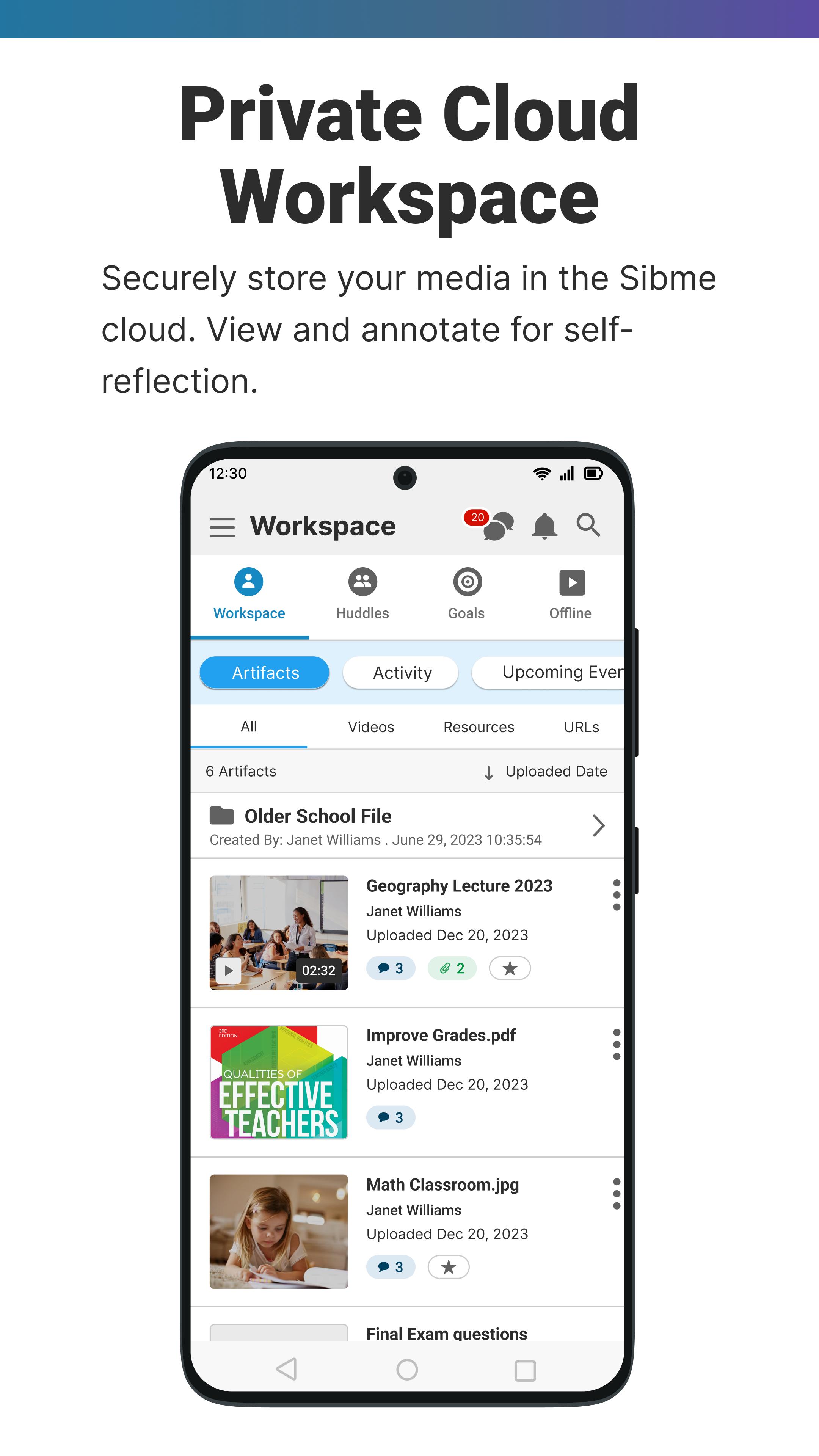
- Seamless Uploads: Automatically or manually upload video and audio to your secure Sibme cloud Workspace for private use or shared Huddles.
- Resource Sharing: Share and view resources with precise time-stamp attachments within your Sibme Workspace and Huddles.
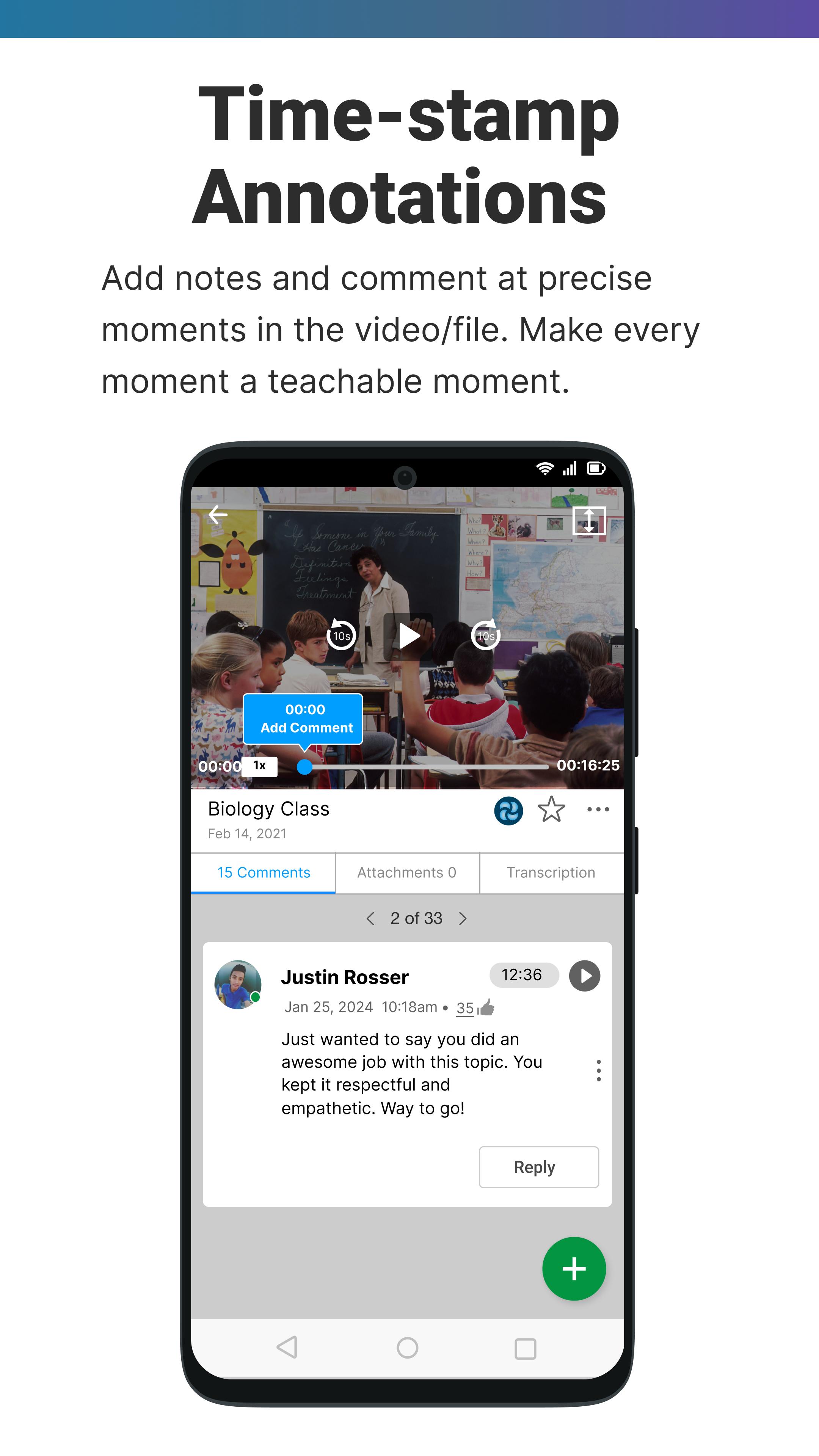
- Interactive Annotations: Annotate video and audio with time-stamped comments for detailed feedback and collaborative assessment.
- Synced and Scripted Notes: Record synced video and text notes or text-only observations for comprehensive reflection.
- Optimized Recording: Enjoy super-fast uploads with web-optimized recording resolution and a hands-free countdown timer.
- In-App Editing: Edit and share your videos directly within the app.
Offline Annotations: Annotate videos with time-stamped audio and text comments even when offline.
- Enhanced Audio: Sync with a wireless Bluetooth microphone for superior audio quality.
Join Sibme today and transform your educational practice with the power of AI. Elevate your teaching, engage your students, and achieve your professional goals with Sibme.
Note:Users must be registered with Sibme to access the app.
Preview
Tags
EducationInformation
Developer
Sibme
Latest Version
7.1.2
Last Updated
2025-07-23
Category
Education
Available on
Google Play
Show More
How to play Sibme with GameLoop on PC
1. Download GameLoop from the official website, then run the exe file to install GameLoop
2. Open GameLoop and search for “Sibme” , find Sibme in the search results and click “Install”
3. Enjoy playing Sibme on GameLoop
Minimum requirements
OS
Windows 8.1 64-bit or Windows 10 64-bit
GPU
GTX 1050
CPU
i3-8300
Memory
8GB RAM
Storage
1GB available space
Recommended requirements
OS
Windows 8.1 64-bit or Windows 10 64-bit
GPU
GTX 1050
CPU
i3-9320
Memory
16GB RAM
Storage
1GB available space