Mother Goose Nursery Rhymes PC
ゆめある
Download Mother Goose Nursery Rhymes on PC With GameLoop Emulator
Mother Goose Nursery Rhymes on PC
Mother Goose Nursery Rhymes, coming from the developer ゆめある, is running on Android systerm in the past.
Now, You can play Mother Goose Nursery Rhymes on PC with GameLoop smoothly.
Download it in the GameLoop library or search results. No more eyeing the battery or frustrating calls at the wrong time any more.
Just enjoy Mother Goose Nursery Rhymes PC on the large screen for free!
Mother Goose Nursery Rhymes Introduction
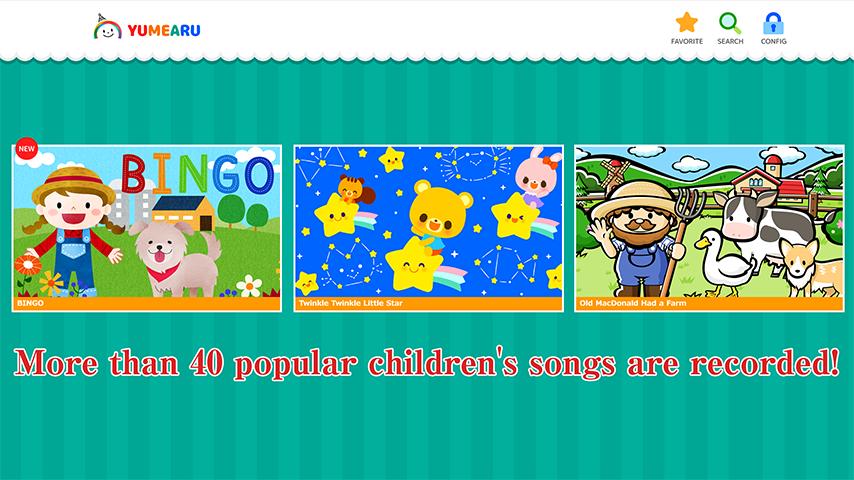
More than 40 popular children's songs are recorded!
New pieces will be added.
[Examples of works]
BINGO,Twinkle Twinkle Little Star,Old MacDonald Had a Farm,Silent night,Jingle Bells,Humpty Dumpty
[Useful function 1]
If you download, you can enjoy it even in an offline environment you go!
[Useful function 2]
When you check the work, you can see your favorite works anytime!
[Useful function 3]
It has a timer function, so you can promise the time you can see it!
Notes
In an environment where the net line is slow, playback may not be smooth.
In that case, please save with the "save movie" button displayed after the work icon tap and then browse.
Preview

Tags
EducationInformation
Developer
ゆめある
Latest Version
3.0.1
Last Updated
2018-10-11
Category
Education
Available on
Google Play
Show More
How to play Mother Goose Nursery Rhymes with GameLoop on PC
1. Download GameLoop from the official website, then run the exe file to install GameLoop
2. Open GameLoop and search for “Mother Goose Nursery Rhymes” , find Mother Goose Nursery Rhymes in the search results and click “Install”
3. Enjoy playing Mother Goose Nursery Rhymes on GameLoop
Minimum requirements
OS
Windows 8.1 64-bit or Windows 10 64-bit
GPU
GTX 1050
CPU
i3-8300
Memory
8GB RAM
Storage
1GB available space
Recommended requirements
OS
Windows 8.1 64-bit or Windows 10 64-bit
GPU
GTX 1050
CPU
i3-9320
Memory
16GB RAM
Storage
1GB available space