
MCQ Practice App - SabQuiz PC
AppLocus
Download MCQ Practice App - SabQuiz on PC With GameLoop Emulator
MCQ Practice App - SabQuiz on PC
MCQ Practice App - SabQuiz, coming from the developer AppLocus, is running on Android systerm in the past.
Now, You can play MCQ Practice App - SabQuiz on PC with GameLoop smoothly.
Download it in the GameLoop library or search results. No more eyeing the battery or frustrating calls at the wrong time any more.
Just enjoy MCQ Practice App - SabQuiz PC on the large screen for free!
MCQ Practice App - SabQuiz Introduction
Welcome to SabQuiz, your comprehensive MCQ practice companion designed to enhance your learning journey. Whether you're a student aiming for academic excellence, looking to sharpen technical skills, or aspiring to master general studies, SabQuiz is your go-to app.
Key Features:
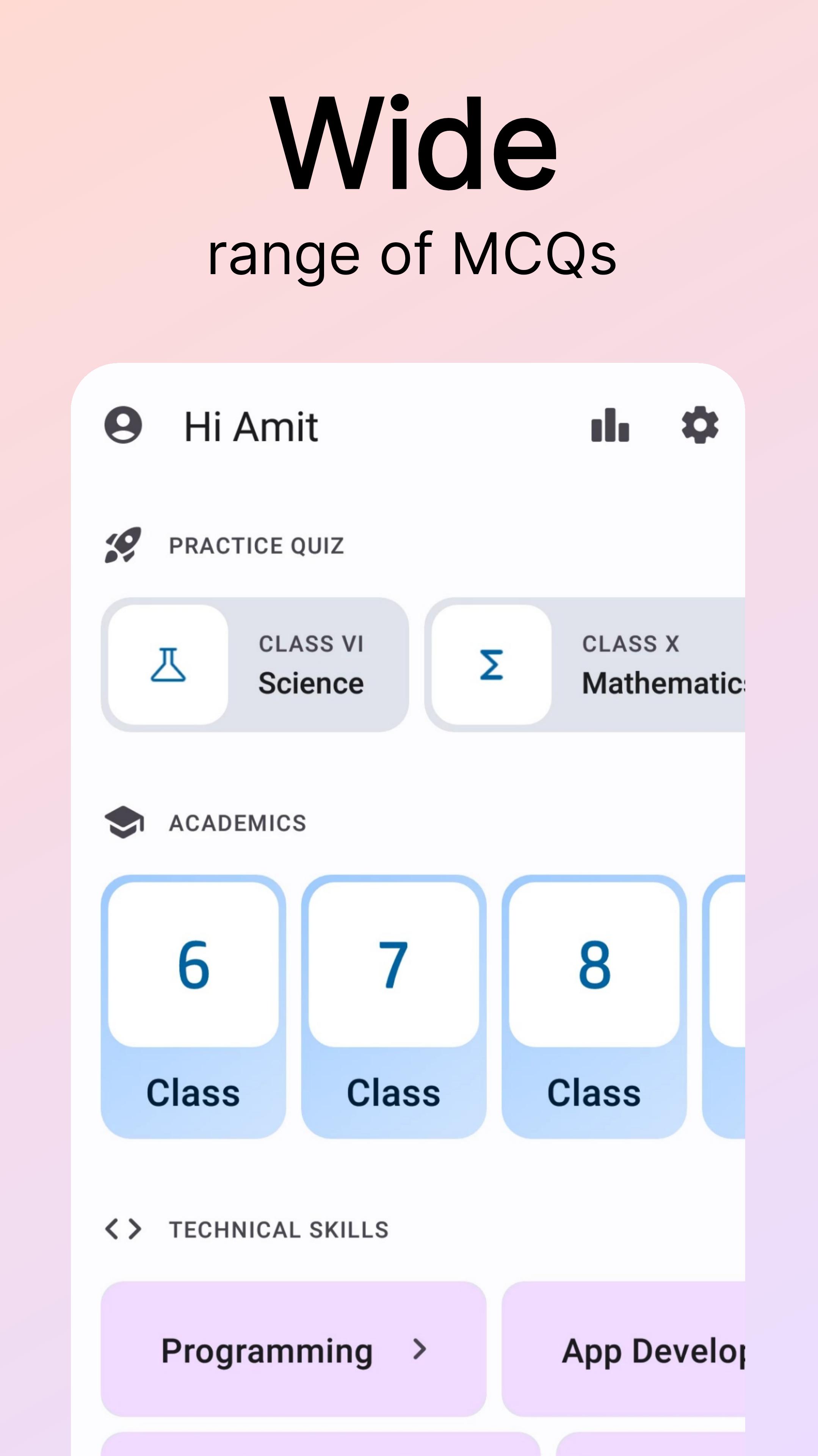
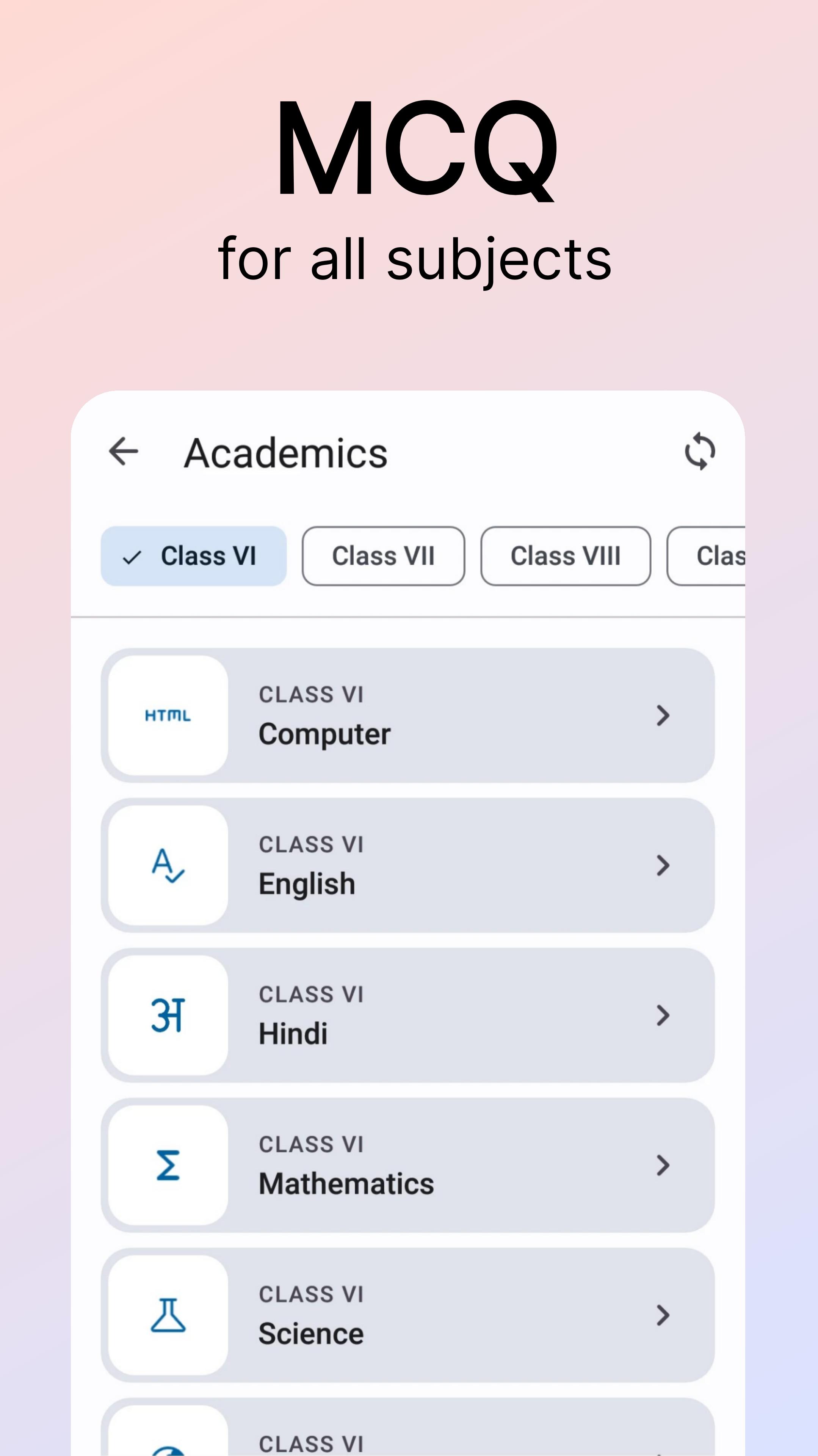
📚 Academics Section: Practice MCQs for classes 6 to 10 across all subjects, following the NCERT curriculum. Get detailed insights into each session, understand your strengths, and track your progress over time.
Under Academics, students from class 6 to 10 can reinforce their learning by practicing MCQs in subjects such as Mathematics, Science, Social Science, and more.
💻 Technical Skills: Elevate your expertise with MCQs in programming, digital marketing, operating systems, and more. Stay ahead in the competitive world of technology and build a strong foundation.
Under Technical Skills, you can practice Multiple Choice Questions in Programming languages such as C, Java, Kotlin, Python, and more.
Additionally, you can enhance your knowledge in Digital Marketing by practicing MCQs on SEO.
Furthermore, you can delve into Web Development with MCQs covering HTML, CSS, JavaScript, and more.
🌐 General Studies: From general knowledge to quantitative aptitude, SabQuiz covers a diverse range of topics. Enhance your overall understanding and prepare for a variety of exams.
Under General Studies, you can expand your knowledge by practicing MCQs on various topics including Countries & Capitals, USA States and Capitals, and more in General knowledge.
Why SabQuiz?
⚙️ User-Friendly Interface: Navigate seamlessly through the app's intuitive design. Switch effortlessly between sections and make the most of your study time.
🎯 Personalized Practice: Tailor your practice sessions based on your academic level and interests. Practice at your own pace for effective learning.
📊 Detailed Results: Receive comprehensive results after each practice session, providing valuable insights for improvement. Track your performance and monitor your journey towards excellence.
🚀 Track Your Progress: Monitor your progress over time and set new goals for continuous improvement. SabQuiz is not just an app; it's your learning companion.
📚 Wide Range of Topics: From NCERT-based MCQs for class 10 to general knowledge questions, SabQuiz offers an extensive repository of practice material.
⚙️ Continuous Updates: Stay informed with regular updates, new questions, and features to keep your learning experience fresh and engaging.
🚀 Stay Competitive: Prepare for competitive exams, class assessments, and technical interviews with confidence. SabQuiz equips you with the knowledge you need to succeed.
Download SabQuiz now and embark on a journey of knowledge and success. Join a community of motivated learners, and let SabQuiz be your trusted companion in academic and skill advancement.
Join our social media community!
Twitter: https://twitter.com/SabQuiz
Facebook: https://www.facebook.com/SabQuiz
Preview
Tags
EducationInformation
Developer
AppLocus
Latest Version
SabQuiz 2.3.0
Last Updated
2024-03-01
Category
Education
Available on
Google Play
Show More
How to play MCQ Practice App - SabQuiz with GameLoop on PC
1. Download GameLoop from the official website, then run the exe file to install GameLoop
2. Open GameLoop and search for “MCQ Practice App - SabQuiz” , find MCQ Practice App - SabQuiz in the search results and click “Install”
3. Enjoy playing MCQ Practice App - SabQuiz on GameLoop
Minimum requirements
OS
Windows 8.1 64-bit or Windows 10 64-bit
GPU
GTX 1050
CPU
i3-8300
Memory
8GB RAM
Storage
1GB available space
Recommended requirements
OS
Windows 8.1 64-bit or Windows 10 64-bit
GPU
GTX 1050
CPU
i3-9320
Memory
16GB RAM
Storage
1GB available space