Linear Equation System Solver PC
GK Apps
Download Linear Equation System Solver on PC With GameLoop Emulator
Linear Equation System Solver on PC
Linear Equation System Solver, coming from the developer GK Apps, is running on Android systerm in the past.
Now, You can play Linear Equation System Solver on PC with GameLoop smoothly.
Download it in the GameLoop library or search results. No more eyeing the battery or frustrating calls at the wrong time any more.
Just enjoy Linear Equation System Solver PC on the large screen for free!
Linear Equation System Solver Introduction
Linear Equation Solver helps you calculate linear equations, understand mathematical relationships and improve your algebra skills through practice.
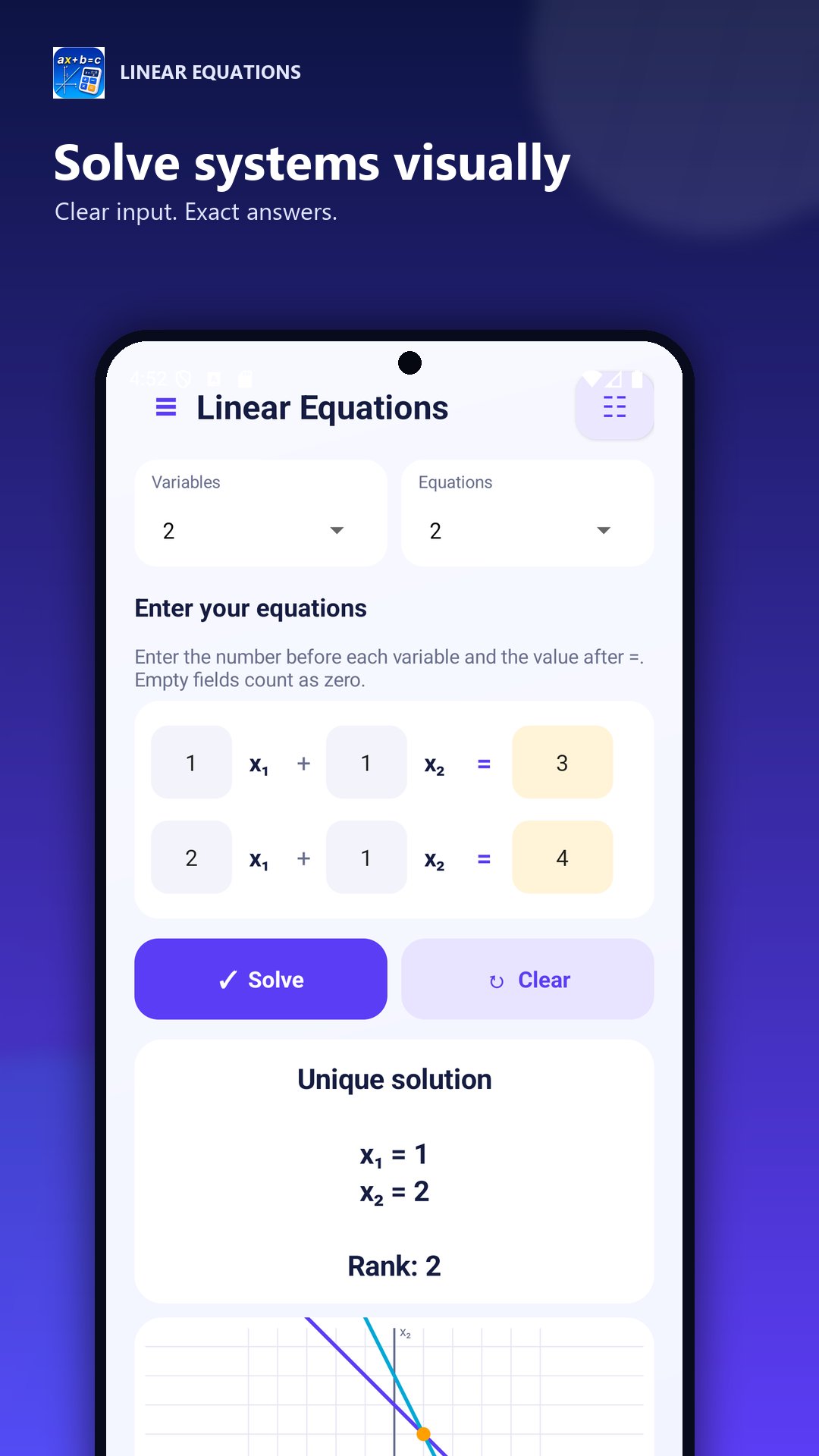
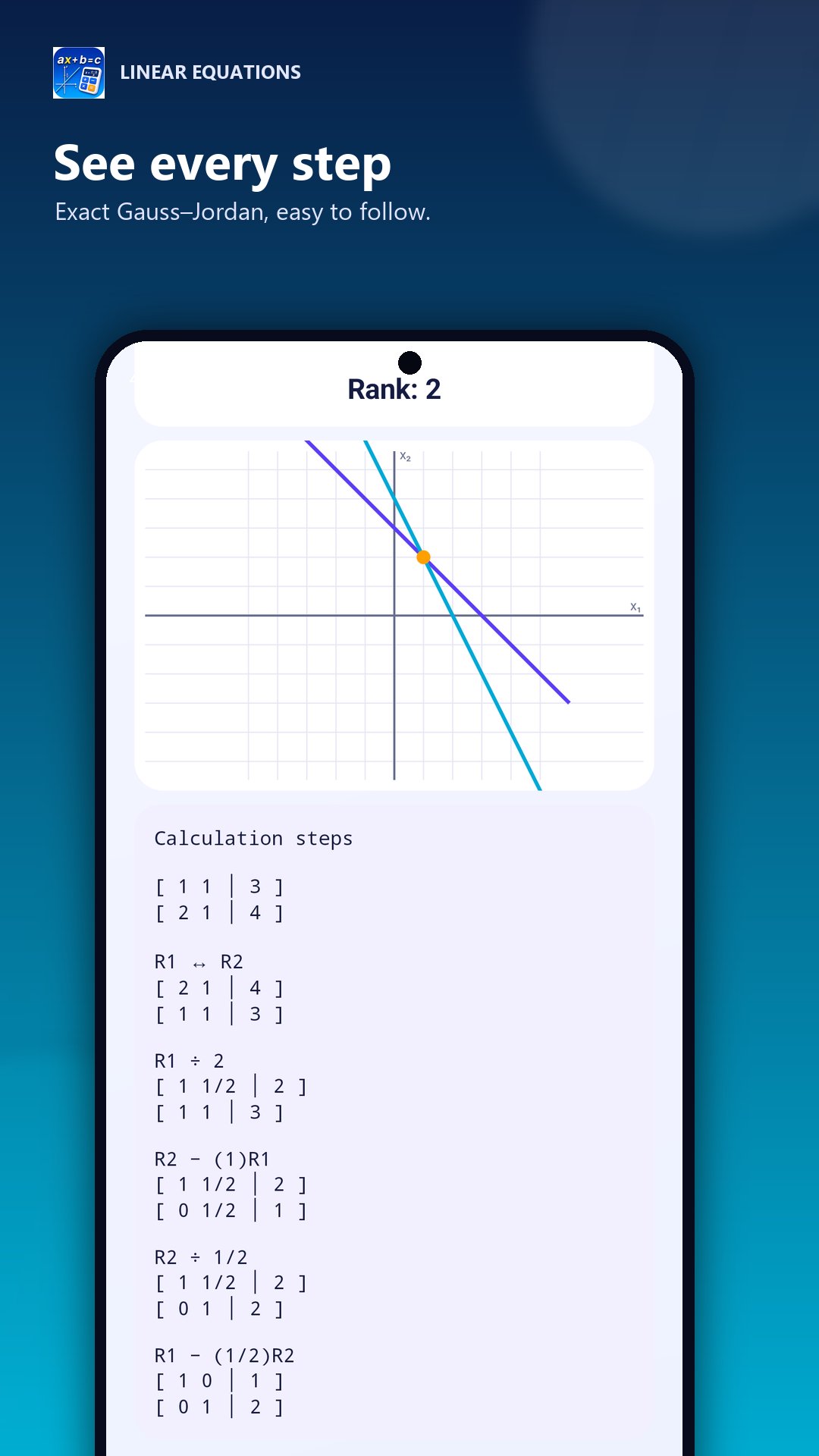
Enter a linear equation and get the corresponding solution in a clear and organized format. The app also includes a trainer for practice and a graphical visualization for linear systems with two variables.
Main features
* Solve linear equations
Calculate linear equations with one variable quickly and easily.
* Linear equation trainer
Practice solving equations with different exercises and improve your algebra skills step by step.
* Systems of equations with two variables
Explore linear systems with two equations and the variables x and y.
* Graphical visualization
Display the lines of a linear system on a coordinate graph and identify their intersection point.
* Clear results
Solutions and mathematical representations are shown in a simple and easy-to-read format.
The app is suitable for:
* School and university students
* Algebra practice and homework
* Preparing for mathematics tests and exams
* Checking your own results
* Learning and understanding linear equations
* Visualizing systems of equations with two variables
Whether you want to solve a linear equation, explore a system graphically or practice with exercises, Linear Equation Solver provides useful tools for school, study and independent learning.
Preview
Tags
EducationInformation
Developer
GK Apps
Latest Version
26.7
Last Updated
2026-07-21
Category
Education
Available on
Google Play
Show More
How to play Linear Equation System Solver with GameLoop on PC
1. Download GameLoop from the official website, then run the exe file to install GameLoop
2. Open GameLoop and search for “Linear Equation System Solver” , find Linear Equation System Solver in the search results and click “Install”
3. Enjoy playing Linear Equation System Solver on GameLoop
Minimum requirements
OS
Windows 8.1 64-bit or Windows 10 64-bit
GPU
GTX 1050
CPU
i3-8300
Memory
8GB RAM
Storage
1GB available space
Recommended requirements
OS
Windows 8.1 64-bit or Windows 10 64-bit
GPU
GTX 1050
CPU
i3-9320
Memory
16GB RAM
Storage
1GB available space