Learning to draw from scratch PC
89 Doctor Android
Download Learning to draw from scratch on PC With GameLoop Emulator
Learning to draw from scratch on PC
Learning to draw from scratch, coming from the developer 89 Doctor Android, is running on Android systerm in the past.
Now, You can play Learning to draw from scratch on PC with GameLoop smoothly.
Download it in the GameLoop library or search results. No more eyeing the battery or frustrating calls at the wrong time any more.
Just enjoy Learning to draw from scratch PC on the large screen for free!
Learning to draw from scratch Introduction
You are welcome to learn drawing from scratch without internet
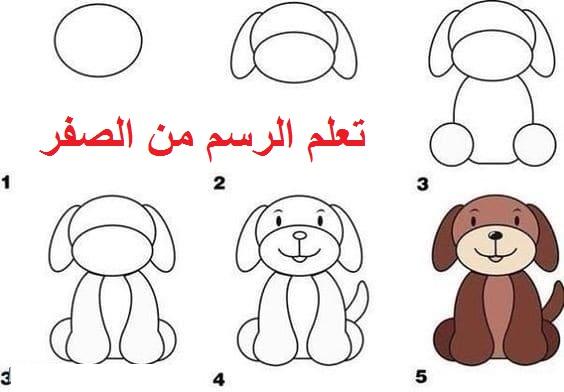
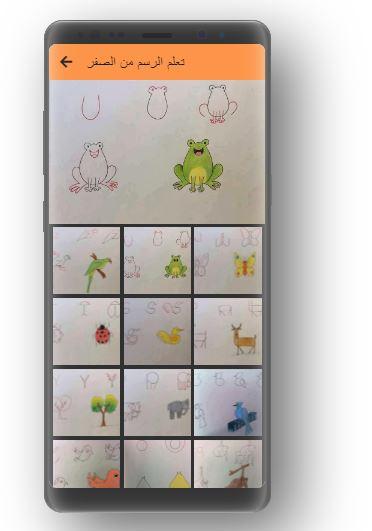
The application contains more than 55 new drawings of heroes, celebrities and animals
Through the application you can learn to draw from scratch
This app is designed to learn drawing for beginners step by step
If you have the talent, the application will help you learn to draw bullets easily and professionally
And after a stage you will learn the science of graffiti step by step
All this you'll learn by hand until you're a professional.
Additional application features
No internet connection required
Easy to use
Presented for beginners and those interested in the field of drawing
Download now the application learn drawing from scratch without internet and listen to it all the time
Do not forget to share the application with your friends and put a wonderful comment and our values please 5 stars in order to continue to provide the best
Preview
Tags
EducationInformation
Developer
89 Doctor Android
Latest Version
1.1
Last Updated
2021-02-19
Category
Education
Available on
Google Play
Show More
How to play Learning to draw from scratch with GameLoop on PC
1. Download GameLoop from the official website, then run the exe file to install GameLoop
2. Open GameLoop and search for “Learning to draw from scratch” , find Learning to draw from scratch in the search results and click “Install”
3. Enjoy playing Learning to draw from scratch on GameLoop
Minimum requirements
OS
Windows 8.1 64-bit or Windows 10 64-bit
GPU
GTX 1050
CPU
i3-8300
Memory
8GB RAM
Storage
1GB available space
Recommended requirements
OS
Windows 8.1 64-bit or Windows 10 64-bit
GPU
GTX 1050
CPU
i3-9320
Memory
16GB RAM
Storage
1GB available space