
Joppa Maple-Grove Schools PC
Apptegy Play Store
Download Joppa Maple-Grove Schools on PC With GameLoop Emulator
Joppa Maple-Grove Schools on PC
Joppa Maple-Grove Schools, coming from the developer Apptegy Play Store, is running on Android systerm in the past.
Now, You can play Joppa Maple-Grove Schools on PC with GameLoop smoothly.
Download it in the GameLoop library or search results. No more eyeing the battery or frustrating calls at the wrong time any more.
Just enjoy Joppa Maple-Grove Schools PC on the large screen for free!
Joppa Maple-Grove Schools Introduction
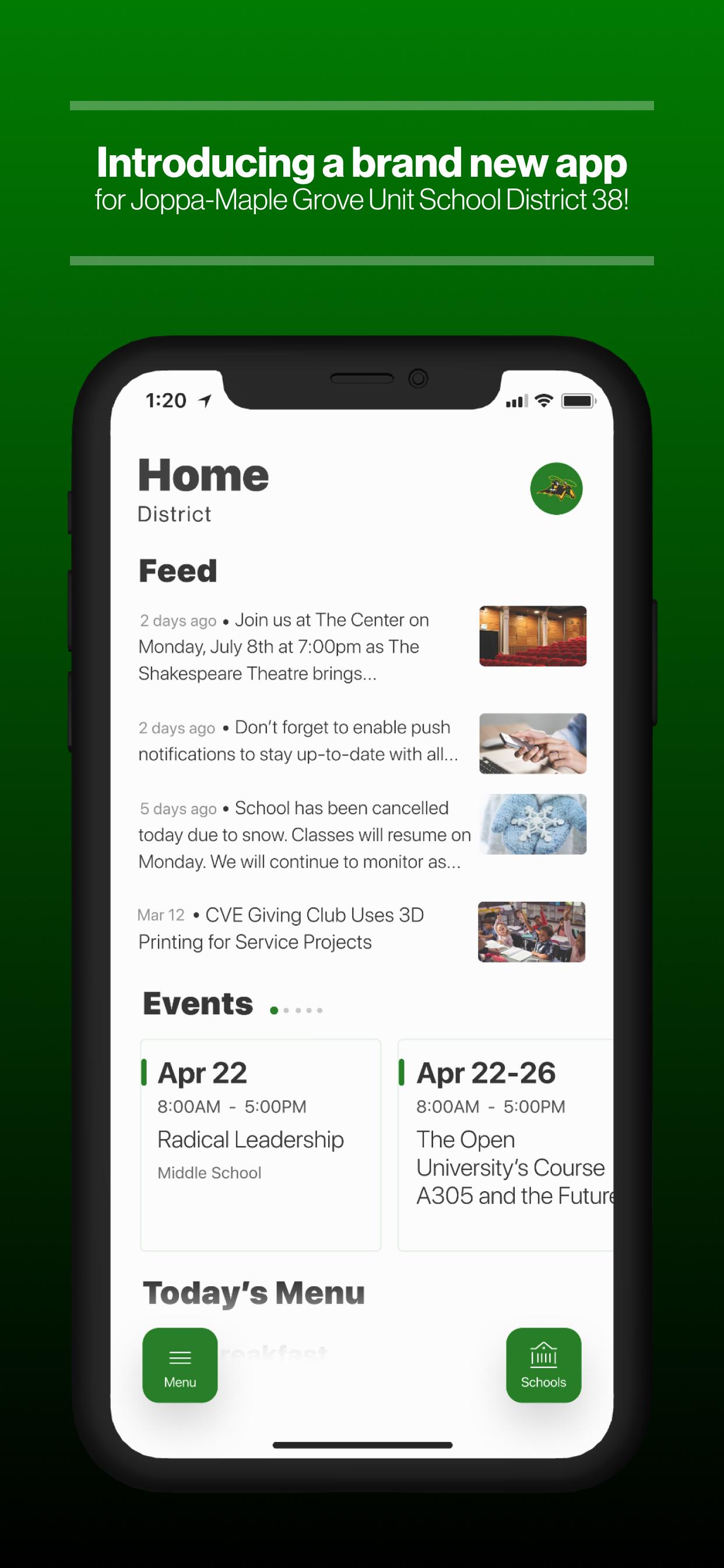
Introducing the brand new app Joppa Maple-Grove Schools.
NEVER MISS AN EVENT
The event section shows a list of events throughout the district. Users can add an event to your calendar to share the event with friends and family with one tap.
CUSTOMIZE NOTIFICATIONS
Select your student’s organization within the app and make sure you never miss a message.
CAFETERIA MENUS
Within the dining section, you’ll find an easy to navigate, weekly menu, sorted by day and meal type.
DISTRICT UPDATES
In the Live Feed is where you’ll find updates from the administration about what’s going on in the district right now. Whether that’s celebrating a student’s success, or reminding you about an upcoming deadline.
CONTACT STAFF & DEPARTMENTS
Find relevant staff and department contacts under an easy-to-navigate directory.
Preview

Tags
EducationInformation
Developer
Apptegy Play Store
Latest Version
3.28.0
Last Updated
2024-09-30
Category
Education
Available on
Google Play
Show More
How to play Joppa Maple-Grove Schools with GameLoop on PC
1. Download GameLoop from the official website, then run the exe file to install GameLoop
2. Open GameLoop and search for “Joppa Maple-Grove Schools” , find Joppa Maple-Grove Schools in the search results and click “Install”
3. Enjoy playing Joppa Maple-Grove Schools on GameLoop
Minimum requirements
OS
Windows 8.1 64-bit or Windows 10 64-bit
GPU
GTX 1050
CPU
i3-8300
Memory
8GB RAM
Storage
1GB available space
Recommended requirements
OS
Windows 8.1 64-bit or Windows 10 64-bit
GPU
GTX 1050
CPU
i3-9320
Memory
16GB RAM
Storage
1GB available space