Vocera Collaboration Suite PC
Vocera Communications
Download Vocera Collaboration Suite on PC With GameLoop Emulator
Vocera Collaboration Suite on PC
Vocera Collaboration Suite, coming from the developer Vocera Communications, is running on Android systerm in the past.
Now, You can play Vocera Collaboration Suite on PC with GameLoop smoothly.
Download it in the GameLoop library or search results. No more eyeing the battery or frustrating calls at the wrong time any more.
Just enjoy Vocera Collaboration Suite PC on the large screen for free!
Vocera Collaboration Suite Introduction
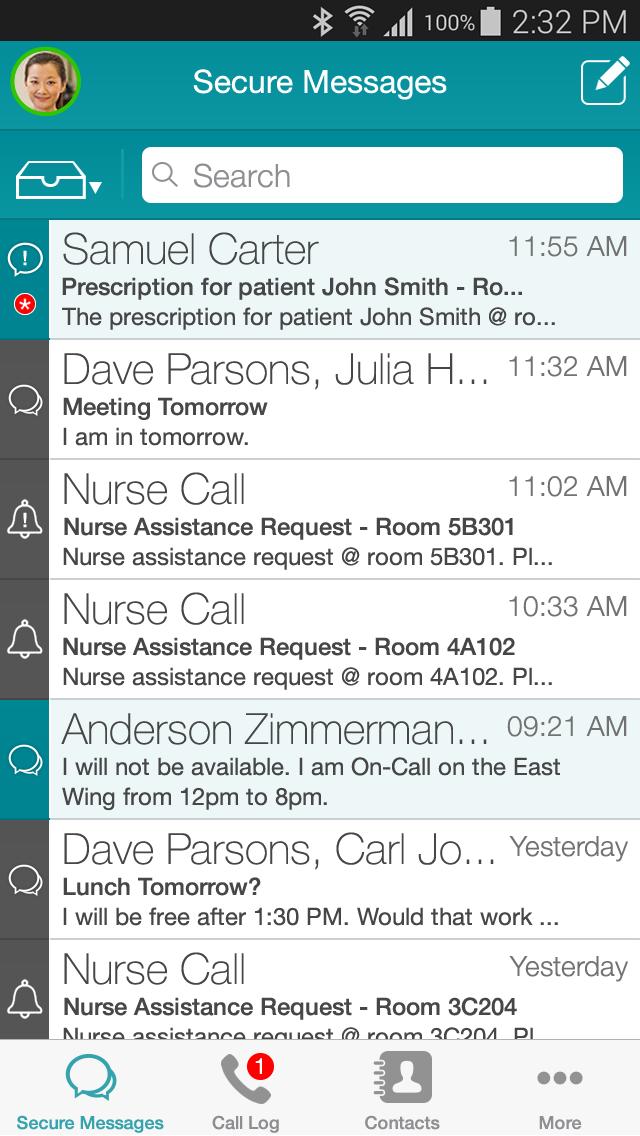
Vocera Collaboration Suite is the industry’s leading enterprise-class, HIPAA compliance enabling voice and secure texting smartphone application that allows you to call by name, group, or broadcast, and integrates with more than 140 clinical systems. Providing real-time situational awareness and actionable patient data to inform clinical decisions, care team members can easily communicate and collaborate, improving the experience of the patient and caregiver. This solution creates a seamless user experience, combining the unique calling, texting, alerting and content distribution capabilities of Vocera into one, secure and easy-to-use mobile application.
Instantly connecting care teams inside or outside the healthcare facility improves staff productivity, patient safety and the overall care experience. Vocera offers a choice of end-user devices to ensure the continuous flow of critical communication. For those clinicians who rely on smart devices, Vocera Collaboration Suite offers the convenience of voice technology with the security to text critical data, and the functionality to integrate with key clinical alerts and alarms systems.
Key Features: Vocera Collaboration Suite
• Support for shared and personal devices to match BYOD policies
• Functionality inside or outside the facility over Wi-Fi® or cellular networks
• Provides secure and auditable delivery and response reporting for alerts and texts
• Allows care team members to reach the right person or group at the right time via Active Directory authentication
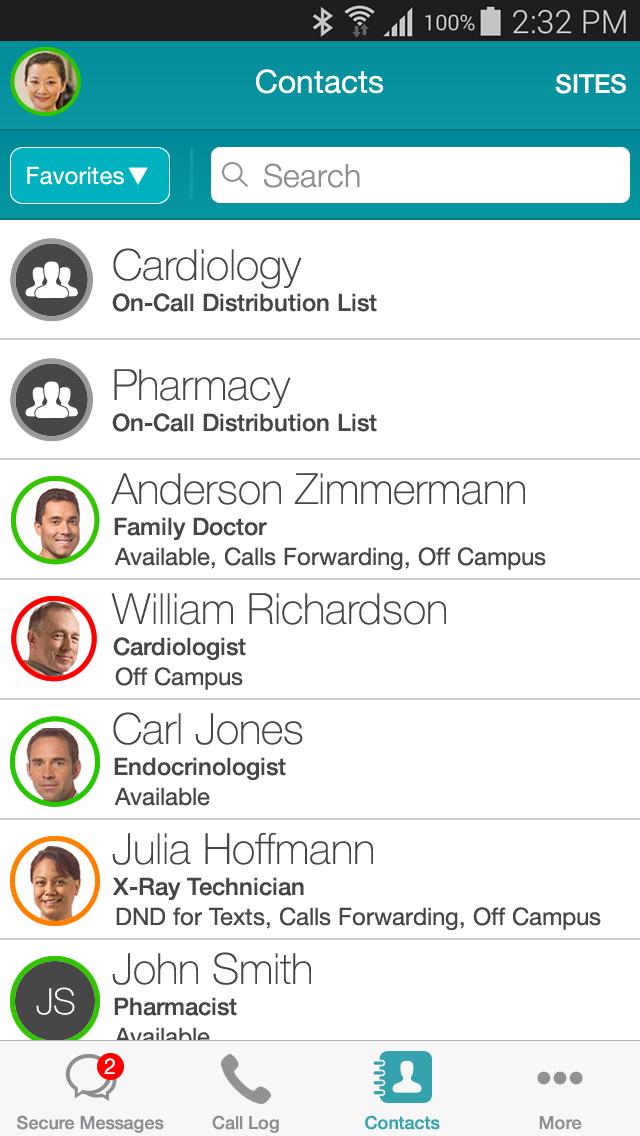
• See and interact with Vocera contacts across multiple sites and manage personal favorites lists of users, groups, and global address book entries
• Presence and availability indicators
• Management of critical alarms and messages delivery through on-call scheduling
• Deliver content such as videos, audio files, documents, spreadsheets, and images securely to devices to ensure critical information is at everyone’s fingertips
• Permission based access to patient data and care teams with optional access to waveforms and vital signs through integration
• Eases user transition between the smartphone application and the Vocera Badge when hands-free communication is needed
Vocera System Requirements
• Vocera Messaging license
• Vocera System software 5.8 (compatible with Vocera 5.3 and higher)
• Vocera Secure Messaging software 5.8 (compatible with Vocera 5.3 and higher)
• Vocera Engage software 5.5 for patient data access
• Vocera Care Team Sync software 2.5.0 for care team data access
• Vocera SIP Telephony Gateway
• Vocera Client Gateway
• A Vocera user profile
Your Vocera Administrator can enforce a password policy for devices running the Vocera Collaboration Suite application. In order to support this functionality this app uses the Device Administrator permission.
Preview
Tags
CommunicationsInformation
Developer
Vocera Communications
Latest Version
3.15.3.4041
Last Updated
2025-08-06
Category
Communications
Available on
Google Play
Show More
How to play Vocera Collaboration Suite with GameLoop on PC
1. Download GameLoop from the official website, then run the exe file to install GameLoop
2. Open GameLoop and search for “Vocera Collaboration Suite” , find Vocera Collaboration Suite in the search results and click “Install”
3. Enjoy playing Vocera Collaboration Suite on GameLoop
Minimum requirements
OS
Windows 8.1 64-bit or Windows 10 64-bit
GPU
GTX 1050
CPU
i3-8300
Memory
8GB RAM
Storage
1GB available space
Recommended requirements
OS
Windows 8.1 64-bit or Windows 10 64-bit
GPU
GTX 1050
CPU
i3-9320
Memory
16GB RAM
Storage
1GB available space