RS-MS3A PC
Icom Inc.
Download RS-MS3A on PC With GameLoop Emulator
RS-MS3A on PC
RS-MS3A, coming from the developer Icom Inc., is running on Android systerm in the past.
Now, You can play RS-MS3A on PC with GameLoop smoothly.
Download it in the GameLoop library or search results. No more eyeing the battery or frustrating calls at the wrong time any more.
Just enjoy RS-MS3A PC on the large screen for free!
RS-MS3A Introduction
[Features]
The RS-MS3A is an Android device application designed to expand the DV mode capability of a D-STAR transceiver using a Terminal or an Access Point mode.
These modes enable D-STAR operations by sending signals from the D-STAR transceiver over the Internet, even when that transceiver is out of range of a D-STAR repeater. The transceiver sends your voice signals using an Internet, LTE, or 5G network, through an Android device.
1. Terminal mode
By operating the D-STAR transceiver through the Android device, you can contact other D-STAR transceivers.
In the Terminal mode, the transceiver will not transmit an RF signal, even if [PTT] is held down, because the microphone audio signal is transmitted through an Internet, LTE, or 5G network.
2. Access Point mode
In this mode, the D-STAR transceiver functions as a Wireless LAN access point.
The D-STAR transceiver repeats the received signal from the Android device, to other D-STAR transceivers.
Refer to the instruction manual (PDF) for setting details. The instruction manual can be downloaded from the ICOM web site.
(URL: http://www.icom.co.jp/world/support/download/manual/index.php)
[Device requirements]
1 Android 8.0 or later
2 Touch screen Android device
3 Bluetooth function and/or USB On-The-Go (OTG) host function
4 Public IP address
[Usable transceivers] (As of July 2024)
Transceivers that can be connected via USB
- ID-31A PLUS or ID-31E PLUS
- ID-4100A or ID-4100E
- ID-50A or ID-50E *1
- ID-51A or ID-51E (“PLUS2” only)
- ID-52A or ID-52E *1
- IC-705 *1
- IC-905 *1
- IC-9700
Transceivers that can be connected via USB or Bluetooth
- ID-52A PLUS or ID-52E PLUS *1 *2
* When connecting via USB, a separate data communication cable is required.
*1 Supported in RS-MS3A Ver.1.31 or later.
*2 RS-MS3A Ver. 1.40 or higher supports Bluetooth connection.
Note:
- This application operates on Android devices as a gateway server on the D-STAR system. Therefore, a public IP address must be set on either the Android device or the Wireless LAN router.
- Ask your mobile carrier or ISP for a public IP address. According to the contract, communication charges and/or communication packet limits may occur.
- Ask your mobile carrier, ISP, or manufacturer of your Android device or router about public IP setting details.
- ICOM does not guarantee the RS-MS3A will function with all Android devices.
- Turn OFF the Wireless LAN function when communicating through an LTE or 5G network.
- The RS-MS3A may not be usable due to conflicts with other applications installed on your Android device.
- The RS-MS3A may not be usable, even if your Android device supports the USB OTG host function.
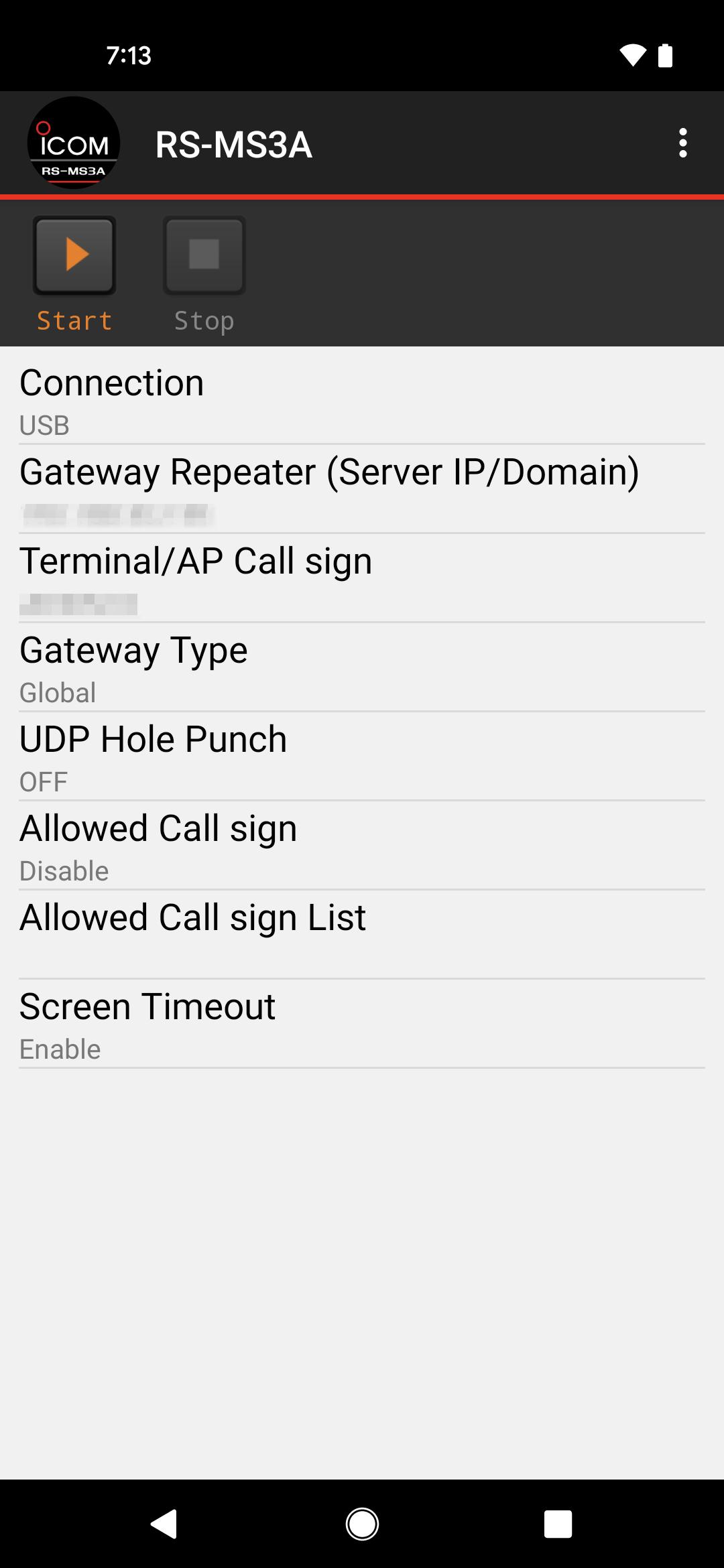
- Depending on your Android device, the power that is supplied to the USB terminal may be interrupted while in the display sleep mode or the power saving mode. In that case, remove the “Screen timeout” check mark on the Application Setting screen of the RS-MS3A. Set the sleep function on your Android device to OFF, or to the longest time period.
- Operate your transceiver with the RS-MS3A in compliance with appropriate regulations.
- ICOM recommends that you operate them with a club station license.
Preview
Tags
CommunicationsInformation
Developer
Icom Inc.
Latest Version
1.41
Last Updated
2024-07-30
Category
Communications
Available on
Google Play
Show More
How to play RS-MS3A with GameLoop on PC
1. Download GameLoop from the official website, then run the exe file to install GameLoop
2. Open GameLoop and search for “RS-MS3A” , find RS-MS3A in the search results and click “Install”
3. Enjoy playing RS-MS3A on GameLoop
Minimum requirements
OS
Windows 8.1 64-bit or Windows 10 64-bit
GPU
GTX 1050
CPU
i3-8300
Memory
8GB RAM
Storage
1GB available space
Recommended requirements
OS
Windows 8.1 64-bit or Windows 10 64-bit
GPU
GTX 1050
CPU
i3-9320
Memory
16GB RAM
Storage
1GB available space