
OpenScape Mobile Pro PC
Unify Software and Solutions GmbH & Co. KG
Download OpenScape Mobile Pro on PC With GameLoop Emulator
OpenScape Mobile Pro on PC
OpenScape Mobile Pro, coming from the developer Unify Software and Solutions GmbH & Co. KG, is running on Android systerm in the past.
Now, You can play OpenScape Mobile Pro on PC with GameLoop smoothly.
Download it in the GameLoop library or search results. No more eyeing the battery or frustrating calls at the wrong time any more.
Just enjoy OpenScape Mobile Pro PC on the large screen for free!
OpenScape Mobile Pro Introduction
IMPORTANT NOTICE: OpenScape Mobile Pro is not a standalone client but part of a Unified Communications solution. In order to function correctly all mandatory solution components must be installed and in operational state. Be advised by your administrator before installing or upgrading the application. The solution requires an OpenScape UC applications server, an SBC server, a HAproxy, a mobile Façade server and a suitable PBX (OpenScape Voice or OpenScape 4000). Version compatibility matrix can be found in the product release notes.
Today’s reality - A mobile, global, distributed and virtual workforce.
But you still need fast access to people, from wherever you are, at the lowest possible cost.
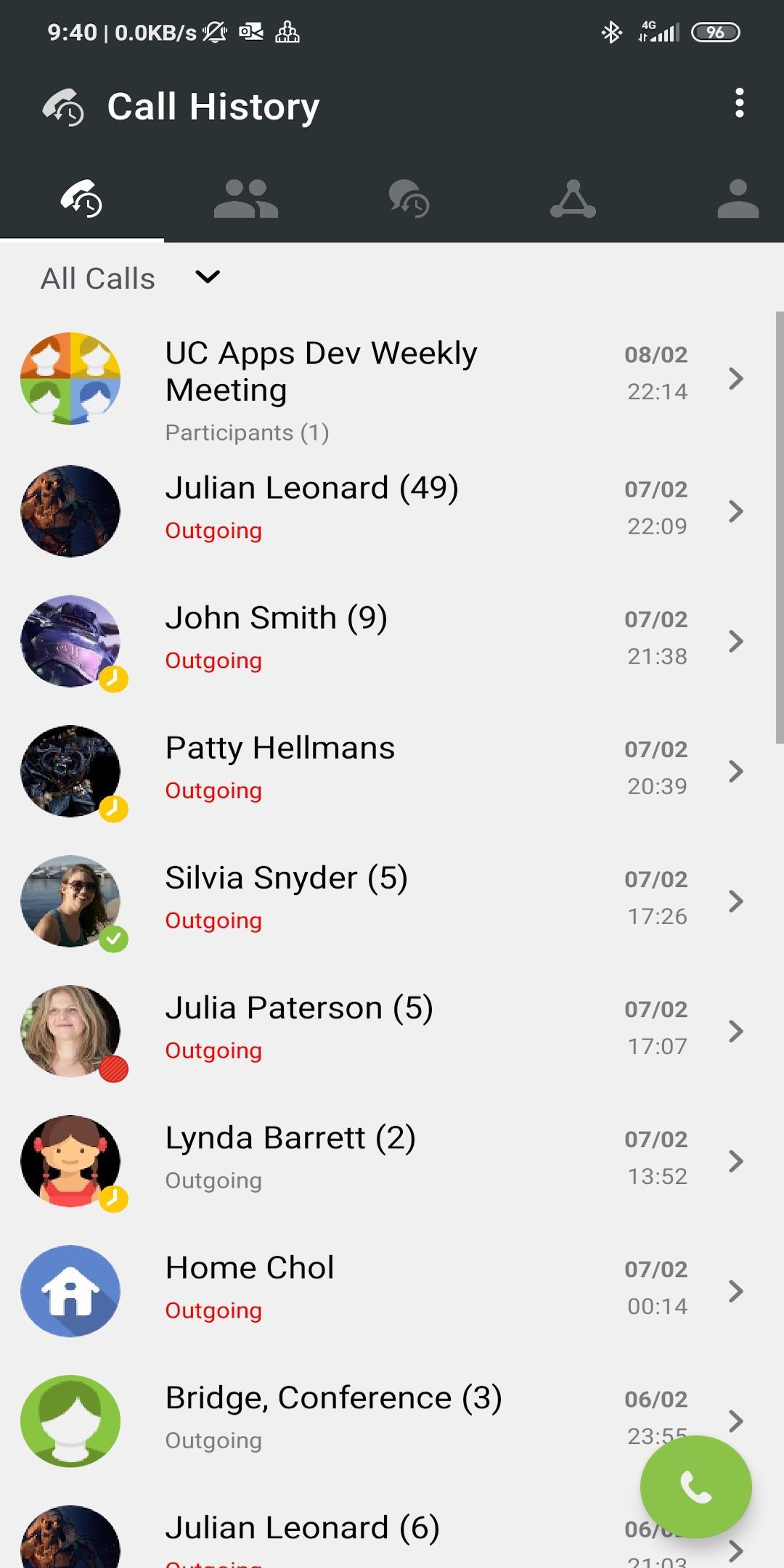
OpenScape Mobile Pro enhances your communications experience with rich Voice over IP (VoIP) and Video capabilities from your Android device.
Plus it allows you to seamlessly move calls between desk phone, Wi-Fi and cellular.
OpenScape Mobile Pro reduces cellular charges through lower air-time minutes and roaming charges by making and receiving calls over Wi-Fi from your home, a Wi-Fi hotspot or on the corporate Wi-Fi.
With a simple finger gesture, OpenScape Mobile Pro call swipe lets you seamlessly move calls from your mobile device to a desktop device, and vice-versa, and from cellular network or the Wi-Fi.
What you can do
OpenScape Mobile Pro works in three modes (depending on the license you purchased):
UC-only mode:
Gives you access to OpenScape Unified Communications features (also see OpenScape UC)
● Set your user presence status and preferred device or device list
● Be reached on a single published phone number
● See your OpenScape contacts and their presence status
● Manage your OpenScape contacts and place calls to your contacts through your corporate network
● Initiate conferences and join a conference, plus see the conference status
● Chat with your colleagues
● Set time zone, location and status note
● View missed calls in the Journal
Voice/Video-only mode:
Gives you access to VoIP and Video, plus call transfer, call forwarding and call swipe.
Combined mode:
Gives you both UC and VoIP/Video functionality in a single mobile application.
OpenScape Mobile Pro requires the connectivity to either OpenScape UC, OpenScape Voice or OpenScape 4000.
For more information about OpenScape, please visit us at www.mitel.com
© 2024 Mitel Networks Corporation. All Rights Reserved. Mitel and the Mitel logo are trademark(s) of Mitel Networks Corporation. Unify and associated marks are trademarks of Unify Software and Solutions GmbH & Co. KG. All other trademarks herein are the property of their respective owners.
Preview

Tags
CommunicationsInformation
Developer
Unify Software and Solutions GmbH & Co. KG
Latest Version
10.0.86
Last Updated
2025-04-15
Category
Communications
Available on
Google Play
Show More
How to play OpenScape Mobile Pro with GameLoop on PC
1. Download GameLoop from the official website, then run the exe file to install GameLoop
2. Open GameLoop and search for “OpenScape Mobile Pro” , find OpenScape Mobile Pro in the search results and click “Install”
3. Enjoy playing OpenScape Mobile Pro on GameLoop
Minimum requirements
OS
Windows 8.1 64-bit or Windows 10 64-bit
GPU
GTX 1050
CPU
i3-8300
Memory
8GB RAM
Storage
1GB available space
Recommended requirements
OS
Windows 8.1 64-bit or Windows 10 64-bit
GPU
GTX 1050
CPU
i3-9320
Memory
16GB RAM
Storage
1GB available space