Online Video Walkie Talkie PC
NAVA Apps
Download Online Video Walkie Talkie on PC With GameLoop Emulator
Online Video Walkie Talkie on PC
Online Video Walkie Talkie, coming from the developer NAVA Apps, is running on Android systerm in the past.
Now, You can play Online Video Walkie Talkie on PC with GameLoop smoothly.
Download it in the GameLoop library or search results. No more eyeing the battery or frustrating calls at the wrong time any more.
Just enjoy Online Video Walkie Talkie PC on the large screen for free!
Online Video Walkie Talkie Introduction
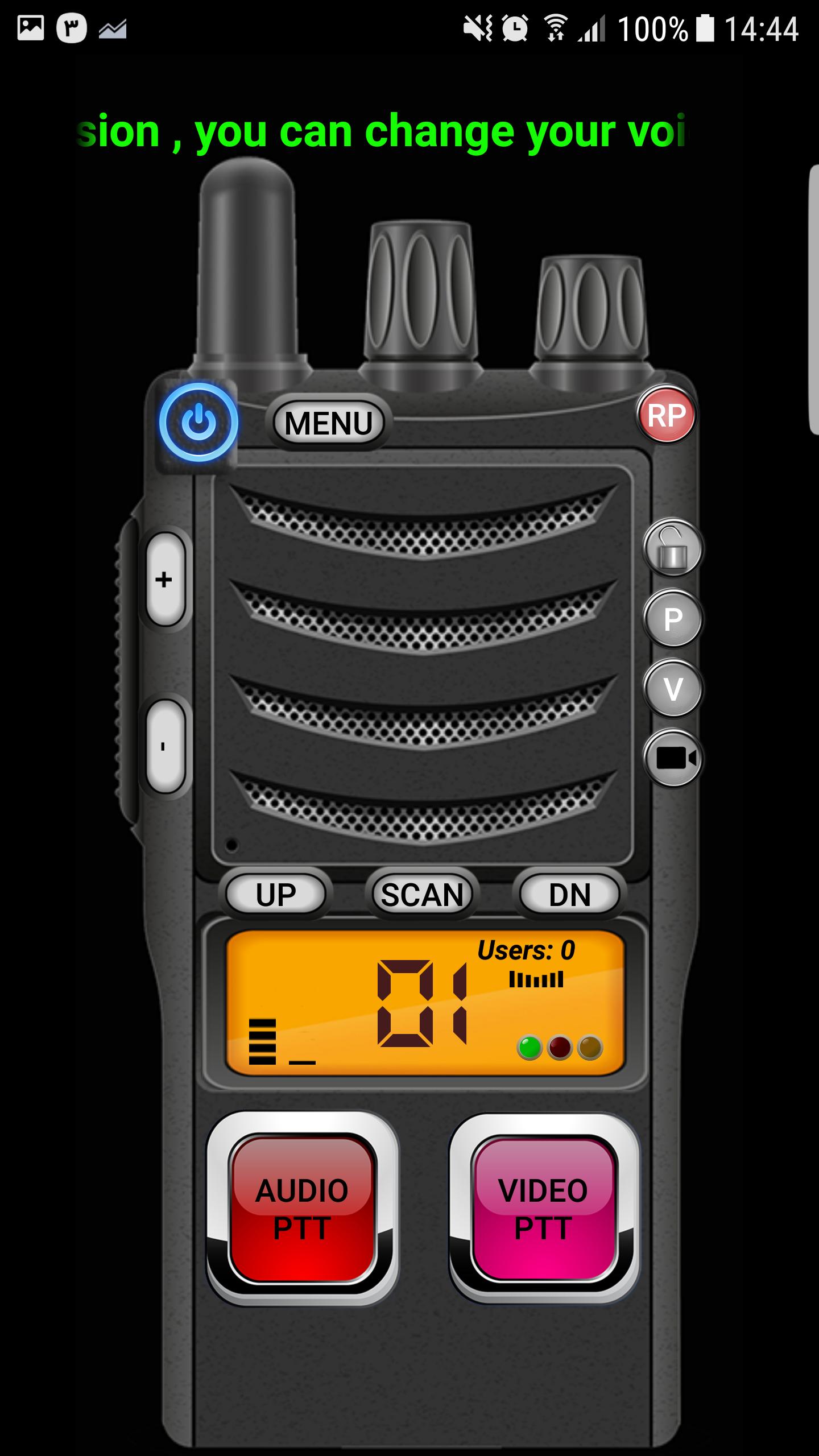
This app acts like a real Walkie Talkie with a very high quality voice and also Video!
The app has 50 public channels that allow users to select a channel and talk on that channel with all other people who are using the same app set to the same channel.
For example , you can ask your friends to set their app to channel 3 and then you will be able to chat with each other like a real Walkie Talkie with all the sound effects that a real Walkie Talkie Radio has !
The app has two PTT buttons, one for Audio only and the other one for both Audio and Video.
THE BEST THING ABOUT THIS APP IS , YOU DON'T NEED TO MAKE ANY ACCOUNT !. JUST TURN THE WALKIE TALKIE ON AND BOOM !! READY TO USE.
There is also a channel scan system that allows user to search all of the channels and see if there is any body talking on any channel. so you can search the channels to see if there is any body talking and start talking to
There is also ability of inviting one person or a group of people on public channels to the private channel and have a private conversation.
You can also send text messages to one or group of users.
You can find friends all around the word with this app
Download is free. It's really fun !!!
Try it. you will love it believe me...
NOTICE:
This application is a public Audio / Video chat app, that gives the users the ability to chat with other people. there is no privacy and any body who has this app set to the same channel will be able to hear or see you and the conversations and Video's shown in this app is not the app developer's responsibility.
Preview
Information
Developer
NAVA Apps
Latest Version
1.7
Last Updated
2018-02-19
Category
Communications
Available on
Google Play
Show More
How to play Online Video Walkie Talkie with GameLoop on PC
1. Download GameLoop from the official website, then run the exe file to install GameLoop
2. Open GameLoop and search for “Online Video Walkie Talkie” , find Online Video Walkie Talkie in the search results and click “Install”
3. Enjoy playing Online Video Walkie Talkie on GameLoop
Minimum requirements
OS
Windows 8.1 64-bit or Windows 10 64-bit
GPU
GTX 1050
CPU
i3-8300
Memory
8GB RAM
Storage
1GB available space
Recommended requirements
OS
Windows 8.1 64-bit or Windows 10 64-bit
GPU
GTX 1050
CPU
i3-9320
Memory
16GB RAM
Storage
1GB available space