
Lenovo MyHub PC
Lenovo OA
Download Lenovo MyHub on PC With GameLoop Emulator
Lenovo MyHub on PC
Lenovo MyHub, coming from the developer Lenovo OA, is running on Android systerm in the past.
Now, You can play Lenovo MyHub on PC with GameLoop smoothly.
Download it in the GameLoop library or search results. No more eyeing the battery or frustrating calls at the wrong time any more.
Just enjoy Lenovo MyHub PC on the large screen for free!
Lenovo MyHub Introduction
Lenovo MyHub: A better way to connect throughout your day.
As the new generation of Lenovo CoChat, MyHub will serve as the best way to get employee news on the go and access employee systems and tools right from your fingertips on a mobile device.
【Main features of Lenovo MyHub】
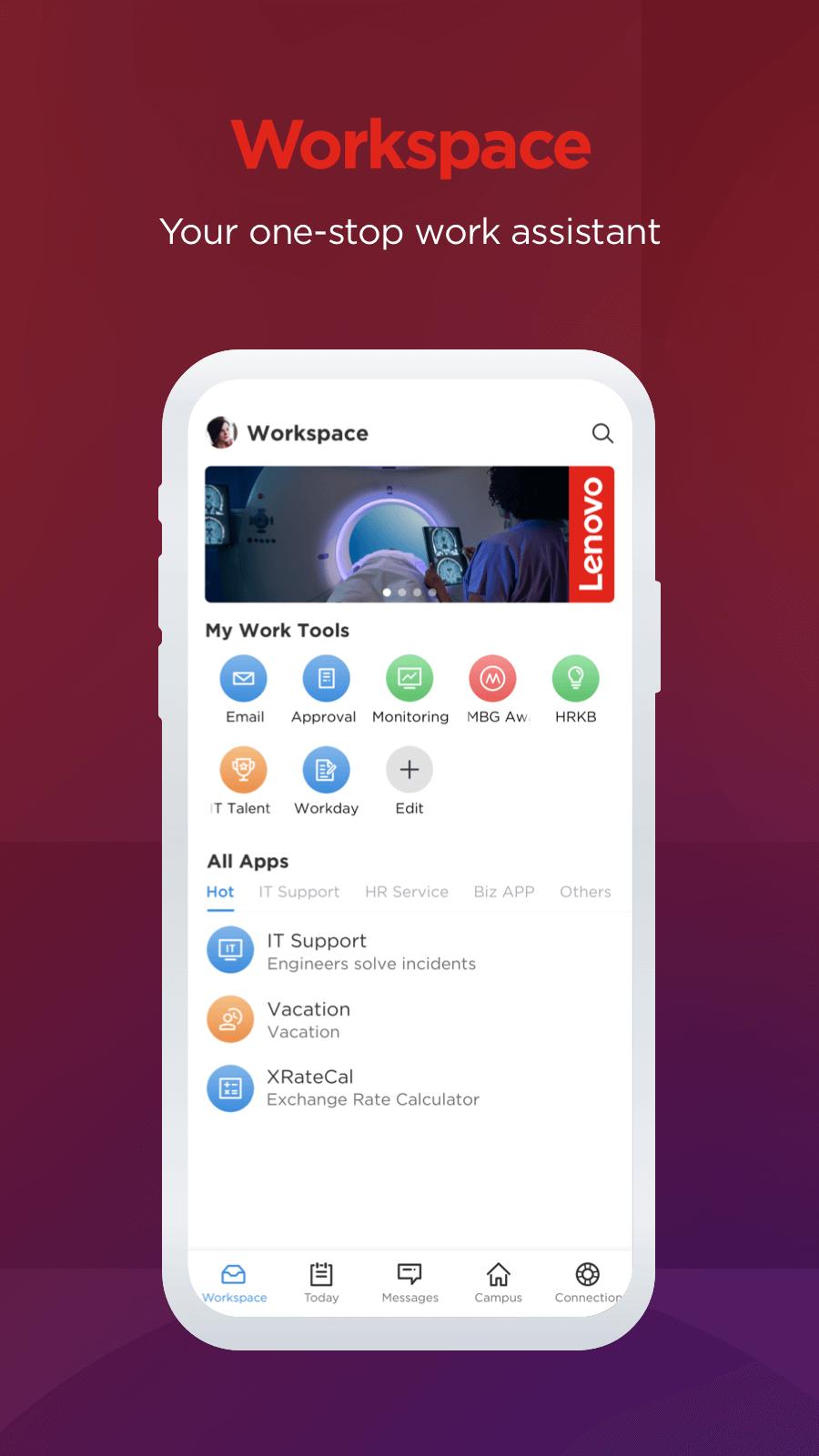
1)Workspace page
- My Work Tools: customize your frequently used work tools such as approval, time, HRKB, etc.
- All Apps: various types of Lenovo work apps such as IT service, HR service and Biz apps.
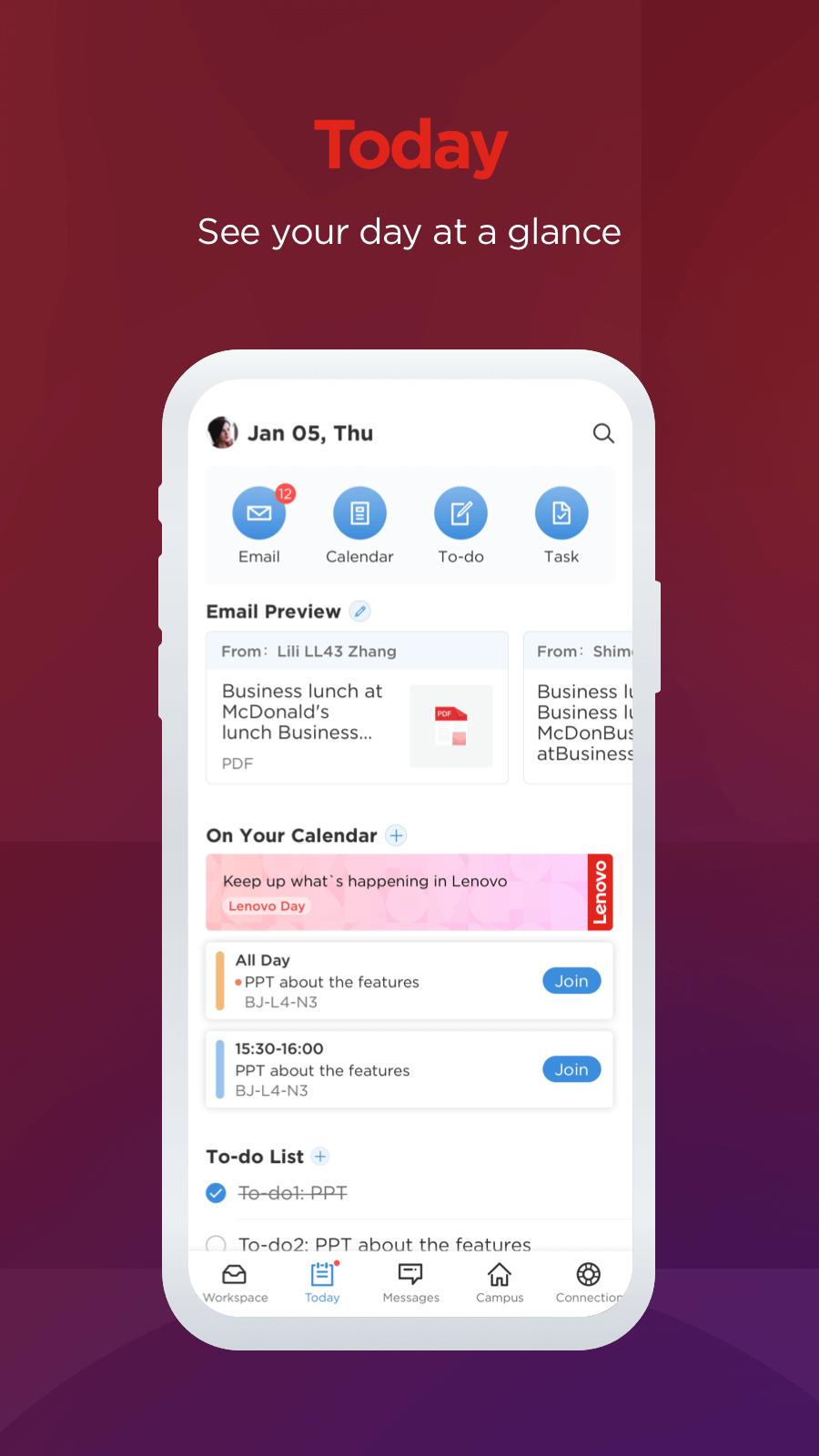
2)Today page
- Email & Calendar: all of your emails and events will be synchronized on MyHub after logging in to your Office 365 account.
- To-do & Task: two efficiency tools help you stay focused and efficient at work.
3)Messages & Contact page
- Instant messages with your Lenovo colleagues.
- Diverse groups chat.
- Integrated search system: a quick and easy way to find your colleagues.
4)Campus page
- Experience your customized and local campus services such as Campus Info, Space Utilization, Lenovo News, etc.
- Book a conference room: an easy and quick way to book a conference room on your mobile, and the booking system is synchronized with Outlook.
5)Connection page
- Connect your Lenovo colleagues across the globe.
- Social-related features such as Fitness and Moments: share your daily activities with your team.
- Participate in various internal activities such as Greeting Center, We Are Lenovo, Video Square, etc.
Preview
Tags
CommunicationsInformation
Developer
Lenovo OA
Latest Version
8.5.01
Last Updated
2025-07-24
Category
Communications
Available on
Google Play
Show More
How to play Lenovo MyHub with GameLoop on PC
1. Download GameLoop from the official website, then run the exe file to install GameLoop
2. Open GameLoop and search for “Lenovo MyHub” , find Lenovo MyHub in the search results and click “Install”
3. Enjoy playing Lenovo MyHub on GameLoop
Minimum requirements
OS
Windows 8.1 64-bit or Windows 10 64-bit
GPU
GTX 1050
CPU
i3-8300
Memory
8GB RAM
Storage
1GB available space
Recommended requirements
OS
Windows 8.1 64-bit or Windows 10 64-bit
GPU
GTX 1050
CPU
i3-9320
Memory
16GB RAM
Storage
1GB available space