
JioSandesh PC
Jio Platforms Limited
Download JioSandesh on PC With GameLoop Emulator
JioSandesh on PC
JioSandesh, coming from the developer Jio Platforms Limited, is running on Android systerm in the past.
Now, You can play JioSandesh on PC with GameLoop smoothly.
Download it in the GameLoop library or search results. No more eyeing the battery or frustrating calls at the wrong time any more.
Just enjoy JioSandesh PC on the large screen for free!
JioSandesh Introduction
JioSandesh is a free, easy-to-use messaging app by Jio that combines SMS and RCS (Rich Communication Services) into one seamless experience. With a modern interface, powerful features, and real-time chat capabilities, it’s the perfect messaging solution for today’s connected users.
All-in-One Messaging :
Send and receive SMS and RCS messages from one unified inbox. Share text, photos, videos, locations, documents, and contacts with friends who also use the Messages app. RCS features activate automatically when both users are on compatible devices.
Key Features :
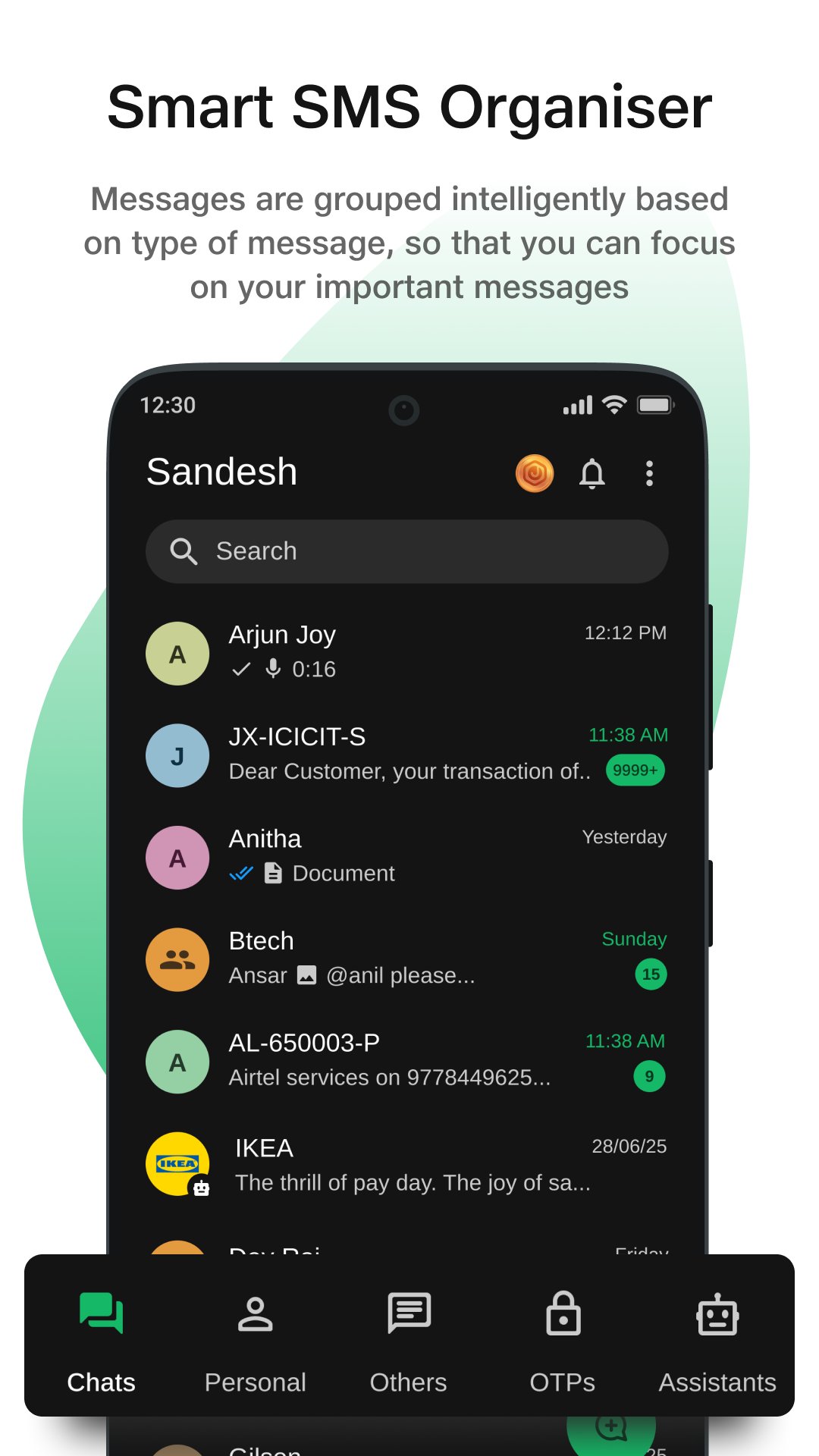
1. Smart Message Organizer – Automatically categorizes messages into Personal, OTPs, Promotions, and more for quick access.
2. Quick OTP Copy – One-tap OTP copying to speed up logins and verifications.
3. Online & Typing Indicators – Know when your contacts are online and replying.
4. Media Sharing – Send photos, videos, audio notes, files, and documents easily.
5. Location & Contact Sharing – Share your location or contact details with just a few taps.
6. Voice & Video Messages – Record and send instant voice or video updates.
7. Broadcast Messaging – Send one message to multiple recipients instantly.
8. Group Chats – Stay connected with friends and family in group conversations.
9. Seamless Switch Between SMS & RCS – Chat or text with anyone, anytime.
Simple – Clean, intuitive design for users of all age groups.
Powerful – Supports rich messaging with full RCS capabilities.
Unlimited – No limit on the number or size of messages sent over RCS.
Whether you’re sending a quick text or a high-quality media message, Messages ensure fast, reliable, and secure communication.
JioSandesh is brought to you by Jio Platforms Ltd.
We’d love your feedback! Drop us a line at care@jio.com
Preview
Tags
CommunicationsInformation
Developer
Jio Platforms Limited
Latest Version
8.0.6
Last Updated
2026-08-31
Category
Communications
Available on
Google Play
Show More
How to play JioSandesh with GameLoop on PC
1. Download GameLoop from the official website, then run the exe file to install GameLoop
2. Open GameLoop and search for “JioSandesh” , find JioSandesh in the search results and click “Install”
3. Enjoy playing JioSandesh on GameLoop
Minimum requirements
OS
Windows 8.1 64-bit or Windows 10 64-bit
GPU
GTX 1050
CPU
i3-8300
Memory
8GB RAM
Storage
1GB available space
Recommended requirements
OS
Windows 8.1 64-bit or Windows 10 64-bit
GPU
GTX 1050
CPU
i3-9320
Memory
16GB RAM
Storage
1GB available space