
Cupcake Kids - Cooking Game PC
Miniclub by Bubadu
Download Cupcake Kids - Cooking Game on PC With GameLoop Emulator
Cupcake Kids - Cooking Game on PC
Cupcake Kids - Cooking Game, coming from the developer Miniclub by Bubadu, is running on Android systerm in the past.
Now, You can play Cupcake Kids - Cooking Game on PC with GameLoop smoothly.
Download it in the GameLoop library or search results. No more eyeing the battery or frustrating calls at the wrong time any more.
Just enjoy Cupcake Kids - Cooking Game PC on the large screen for free!
Cupcake Kids - Cooking Game Introduction
Cupcakes, yummy! Get TOP cupcake cooking game and have fun.
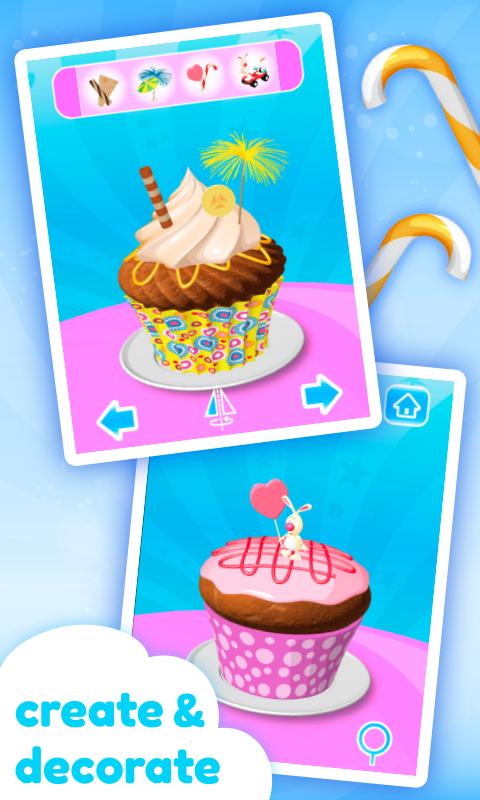
Become a master chef and start creating, baking and decorating cupcakes of your dreams.
Select your favorite cup, cupcake shape, toppings and decorations. When finished, eat your masterpiece, then start blowing and popping soap bubbles or play slide puzzle mini game.
This cupcake maker is appropriate for everyone who likes cooking, making, serving or just eating cupcakes.
Features:
• beautiful high quality HD graphics
• intuitive, easy to use interface with draggable items for better positioning
• infinite game play with unlimited combinations
• many different types of cups and cakes
• lots of colorful toppings, creams, candies, fruits, waffles, waffle rolls, candy canes, crumbs...
• umbrellas, palms and sound making toys for decoration
• soap bubbles minigame
• slide puzzle minigame
Preview

Information
Developer
Miniclub by Bubadu
Latest Version
1.24
Last Updated
2018-09-06
Category
Casual
Available on
Google Play
Show More
How to play Cupcake Kids - Cooking Game with GameLoop on PC
1. Download GameLoop from the official website, then run the exe file to install GameLoop
2. Open GameLoop and search for “Cupcake Kids - Cooking Game” , find Cupcake Kids - Cooking Game in the search results and click “Install”
3. Enjoy playing Cupcake Kids - Cooking Game on GameLoop
Minimum requirements
OS
Windows 8.1 64-bit or Windows 10 64-bit
GPU
GTX 1050
CPU
i3-8300
Memory
8GB RAM
Storage
1GB available space
Recommended requirements
OS
Windows 8.1 64-bit or Windows 10 64-bit
GPU
GTX 1050
CPU
i3-9320
Memory
16GB RAM
Storage
1GB available space