
Chasing Yello PC
Pocket Gems Publishing
Download Chasing Yello on PC With GameLoop Emulator
Chasing Yello on PC
Chasing Yello, coming from the developer Pocket Gems Publishing, is running on Android systerm in the past.
Now, You can play Chasing Yello on PC with GameLoop smoothly.
Download it in the GameLoop library or search results. No more eyeing the battery or frustrating calls at the wrong time any more.
Just enjoy Chasing Yello PC on the large screen for free!
Chasing Yello Introduction
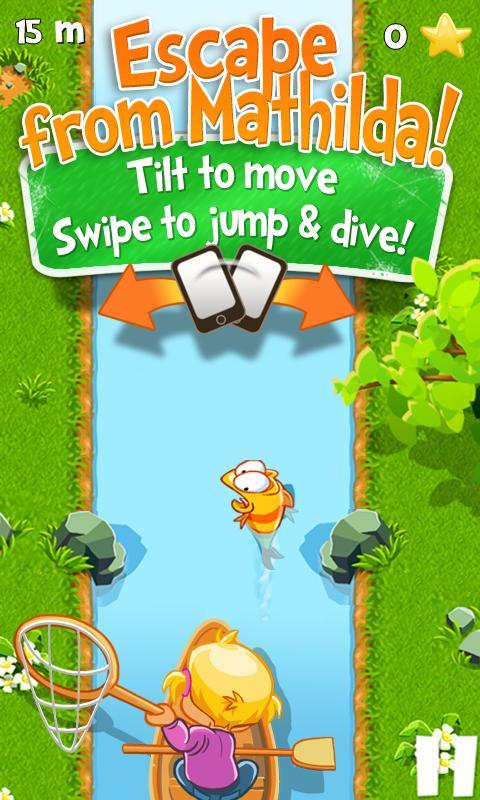
7-year-old Mathilda lets her helpless goldfish, Yello, taste freedom in the local wild creek. Help Yello to escape Mathilda and navigate the poor fish through a rough adventure in the dangerous river filled with rocks, burning logs and piranhas!
Will Yello escape, fall victim to the hazardous environment, to Mathilda’s fish net??
Action packed Endless Runner:
√ Steer clear of tons of dangerous hazards by simply tilting to move, swipe up to jump and down to dive
√ Lots of awesome power ups, including shield, magnet, rocket and super star
√ Collect stars and buy better power ups
√ Awesome cartoon animations!
√ Show off your score
“This game is lots of fun and a sure winner for fans of the endless runner genre.” – AppAdvice
“On the surface, what ensues is essentially Temple Run meets Jetpack Joyride…great mixture of tilt controls, swipe controls and level design to make things feel tight and challenging, not gimmicky.” – Gamezebo
“It’s competent, funny, and cute…it’s a blast.” – TouchArcade
Please note that Chasing Yello is free to play, but you are able to purchase game items with real money. If you want to limit the ability to make in-app purchases, you may create a PIN in the Settings menu from within the Google Play Store.
Your use of this application is governed by the Terms of Service available at http://www.dreamfab.com/terms-of-service/. Collection and use of your data are subject to the Privacy Policy available at http://www.dreamfab.com/privacy-policy/.
Preview

Information
Developer
Pocket Gems Publishing
Latest Version
1.0.2
Last Updated
2014-06-02
Category
Casual
Available on
Google Play
Show More
How to play Chasing Yello with GameLoop on PC
1. Download GameLoop from the official website, then run the exe file to install GameLoop
2. Open GameLoop and search for “Chasing Yello” , find Chasing Yello in the search results and click “Install”
3. Enjoy playing Chasing Yello on GameLoop
Minimum requirements
OS
Windows 8.1 64-bit or Windows 10 64-bit
GPU
GTX 1050
CPU
i3-8300
Memory
8GB RAM
Storage
1GB available space
Recommended requirements
OS
Windows 8.1 64-bit or Windows 10 64-bit
GPU
GTX 1050
CPU
i3-9320
Memory
16GB RAM
Storage
1GB available space