
Easy Report - Photo reports PC
Interesting Solutions
Download Easy Report - Photo reports on PC With GameLoop Emulator
Easy Report - Photo reports on PC
Easy Report - Photo reports, coming from the developer Interesting Solutions, is running on Android systerm in the past.
Now, You can play Easy Report - Photo reports on PC with GameLoop smoothly.
Download it in the GameLoop library or search results. No more eyeing the battery or frustrating calls at the wrong time any more.
Just enjoy Easy Report - Photo reports PC on the large screen for free!
Easy Report - Photo reports Introduction
This application is completely free, without hidden fees, ads and other things.
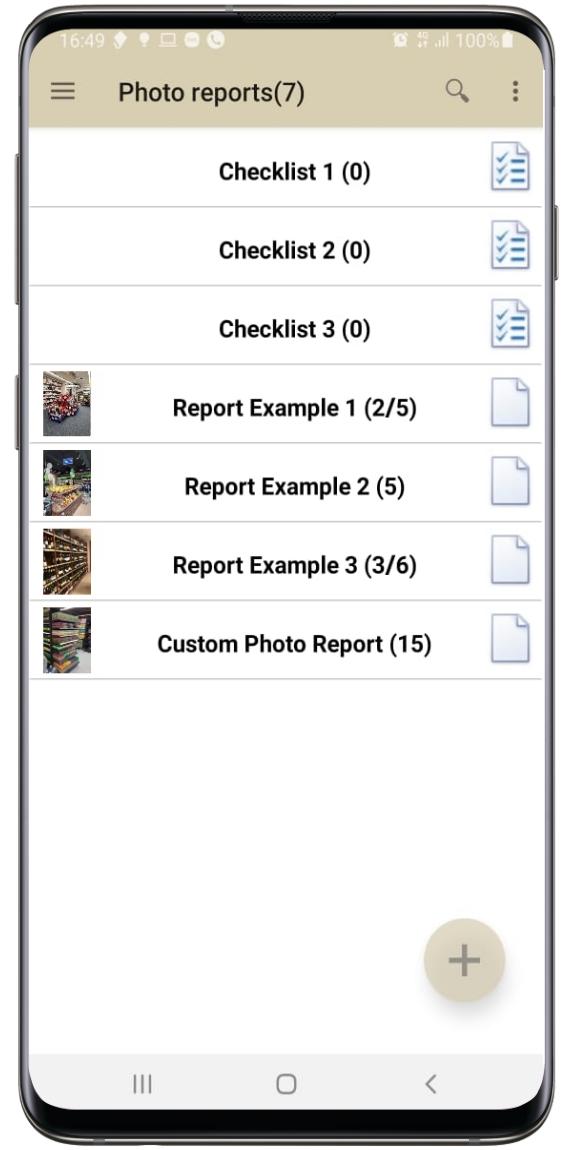
Create photo reports, set tasks and assignments, control implementation. It is easy, fast and convenient:
- Control the volume keys (Volume up - New report / New photo / Voice description, Volume down - confirmation)
- Add a description of the photo, or the result of the task in voice
- Put notes, crop, draw directly on the photo
- Record time from exact time servers on the Internet (TV)
- Record GPS location
- Choose a report format - Excel, Word, PDF, Jpeg images, or XML.
- Set tasks, use as an electronic checklist, do monitoring of prices, availability and other things.
- Send reports to mail, WhatsApp, cloud services, or send reports and tasks to user folders on your FTP server.
- Save space and traffic - all photos are processed to reduce data size.
To use tasks and checklists, you need to download and fill in the tasks.xls template and send it, for example, to WhatsApp (you can directly to the group) and simply open the user's folder on the phone or put on an FTP server - the tasks will be uploaded to the application.
tasks.xls can be downloaded from the application page - http://InterestingSolutions.net/PhotoReport
Preview

Tags
BusinessInformation
Developer
Interesting Solutions
Latest Version
1.2
Last Updated
2021-02-26
Category
Business
Available on
Google Play
Show More
How to play Easy Report - Photo reports with GameLoop on PC
1. Download GameLoop from the official website, then run the exe file to install GameLoop
2. Open GameLoop and search for “Easy Report - Photo reports” , find Easy Report - Photo reports in the search results and click “Install”
3. Enjoy playing Easy Report - Photo reports on GameLoop
Minimum requirements
OS
Windows 8.1 64-bit or Windows 10 64-bit
GPU
GTX 1050
CPU
i3-8300
Memory
8GB RAM
Storage
1GB available space
Recommended requirements
OS
Windows 8.1 64-bit or Windows 10 64-bit
GPU
GTX 1050
CPU
i3-9320
Memory
16GB RAM
Storage
1GB available space