
ROAMpay™ X5 PC
ROAM Data
Download ROAMpay™ X5 on PC With GameLoop Emulator
ROAMpay™ X5 on PC
ROAMpay™ X5, coming from the developer ROAM Data, is running on Android systerm in the past.
Now, You can play ROAMpay™ X5 on PC with GameLoop smoothly.
Download it in the GameLoop library or search results. No more eyeing the battery or frustrating calls at the wrong time any more.
Just enjoy ROAMpay™ X5 PC on the large screen for free!
ROAMpay™ X5 Introduction
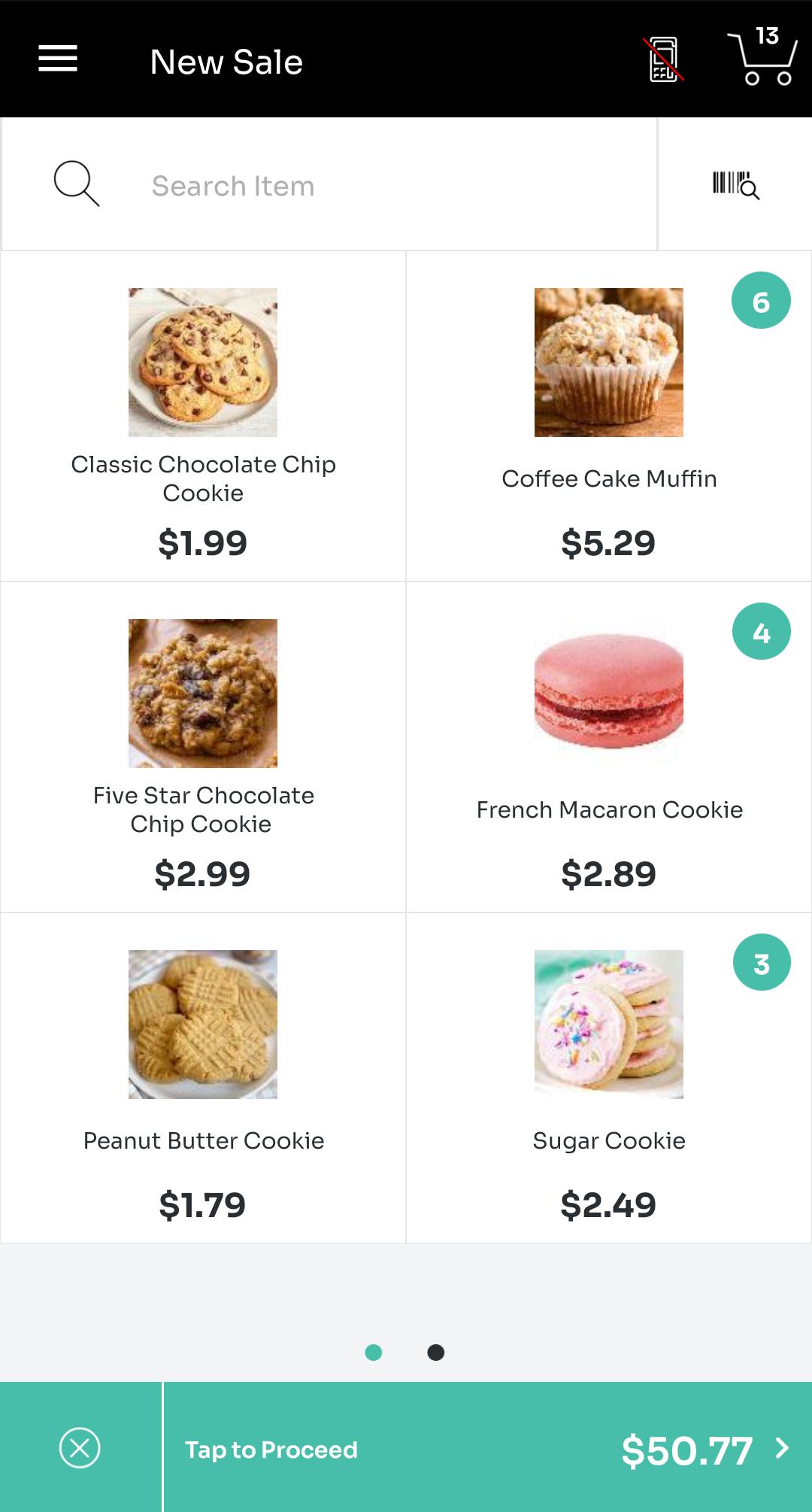
Start accepting payments on the go! ROAMpay X5 goes beyond enabling mobile payment acceptance, transforming your phone or tablet into a true mobile point of sale device. ROAMpay X5 is complete with all the tools you need to manage your business, including a product catalog and customized receipts.
Reduce liability and qualify for lower transaction rates when used with any of Ingenico's E2E-encrypted secure mobile card readers. Accept in-store EMV transactions using our newest card readers, the Moby/8500 (PIN-enabled) and the Moby/5500. Legacy card readers including the Moby/3000, RP350x, RP457, RP450BT, RP757, and G4x/G5x are also supported.
GETTING STARTED
The application currently does not support signing up in-app. Please contact your merchant service provider or the Worldline help desk at https://worldline.com/en-us/home/main-navigation/git for your credentials or to partner with us. This application is free but requires that you have a merchant account.
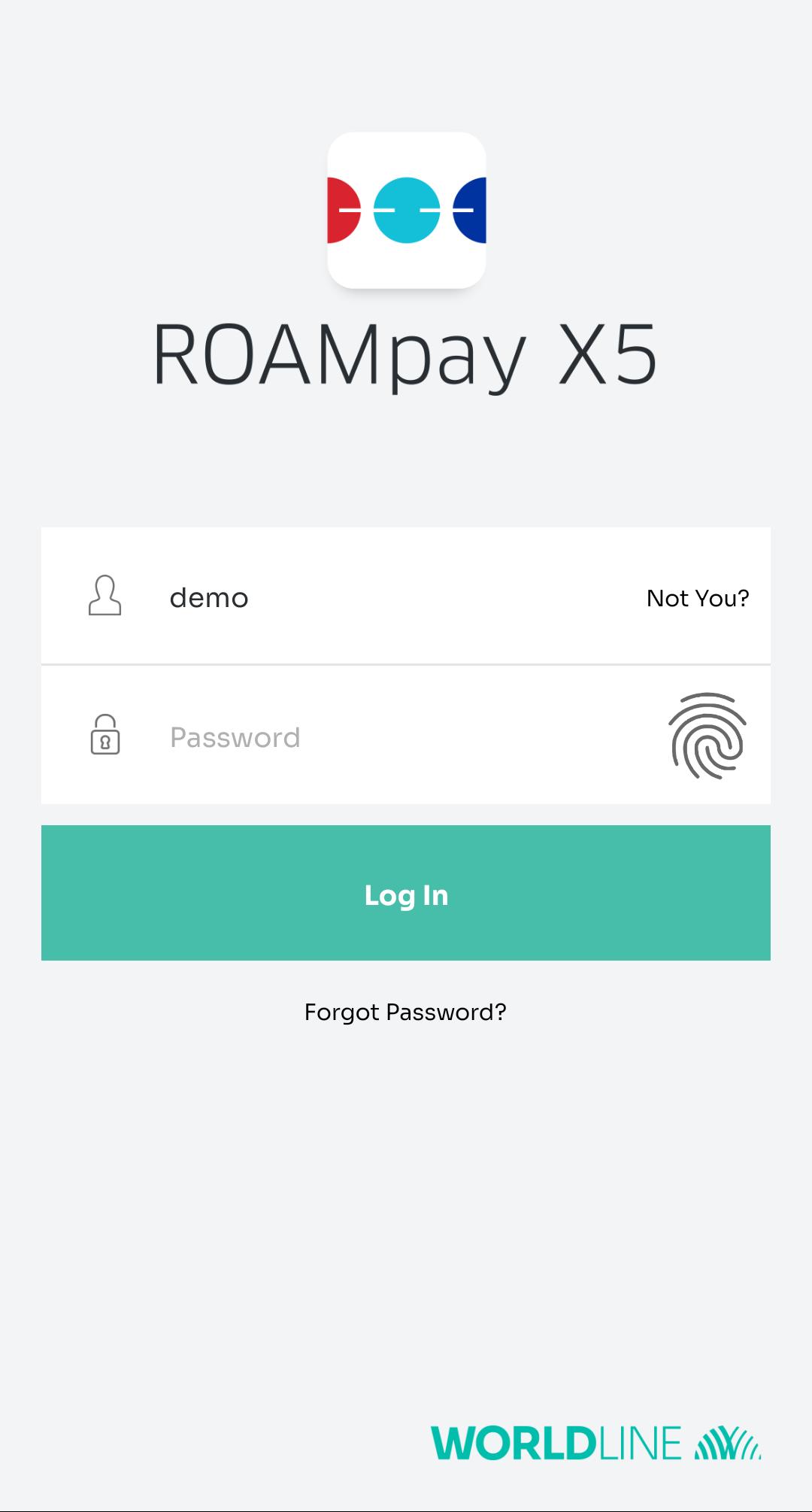
A demo account is available to view the different features of the application but cannot process transactions. To access this functionality, enter ‘demo’ as the username with any text as the password.
APPLICATION FEATURES
• NEW! Use biometrics to quickly log in to your merchant account and take payments even faster. You must have biometrics set up on your device and a single merchant account per device.
• Accept NFC/contactless payments and mobile wallets like Apple Pay and Android Pay using compatible readers.
• Store and Forward support allows you to accept payments in areas of poor reception or restricted WiFi and process them later. *
• QuickChip support - allows your customers to remove their EMV-chip cards earlier in the transaction process, shorting customer interaction time with the card reader. *
• Configure tax, discounts, and tip for both cash and card transactions with custom set values, enabling additional income for front-line merchants and flexibility for your workflows. *
• Record cash payments for a singular view of all sales and revenue.
• Have customers sign right on your phone or tablet.
• Swipe magstripe cards or key in card information to process all major cards.
• Send customized receipts via email with your logo, message for your customers, and contact information.
• Record transaction notes, invoice IDs, and custom reference values
• Manage a catalog of products with photos, names, and prices.
• Support for barcode scanning.
• Issue refunds / voids for previous transactions. View previous transaction history, totals, and daily summaries.
• Enterprise-ready and configurable to support merchants of all sizes.
• ROAMmerchant Merchant Portal for self-service reporting & management.
* Contact your service provider to confirm availability.
For additional information, please visit the help center at https://grow.na.bambora.com/roam-developer/helpcenter
Preview
Tags
BusinessInformation
Developer
ROAM Data
Latest Version
6.2.2.1
Last Updated
2025-04-01
Category
Business
Available on
Google Play
Show More
How to play ROAMpay™ X5 with GameLoop on PC
1. Download GameLoop from the official website, then run the exe file to install GameLoop
2. Open GameLoop and search for “ROAMpay™ X5” , find ROAMpay™ X5 in the search results and click “Install”
3. Enjoy playing ROAMpay™ X5 on GameLoop
Minimum requirements
OS
Windows 8.1 64-bit or Windows 10 64-bit
GPU
GTX 1050
CPU
i3-8300
Memory
8GB RAM
Storage
1GB available space
Recommended requirements
OS
Windows 8.1 64-bit or Windows 10 64-bit
GPU
GTX 1050
CPU
i3-9320
Memory
16GB RAM
Storage
1GB available space