
MUP Product Scan PC
MUP
Download MUP Product Scan on PC With GameLoop Emulator
MUP Product Scan on PC
MUP Product Scan, coming from the developer MUP, is running on Android systerm in the past.
Now, You can play MUP Product Scan on PC with GameLoop smoothly.
Download it in the GameLoop library or search results. No more eyeing the battery or frustrating calls at the wrong time any more.
Just enjoy MUP Product Scan PC on the large screen for free!
MUP Product Scan Introduction
هذا التطبيق يساعد فى التحقق من عبوات منتجات شركة MUP.
عن طريق مسح الكود الثنائى المطبوع على العبوة ومطابقته بالبيانات المطبوعة على العبوة
والتأكد من رقم مسلسل العلبه من واقع بيانات الحاسب الرئيسى للشركة.
خطوات الإستخدام:
1- بعد فتح التطبيق اضغط Scan.
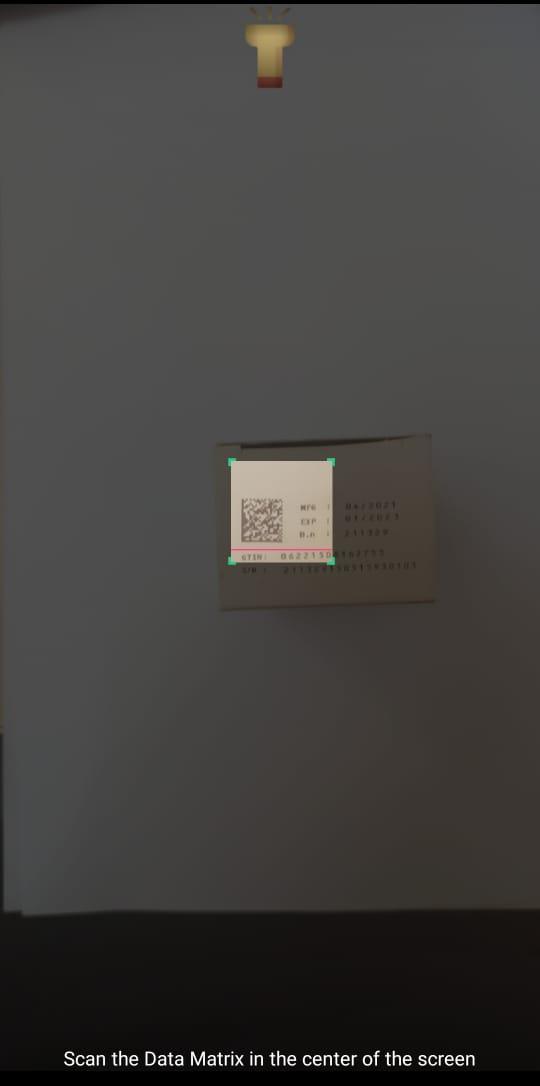
2- ضع الكود الثنائى المطبوع على العبوة فى مربع المسح منتصف الشاشة.
3- يمكن استخدام التكبير أو مصباح الهاتف للمساعدة فى مسح الكود الثنائى.
4- تظهر بيانات الكود اثنائى على الشاشة يتم مطابقتها بالبيانات المطبوعة على العبوة.
5 - للتأكد من مسلسل العبوة اضغط على (تحقق من قاعدة بيانات MUP) مع وجود اتصال بالإنترنت.
6- للتأكد من عدم تكرار نفس المسلسل على عبوة أخرى اضغط على (تحقق من عبوة أخرى) وقم بمسح كود عبوة أخرى من نفس المنتج.
This app helps to detect the counterfeit in MUP Products .
by scanning the Data Matrix Code Printed on the carton and reading its information
the user compares the resulted data with the printed data on the carton
then verify the carton serial No. from MUP Database Server
Usage Steps :
1- Open the app and press Scan Button
2-Put the Data Matrix Code Printed on the carton the scan area in the center of the screen
3- You can use camera zoom or phone flashlight to help scanning the code
4-Compare the resulted data with the printed data on the carton.
5-press(verify from MUP database server) to verify the Serial No.
6-You can check for duplicate Serial No. by pressing (Scan Another) and Scanning another carton of the same product.
Preview

Tags
BusinessInformation
Developer
MUP
Latest Version
2.4.0
Last Updated
2023-03-16
Category
Business
Available on
Google Play
Show More
How to play MUP Product Scan with GameLoop on PC
1. Download GameLoop from the official website, then run the exe file to install GameLoop
2. Open GameLoop and search for “MUP Product Scan” , find MUP Product Scan in the search results and click “Install”
3. Enjoy playing MUP Product Scan on GameLoop
Minimum requirements
OS
Windows 8.1 64-bit or Windows 10 64-bit
GPU
GTX 1050
CPU
i3-8300
Memory
8GB RAM
Storage
1GB available space
Recommended requirements
OS
Windows 8.1 64-bit or Windows 10 64-bit
GPU
GTX 1050
CPU
i3-9320
Memory
16GB RAM
Storage
1GB available space