
InnoMaint PC
InnoMaint
Download InnoMaint on PC With GameLoop Emulator
InnoMaint on PC
InnoMaint, coming from the developer InnoMaint, is running on Android systerm in the past.
Now, You can play InnoMaint on PC with GameLoop smoothly.
Download it in the GameLoop library or search results. No more eyeing the battery or frustrating calls at the wrong time any more.
Just enjoy InnoMaint PC on the large screen for free!
InnoMaint Introduction
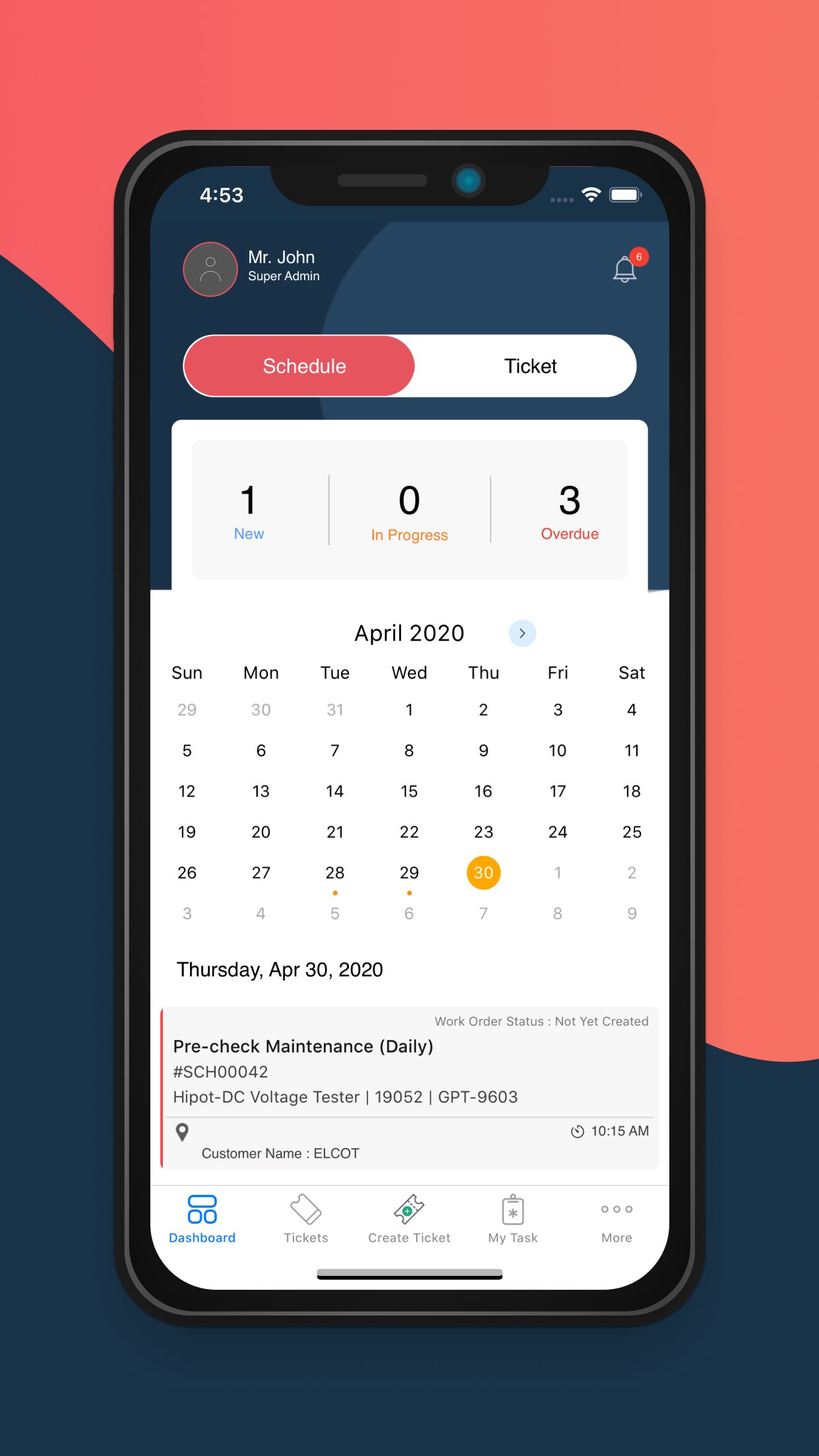
The mobile version of InnoMaint CMMS, with online and offline modes of work, is trusted by 3.5K+ users globally to manage more than 1 million assets!
Technicians can use the InnoMaint mobile app with minimal training regardless of language proficiency or technical skills. They can use the app in online and offline modes. The offline mode is useful when they work in far-flung areas with poor internet connectivity or on elevators. The application syncs while back online.
With the mobile app installed on smartphones or tablets, technicians can take photos and attach them to work orders for exact work illustration. Technicians can view the entire service history with a simple mobile scan of QR codes pasted on assets for best fixes.
The solution bank feature renders help to the technicians on the field with solutions delivered to their mobile based on the asset-specific incident data. A solution bank is a collection of step-by-step instructions on fixes by seniors which help improve First Time Fix Rates(FTFR).
Technicians can receive help from peers via an internal private forum(Network Feed) and be in tune with recent advancements and best practices in their fieldwork via RSS Feeds, based on browsing patterns and areas of interest.
Line supervisors can assign work intuitively based on the full view of the current workload of all technicians to ensure a balanced and practical work distribution. They can auto-assign preventive work orders or assign breakdown tasks to technicians from anywhere via the app.
Senior Management can view valuable KPI metrics on maintenance and compare maintenance performance of people, assets, and facilities between locations from a single application Dashboard as they could do with a web version.
The mobile app also enables maintenance managers to view service reports- both preventive and breakdown from the comfort of their cubicle or while on the move 24x7.
Download the new InnoMaint CMMS mobile app today and feel how easy it is to plan, schedule, carry out, follow up and drive work orders through completion.
Shrink the maintenance cycles dramatically with improved employee engagement and communication to save capital, operational, and utility expenditure while upkeeping operation excellence.
Few benefits of the InnoMaint mobile app:
- Real-time visibility into outstanding & completed work orders
- Get access to authorized maintenance data from anywhere
- Simplifies the complex knots of maintenance
- Route and track work requests submitted by guest users
- Notifications for assigned work orders and work based on priorities
- Workflow for inspection, monitoring, calibration & approval tasks.
- Condition-based maintenance and emergency maintenance(Ad-Hoc schedules repeating at irregular intervals)
- Trigger work orders based on conditions(predictive maintenance)
- Upload and access user manuals, warranty cards, etc.
- Eliminate work duplications, ghost assets, and lost work orders.
- Access to IoT-based metrics from the mobile app
- Access inventory spare parts on each transaction
- Workflow for the quick dispatch of spares
- Highly scalable-Unlimited work orders
Try our free version with a product tour for an easier understanding of the working mechanism before purchase.
The pricing model is affordable for a quicker ROI.
Preview

Tags
BusinessInformation
Developer
InnoMaint
Latest Version
5.9.1
Last Updated
2025-12-03
Category
Business
Available on
Google Play
Show More
How to play InnoMaint with GameLoop on PC
1. Download GameLoop from the official website, then run the exe file to install GameLoop
2. Open GameLoop and search for “InnoMaint” , find InnoMaint in the search results and click “Install”
3. Enjoy playing InnoMaint on GameLoop
Minimum requirements
OS
Windows 8.1 64-bit or Windows 10 64-bit
GPU
GTX 1050
CPU
i3-8300
Memory
8GB RAM
Storage
1GB available space
Recommended requirements
OS
Windows 8.1 64-bit or Windows 10 64-bit
GPU
GTX 1050
CPU
i3-9320
Memory
16GB RAM
Storage
1GB available space