
FABi POS PC
FABi
Download FABi POS on PC With GameLoop Emulator
FABi POS on PC
FABi POS, coming from the developer FABi, is running on Android systerm in the past.
Now, You can play FABi POS on PC with GameLoop smoothly.
Download it in the GameLoop library or search results. No more eyeing the battery or frustrating calls at the wrong time any more.
Just enjoy FABi POS PC on the large screen for free!
FABi POS Introduction
Integrating numerous modern features and technologies, FABi sales management software fully meets the professional management needs of businesses ranging from small retailers to large chains.
Full Sales Support
- All order information and order change requests are recorded in the software.
- Owners can check revenue and compare it with system data to detect losses early and plan timely adjustments.
- Links with many electronic payment partners such as MoMo, ZaloPay, VNPAY, etc.
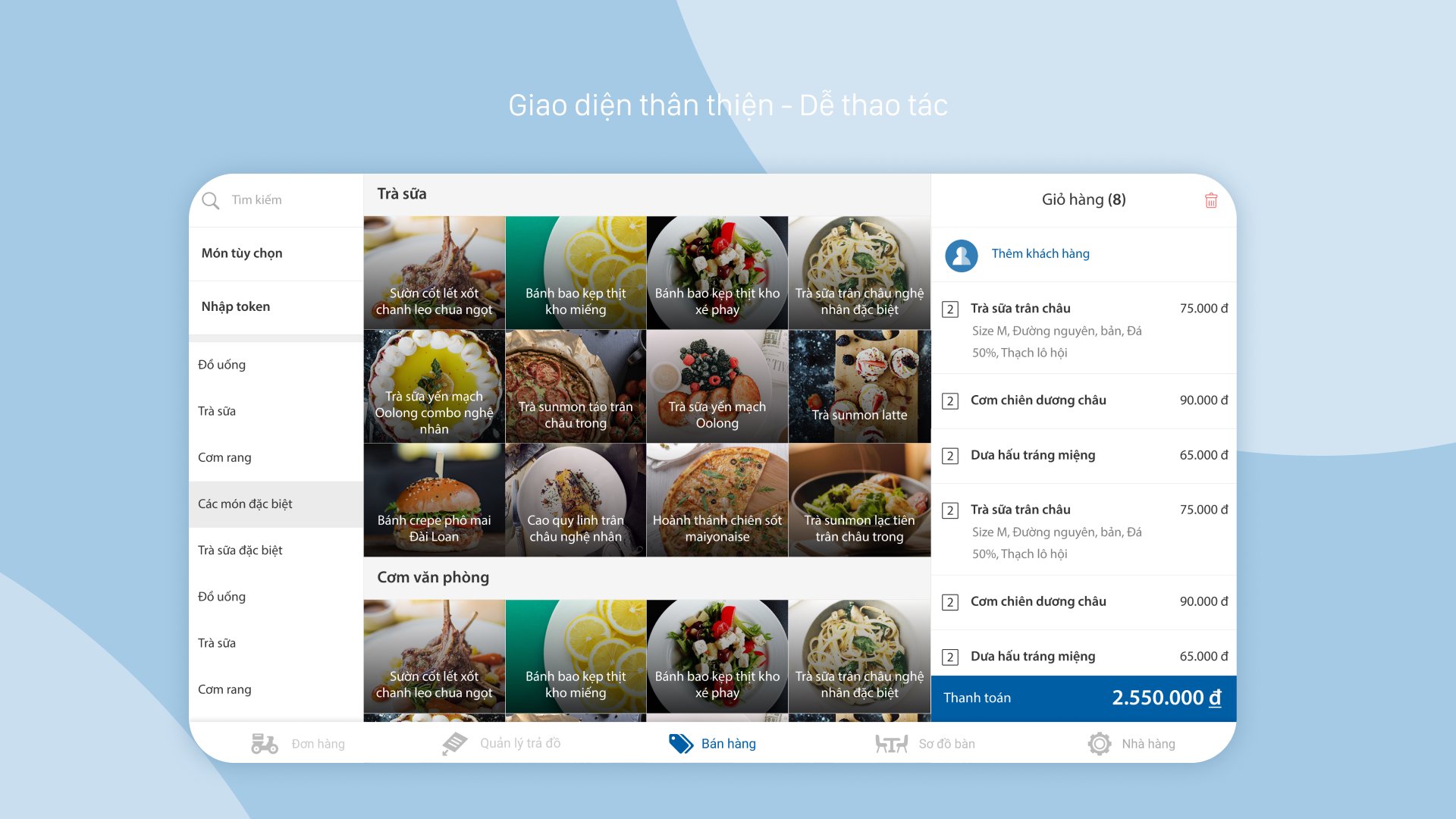
- Simple and easy-to-use ordering and order recording.
- User-friendly interface, intuitive display, easy to see and search, staff can perform orders quickly.
- Waitstaff can take orders on tablets, all order information will be directly transferred to the kitchen and cashier.
- Common operations such as transferring tables, merging tables, splitting/merging invoices are also processed quickly.
- Detailed, intuitive, and easy-to-follow reporting system.
- Provides comprehensive reports specifically for the F&B industry.
- Tracks detailed revenue and expenses, profit and loss, sales history, invoice statistics, etc. - Visually display best-selling items, business trend overview, etc.
- Transaction history for each employee is also recorded on the software, allowing brand owners to easily inventory and reconcile sales revenue.
- Connect with diverse solutions within the iPOS.vn product ecosystem:
- Tightly manage raw material inventory, minimizing losses
- Manage and nurture customers
- Efficiently receive and process online orders across multiple channels
- Coordinate processing, increasing efficiency in the kitchen/bar area
- Simplify accounting tasks in restaurants/cafes/bubble tea shops
----
FABi operates continuously as a central POS system in restaurants, serving connected devices throughout business hours:
• Receive real-time orders from handheld order devices (PDA/employee phones) via the internal network.
• Print invoices and kitchen slips to thermal printers connected via Bluetooth, USB, and LAN.
• Display the bill and payment QR code on the secondary screen for the customer.
To ensure these connections are not interrupted when the screen is turned off or the application is minimized, FABi runs a foreground service with a constant notification.
If this service stops, the order from the handheld device will be lost, the kitchen receipt cannot be printed, and the customer's screen will be blank.
Preview
Tags
BusinessInformation
Developer
FABi
Latest Version
26.09.01
Last Updated
2026-09-06
Category
Business
Available on
Google Play
Show More
How to play FABi POS with GameLoop on PC
1. Download GameLoop from the official website, then run the exe file to install GameLoop
2. Open GameLoop and search for “FABi POS” , find FABi POS in the search results and click “Install”
3. Enjoy playing FABi POS on GameLoop
Minimum requirements
OS
Windows 8.1 64-bit or Windows 10 64-bit
GPU
GTX 1050
CPU
i3-8300
Memory
8GB RAM
Storage
1GB available space
Recommended requirements
OS
Windows 8.1 64-bit or Windows 10 64-bit
GPU
GTX 1050
CPU
i3-9320
Memory
16GB RAM
Storage
1GB available space