
Eptura Engage PC
Condeco Limited
Download Eptura Engage on PC With GameLoop Emulator
Eptura Engage on PC
Eptura Engage, coming from the developer Condeco Limited, is running on Android systerm in the past.
Now, You can play Eptura Engage on PC with GameLoop smoothly.
Download it in the GameLoop library or search results. No more eyeing the battery or frustrating calls at the wrong time any more.
Just enjoy Eptura Engage PC on the large screen for free!
Eptura Engage Introduction
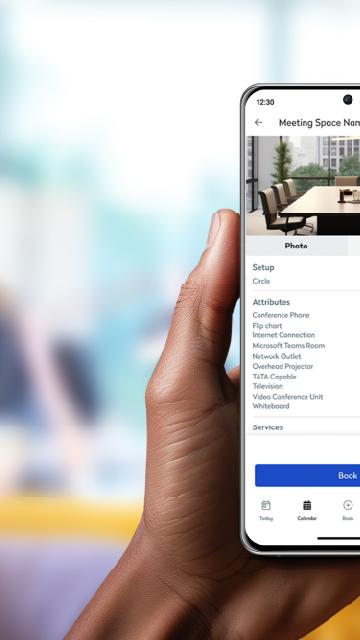
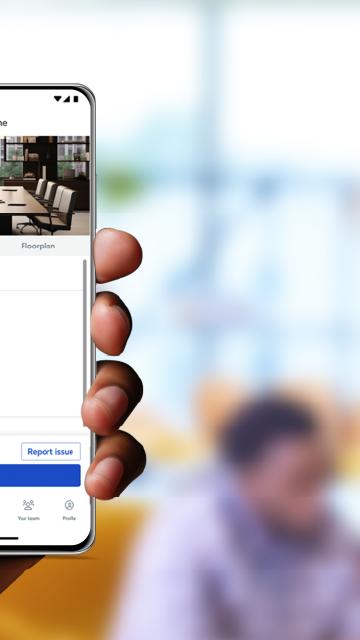
A simple to use app that allows you to book spaces in seconds. With a few taps you can book a workstation or a meeting room, along with other areas like parking, lockers, quiet spaces, breakout zones and more. One screen in the palm of your hand keeps you in control of your daily schedule. See all your bookings, find booked workspaces on a floor plan, and make changes or cancellations to bookings as required. It’s never been faster to check in to a workspace, through a simple tap of a button, or automatically through proximity-based check in. When you need to collaborate with a co-worker, Eptura Engage helps make it happen. You can search in the app to find where they’re working, book an available workspace nearby and start collaborating in minutes.
Requires Condeco Cloud subscription. Types of spaces that can be booked within the app depend on your organization's configuration.
Preview
Tags
BusinessInformation
Developer
Condeco Limited
Latest Version
4.13.0
Last Updated
2025-08-09
Category
Business
Available on
Google Play
Show More
How to play Eptura Engage with GameLoop on PC
1. Download GameLoop from the official website, then run the exe file to install GameLoop
2. Open GameLoop and search for “Eptura Engage” , find Eptura Engage in the search results and click “Install”
3. Enjoy playing Eptura Engage on GameLoop
Minimum requirements
OS
Windows 8.1 64-bit or Windows 10 64-bit
GPU
GTX 1050
CPU
i3-8300
Memory
8GB RAM
Storage
1GB available space
Recommended requirements
OS
Windows 8.1 64-bit or Windows 10 64-bit
GPU
GTX 1050
CPU
i3-9320
Memory
16GB RAM
Storage
1GB available space