VigieApp for Neovigie solution PC
NEOVIGIE
Download VigieApp for Neovigie solution on PC With GameLoop Emulator
VigieApp for Neovigie solution on PC
VigieApp for Neovigie solution, coming from the developer NEOVIGIE, is running on Android systerm in the past.
Now, You can play VigieApp for Neovigie solution on PC with GameLoop smoothly.
Download it in the GameLoop library or search results. No more eyeing the battery or frustrating calls at the wrong time any more.
Just enjoy VigieApp for Neovigie solution PC on the large screen for free!
VigieApp for Neovigie solution Introduction
Neovigie - VigieApp Lone Worker App
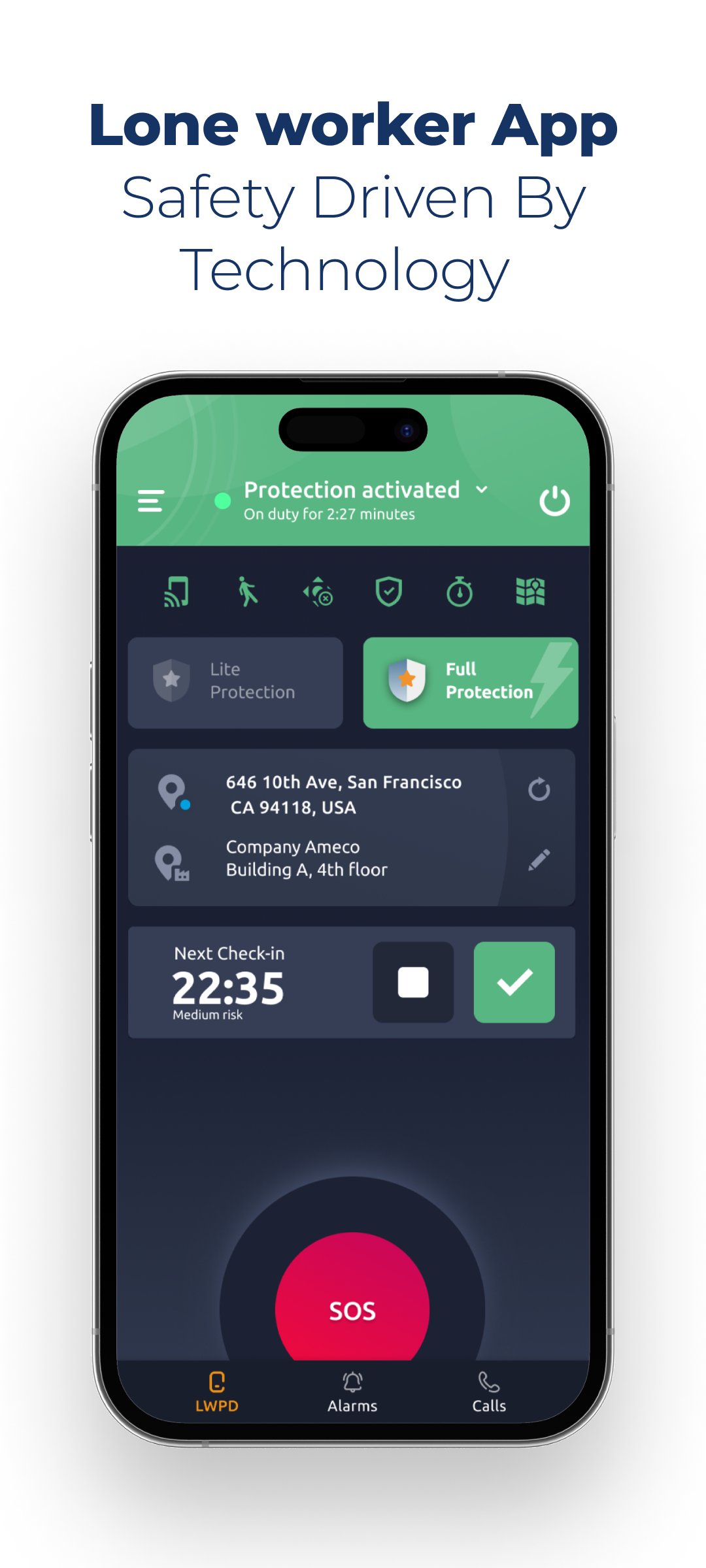
VigieApp is an application that turns your smartphone into a daily security assistant.
Much more than an application
With a simple and ergonomic interface, when you activate your protection service, you have a real security assistant that :
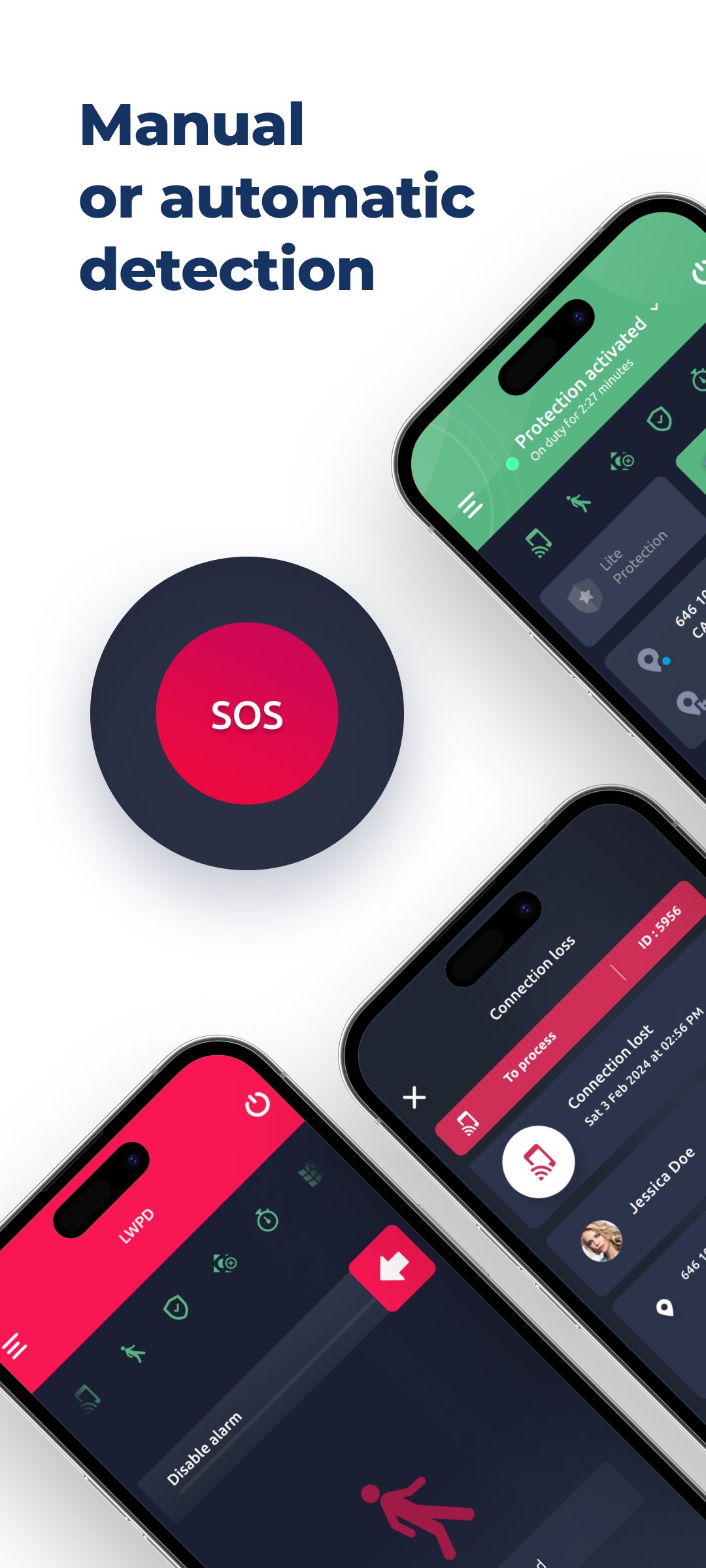
- Protects you against 8 major risks: aggression (virtual SOS), real fall, prolonged immobility, loss of connection with the supervision server (positive security), white zones (lifeline), dangerous zones (geofencing) or low battery
- Adjusts your level of protection and associated risks according to the situation (driving, charging, meeting...)
- Automatically warns your supervisors in case of accident (SMS, voice call, email, push)
- Automatically provides your position: GPS (outdoor) or Bluetooth beacons (indoor) in case of alarm to be rescued faster
- Automatically picks up the phone and puts you on speakerphone in case of doubt by a supervisor
However, your assistant can't do everything himself and in some cases he will need your help.
So to gain reactivity you can use the Accessibility Services (optional) to perform the following actions without unlocking your smartphone:
- Call for help discreetly with the floating SOS button
- Cancel the pre-alarm of a detected abnormal situation
- Restart an expired lifeline
- End an alarm in progress
- Respond to a supervisor's call for help
Useful, isn't it?
Your future PTI solution
With VigieApp you choose :
A SIMPLE solution:
+ 1-click protection
+ An ergonomic user interface that focuses on the essential: security
+ No configuration for the lone worker, everything is orchestrated remotely by your administrator
An EFFICIENT solution:
+ The powerful algorithms on which VigieApp is based allow for the automatic detection of unusual situations, limiting false alarms on a daily basis
+ The more confident worker can stay focused on his complex tasks knowing he is protected
+ Suitable for everyone: technicians on the move, teleworkers, home services, public reception, construction, etc.
A SECURE solution:
+ 100% compliant with the RGPD and the privacy of users
+ Compliant with the recommendations of the General Security Reference (RGS) of the A.N.S.S.I. for the protection of your personal data and cyber attacks
But our solution does not stop at the PTI VigieApp application and is part of a more global ecosystem:
Neovigie, a complete PTI DATI solution
As a specialist in PTI DATI systems, Neovigie offers a SaaS (Software as a Service) solution:
- Turnkey: delivered and configured according to your company's needs
- International : No matter where you are, you can access the solution from your smartphone
- 24/7: Hosted in the secure Microsoft Azure® cloud
Includes:
- VigieApp® PTI application for iOS or Android smartphones
- Standalone VigieLink® DATI box running on 2G/4G networks
- VigieControl® platform for real-time supervision and administration accessible from any web browser
Management of your PTI alerts
- Internal: Our VigieControl platform will allow your teams to supervise and process alarms in real time. You will also be able to administer your equipment remotely in complete autonomy.
- External: The Neovigie solution is compatible with remote monitoring centers. You will then have a 24/7 security which can trigger an intervention of the emergency services if necessary.
Contact us for more information
- Demonstration and free test: contact@neovigie.com
- More info : www.neovigie.com
- Contact us : +33 (0)5 67 77 94 47
Preview
Tags
BusinessInformation
Developer
NEOVIGIE
Latest Version
2.5.1
Last Updated
2025-06-19
Category
Business
Available on
Google Play
Show More
How to play VigieApp for Neovigie solution with GameLoop on PC
1. Download GameLoop from the official website, then run the exe file to install GameLoop
2. Open GameLoop and search for “VigieApp for Neovigie solution” , find VigieApp for Neovigie solution in the search results and click “Install”
3. Enjoy playing VigieApp for Neovigie solution on GameLoop
Minimum requirements
OS
Windows 8.1 64-bit or Windows 10 64-bit
GPU
GTX 1050
CPU
i3-8300
Memory
8GB RAM
Storage
1GB available space
Recommended requirements
OS
Windows 8.1 64-bit or Windows 10 64-bit
GPU
GTX 1050
CPU
i3-9320
Memory
16GB RAM
Storage
1GB available space