clockin – Zeiterfassung PC
clockin GmbH
Download clockin – Zeiterfassung on PC With GameLoop Emulator
clockin – Zeiterfassung on PC
clockin – Zeiterfassung, coming from the developer clockin GmbH, is running on Android systerm in the past.
Now, You can play clockin – Zeiterfassung on PC with GameLoop smoothly.
Download it in the GameLoop library or search results. No more eyeing the battery or frustrating calls at the wrong time any more.
Just enjoy clockin – Zeiterfassung PC on the large screen for free!
clockin – Zeiterfassung Introduction
• The simplest time tracking app for small and medium-sized businesses •
clockin was developed together with companies with practical experience – specifically for small and medium-sized businesses with mobile teams who love their work and don't have time for paperwork, Excel chaos, or complicated software.
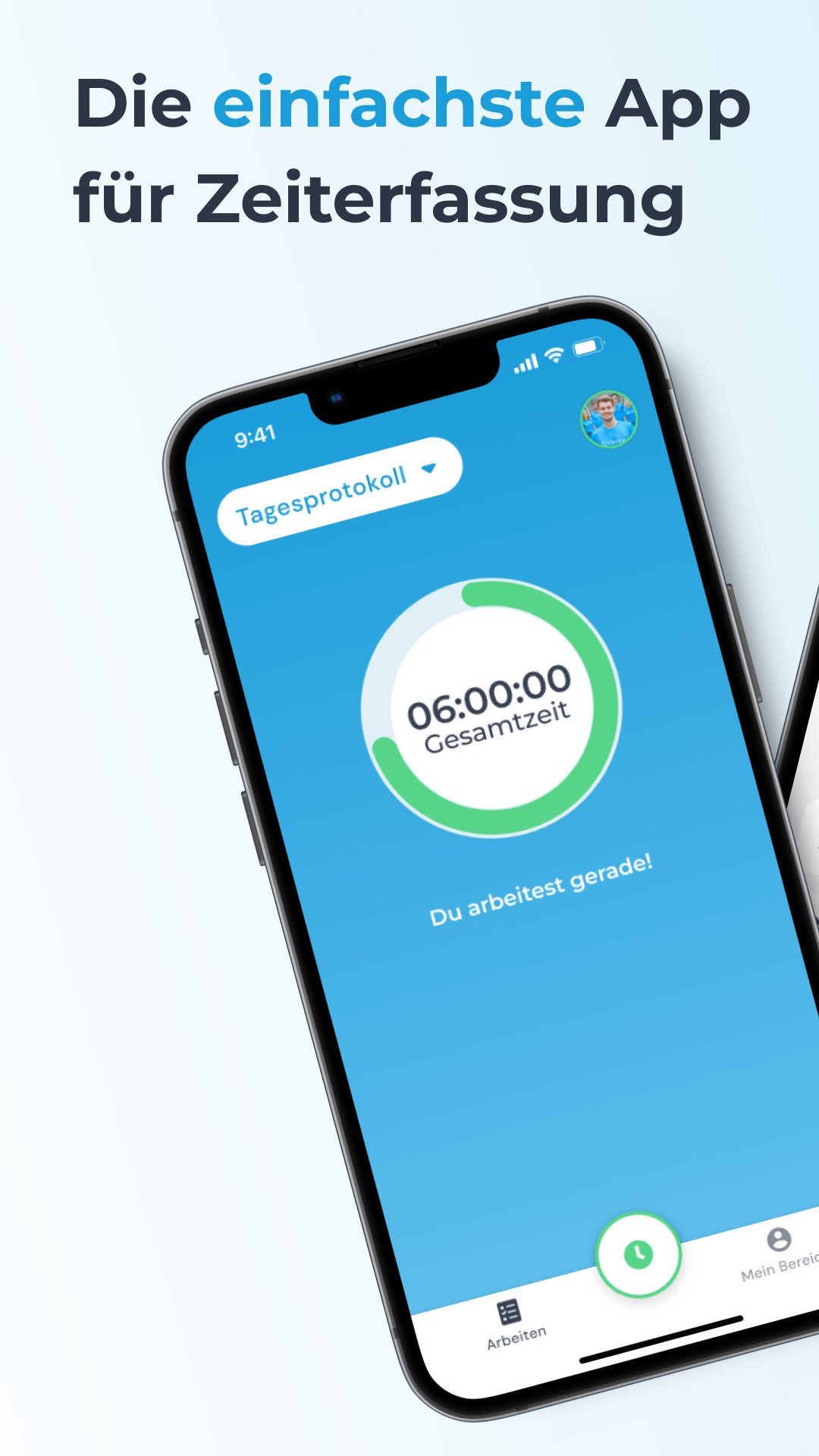
⏱ Time tracking with one click
Your team records working hours, breaks, or travel with just one click – simple, intuitive, and incredibly easy, even for non-tech-savvy employees. In the office, you see everything in real time and receive notifications of overtime.
📑 Automatic timesheets
At the end of the month, you automatically receive clean timesheets that you can export or send directly to payroll via the DATEV interface.
👥 Your interface to the team
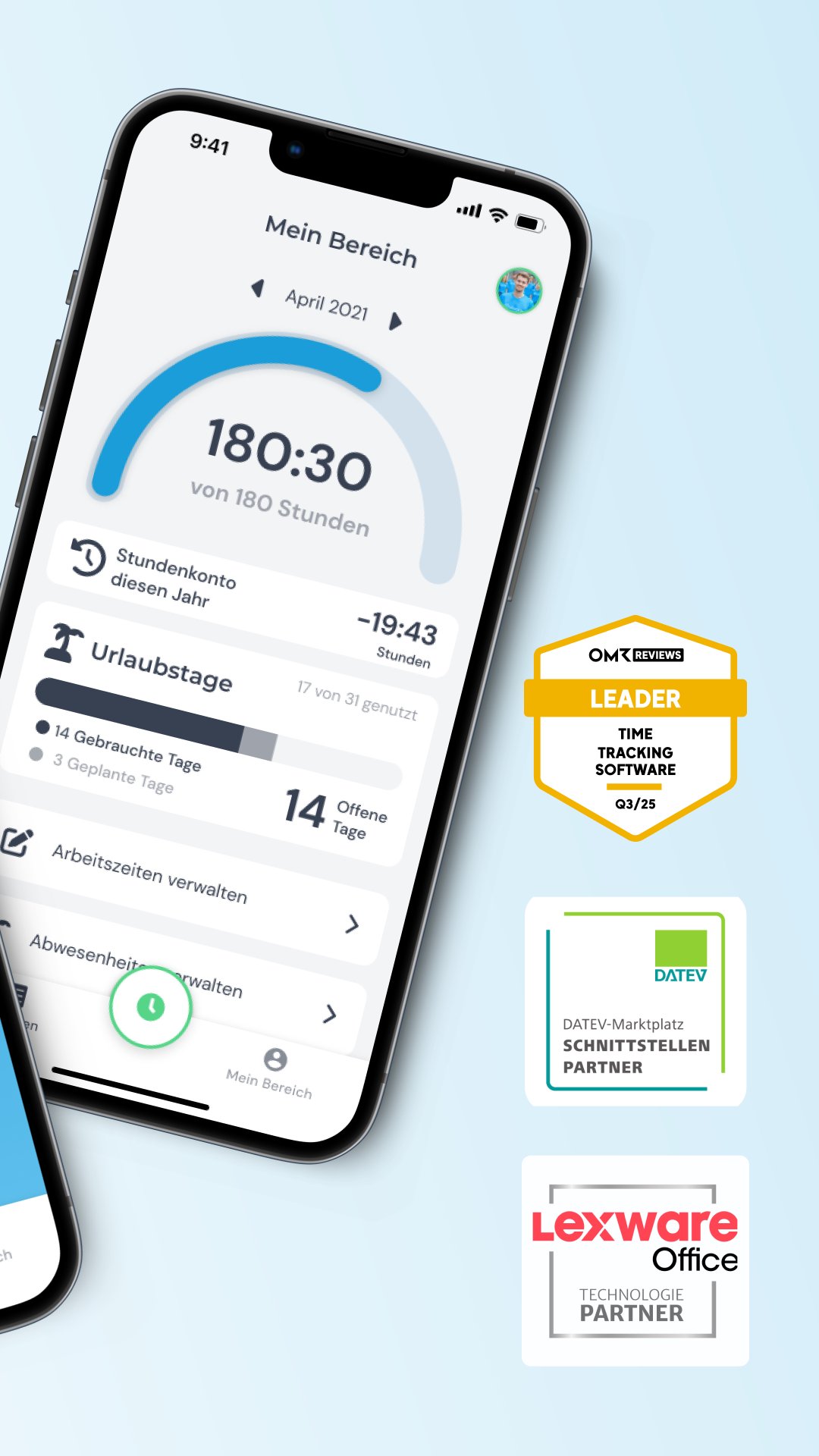
Your employees keep track of their timesheets, vacation time, and overtime. Sick notes and vacation requests are processed digitally in the app – fewer queries, faster processes.
📂 Project Time Tracking
Working hours can be booked directly to projects and billed via interfaces such as Lexware Office or sevdesk.
📝 Project Documentation
Completely record project progress – with photos, notes, sketches, or signatures directly on-site. Everything is automatically saved in the digital project file and can be accessed at any time, both in the office and on the go, instead of getting lost in WhatsApp chats or emails.
✅ Digital Checklists
Create checklists for your employees and ensure clear workflows. This makes recurring processes run more efficiently and avoids misunderstandings.
🔒 Flexible & Secure
Whether it's trades, care, building cleaning, or services – clockin is used across all industries and adapts flexibly to your processes. Set up in just 15 minutes and ready to go right away, clockin makes it child's play to fulfill your time tracking requirements.
clockin at a glance:
• GDPR and ECJ compliant
• Made in Münster – Made in Germany
• Extremely easy to use – even without training
• Fully offline capability
Feature overview:
• Mobile time tracking via smartphone, terminal, or desktop
• Time tracking using the column function (foreman clocks in working hours for the team)
• Automatic timesheets including direct transfer to DATEV
• Flexible mapping of various working time models
• Employee area with time accounts, vacation, and sick notes
• Record project times and invoice them directly via interfaces such as lexoffice or sevdesk
• Project documentation with photos, notes, sketches, signatures, and checklists
• Digital project file for all information in one place
• Digital calendar & employee planner
• Digital personnel file
• GPS tracking
• Available in 17 languages
Preview
Tags
BusinessInformation
Developer
clockin GmbH
Latest Version
3.6.2
Last Updated
2025-11-11
Category
Business
Available on
Google Play
Show More
How to play clockin – Zeiterfassung with GameLoop on PC
1. Download GameLoop from the official website, then run the exe file to install GameLoop
2. Open GameLoop and search for “clockin – Zeiterfassung” , find clockin – Zeiterfassung in the search results and click “Install”
3. Enjoy playing clockin – Zeiterfassung on GameLoop
Minimum requirements
OS
Windows 8.1 64-bit or Windows 10 64-bit
GPU
GTX 1050
CPU
i3-8300
Memory
8GB RAM
Storage
1GB available space
Recommended requirements
OS
Windows 8.1 64-bit or Windows 10 64-bit
GPU
GTX 1050
CPU
i3-9320
Memory
16GB RAM
Storage
1GB available space