
CFM Purchase Mobile PC
Hanseaticsoft GmbH
Download CFM Purchase Mobile on PC With GameLoop Emulator
CFM Purchase Mobile on PC
CFM Purchase Mobile, coming from the developer Hanseaticsoft GmbH, is running on Android systerm in the past.
Now, You can play CFM Purchase Mobile on PC with GameLoop smoothly.
Download it in the GameLoop library or search results. No more eyeing the battery or frustrating calls at the wrong time any more.
Just enjoy CFM Purchase Mobile PC on the large screen for free!
CFM Purchase Mobile Introduction
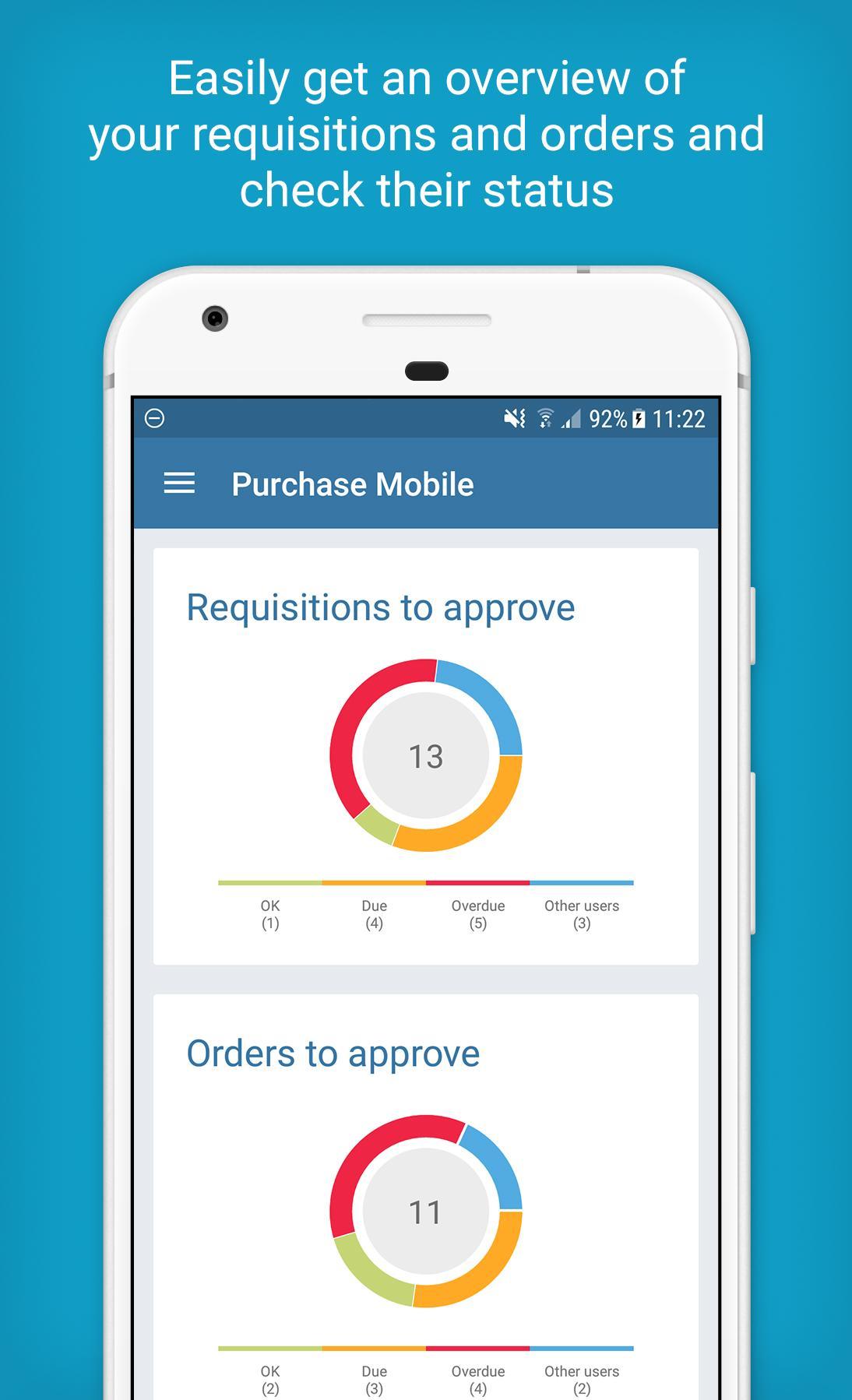
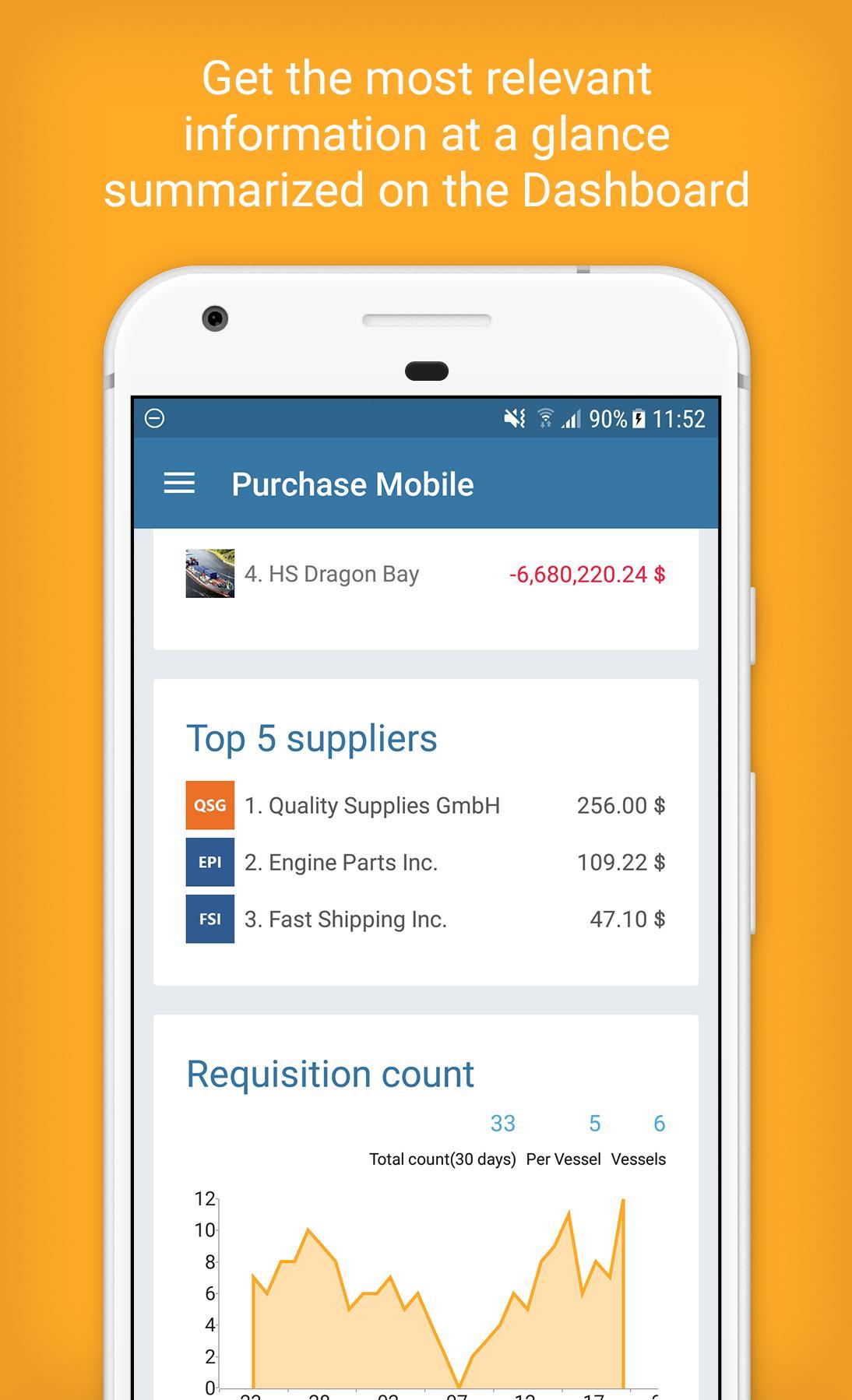
Do you regularly need to approve orders? Do you need to keep up-to-date with your OPEX and budgets? Are you constantly on the move or in meetings? With CFM Purchase Mobile you always have a smart and reliable solution to keep you up-to-date that enables you to perform the most important tasks even when you are not in the office or have access to a PC.
Due to the intuitive and self-explanatory design of the app you are able to get the most relevant information within seconds. Are you aware of your ship’s budget state? Want to get a quick overview of your OPEX? With CFM Purchase Mobile you are integrated into all processes and are always up-to-date. Quickly review and approve requirements and orders in real-time, make faster business decisions and collaborate with your colleagues regardless of location. Benefit from the deeply integrated environment of Cloud Purchase and CFM Purchase Mobile. As soon as an order is approved your colleagues can immediately continue working, resulting in better transparency, visibility and streamlined workflows.
Simplify your processes and stay in control with CFM Purchase Mobile.
Preview
Tags
BusinessInformation
Developer
Hanseaticsoft GmbH
Latest Version
1.8.10
Last Updated
2023-03-28
Category
Business
Available on
Google Play
Show More
How to play CFM Purchase Mobile with GameLoop on PC
1. Download GameLoop from the official website, then run the exe file to install GameLoop
2. Open GameLoop and search for “CFM Purchase Mobile” , find CFM Purchase Mobile in the search results and click “Install”
3. Enjoy playing CFM Purchase Mobile on GameLoop
Minimum requirements
OS
Windows 8.1 64-bit or Windows 10 64-bit
GPU
GTX 1050
CPU
i3-8300
Memory
8GB RAM
Storage
1GB available space
Recommended requirements
OS
Windows 8.1 64-bit or Windows 10 64-bit
GPU
GTX 1050
CPU
i3-9320
Memory
16GB RAM
Storage
1GB available space