
8x8 Work PC
8x8, Inc
Download 8x8 Work on PC With GameLoop Emulator
8x8 Work on PC
8x8 Work, coming from the developer 8x8, Inc, is running on Android systerm in the past.
Now, You can play 8x8 Work on PC with GameLoop smoothly.
Download it in the GameLoop library or search results. No more eyeing the battery or frustrating calls at the wrong time any more.
Just enjoy 8x8 Work PC on the large screen for free!
8x8 Work Introduction
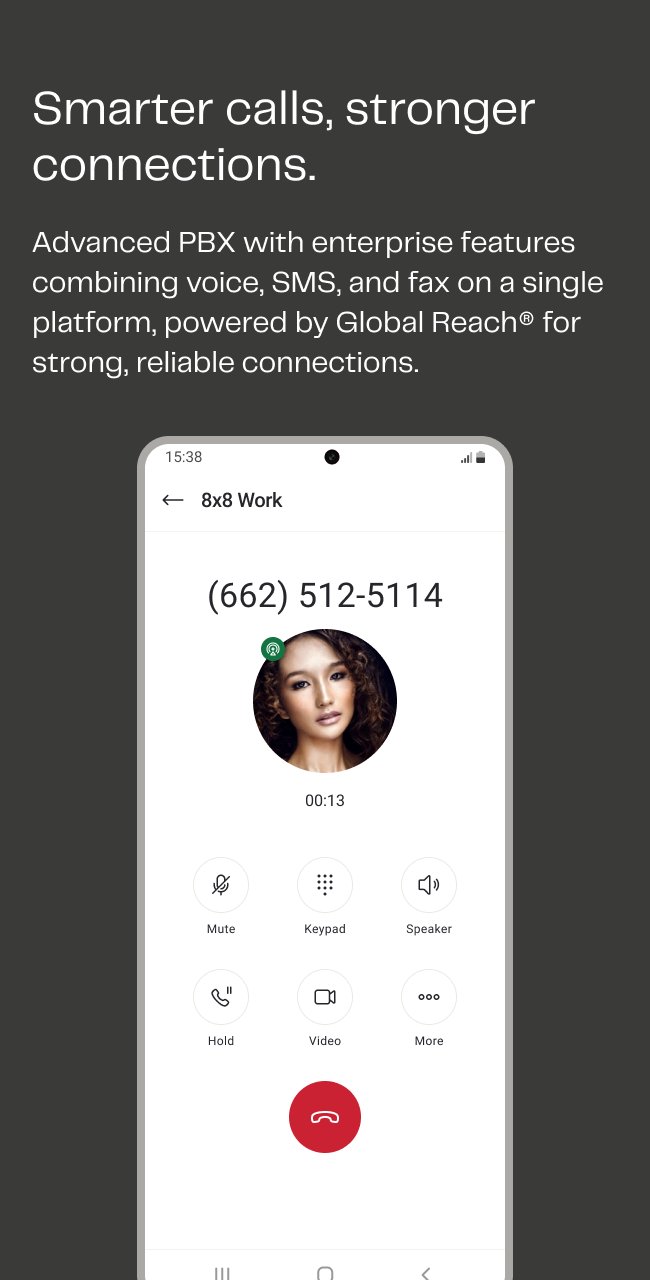
The 8x8 Work app for Android brings together your voice, video, and messaging in a single, secure mobile app. It’s everything you need to stay productive—whether you’re on-site, off the clock, or off the grid.
From startups to global teams, 8x8 Work scales with you, helping you stay in sync and on task, wherever work happens.
Built for Android users who need to:
*Call, meet, and chat in one app
Make business calls, host HD video meetings, and chat with teammates—without switching apps or missing a beat.
*Use your business number on mobile
Keep personal and work communications separate while staying reachable from anywhere.
*Collaborate on the fly
Share files, start quick chats, and check presence status—without the email ping-pong.
*Stay admin-friendly
Remote, hybrid, or in-office? Your IT team has full control, regardless of where people work.
Feature highlights
*HD voice and video calls from your Android device
*Host and record meetings with screen-sharing
*Team messaging with @mentions, file sharing, and availability indicators
*Custom call handling and quiet hours
*Works over Wi-Fi or mobile data for optimal quality
Start using 8x8 Work today:
Subscription required (8x8 X Series).
Questions?
Check out 8x8 Android Support (https://support.8x8.com/cloud-phone-service/voice/work-mobile)
Preview

Tags
BusinessInformation
Developer
8x8, Inc
Latest Version
12.12.0
Last Updated
2026-09-08
Category
Business
Available on
Google Play
Show More
How to play 8x8 Work with GameLoop on PC
1. Download GameLoop from the official website, then run the exe file to install GameLoop
2. Open GameLoop and search for “8x8 Work” , find 8x8 Work in the search results and click “Install”
3. Enjoy playing 8x8 Work on GameLoop
Minimum requirements
OS
Windows 8.1 64-bit or Windows 10 64-bit
GPU
GTX 1050
CPU
i3-8300
Memory
8GB RAM
Storage
1GB available space
Recommended requirements
OS
Windows 8.1 64-bit or Windows 10 64-bit
GPU
GTX 1050
CPU
i3-9320
Memory
16GB RAM
Storage
1GB available space