
.NET MAUI Demos PC
Developer Express Inc
Download .NET MAUI Demos on PC With GameLoop Emulator
.NET MAUI Demos on PC
.NET MAUI Demos, coming from the developer Developer Express Inc, is running on Android systerm in the past.
Now, You can play .NET MAUI Demos on PC with GameLoop smoothly.
Download it in the GameLoop library or search results. No more eyeing the battery or frustrating calls at the wrong time any more.
Just enjoy .NET MAUI Demos PC on the large screen for free!
.NET MAUI Demos Introduction
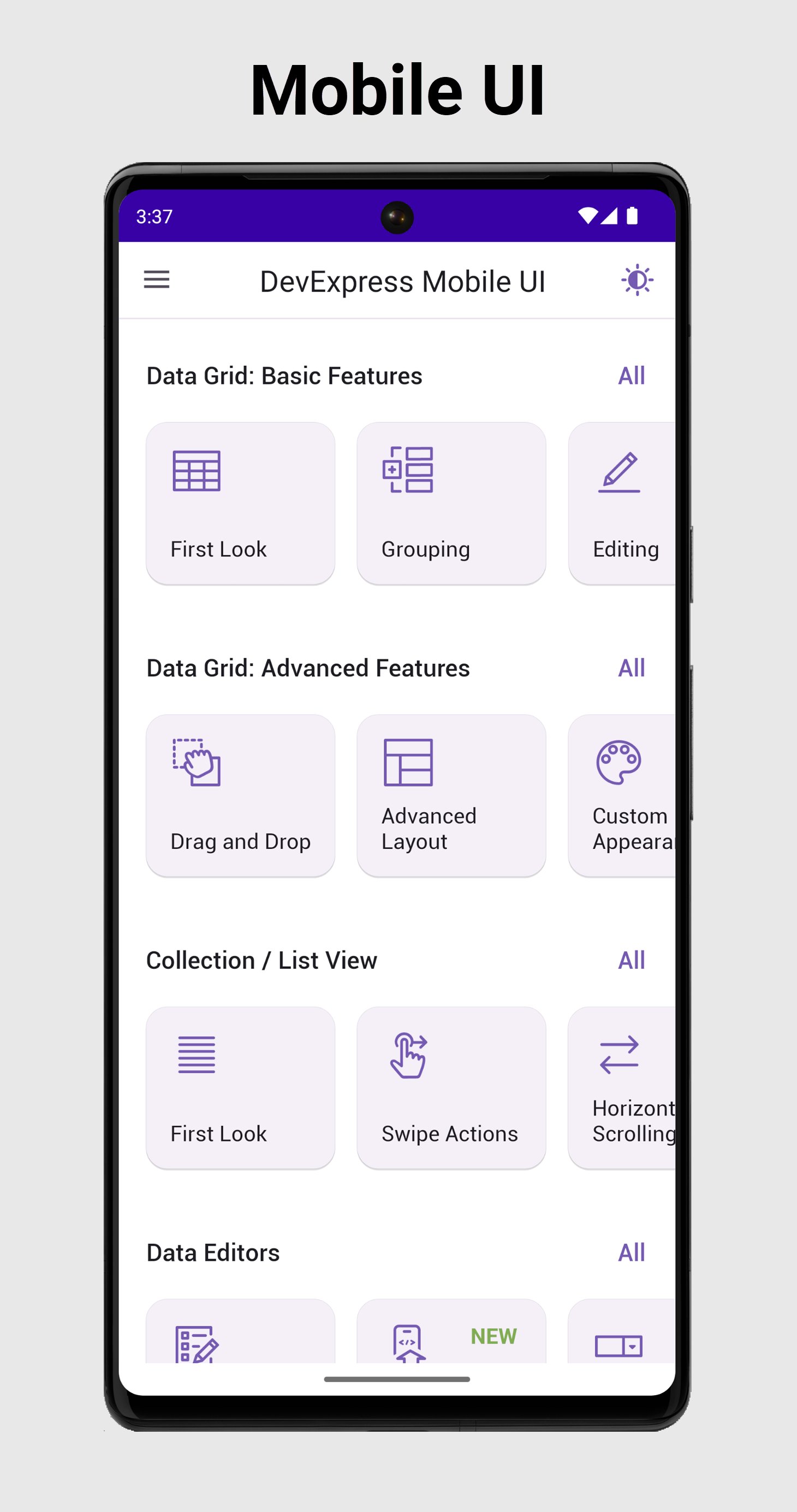
Our FREE DevExpress Mobile UI for .NET MAUI suite includes the Data Grid, Collection/List View, Data Editors, Popup Dialog, Data Form, Tab View, Charts, and Scheduler controls that help you to easily visualize and shape data in your next cross-platform smartphone or tablet application. All controls were built from native Android elements to ensure optimal application performance. While the two predefined themes allow you to switch between dark and light modes, you can also customize each control's appearance as required.
Data Grid
Our Mobile UI suite ships with a high-impact and feature-complete Data Grid View. Features include:
• Large Dataset Support
• Data Editing
• CRUD Operations
• Filtering UI
• High-Performance/Smooth Scrolling
• Multi-Column Sorting
• Data Summaries, Grouping, and Filtering
• Pull-to-Refresh, Load-More, and Swipe Gestures
• Row Drag & Drop (Reorder Rows)
• Multi-Row Cell Layout
• Data Export
• Dark and Light Themes, and much more...
Charts
With their comprehensive collection of 2D chart types, our .NET MAUI Chart Views have been engineered to simplify how you visualize information to your users. Features include:
• Financial Charts
• Area, Bar, Line, and Spline Charts
• Point and Bubble Charts
• Pie and Donut Charts
• High-Performance Real-Time Data Updates
• Smooth Navigation and Zoom
• Series and Point Selection
• Point and Segment Colorizers
• Multiple Axes
• Tooltips, Crosshair Cursors
Navigation and Popup Dialog
Our .NET MAUI Tab View allows you to better organize UI elements and improve overall application usability. The .NET MAUI Popup Dialog allows you to request additional information from a user and/or display app notifications as requirements dictate.
Collection View
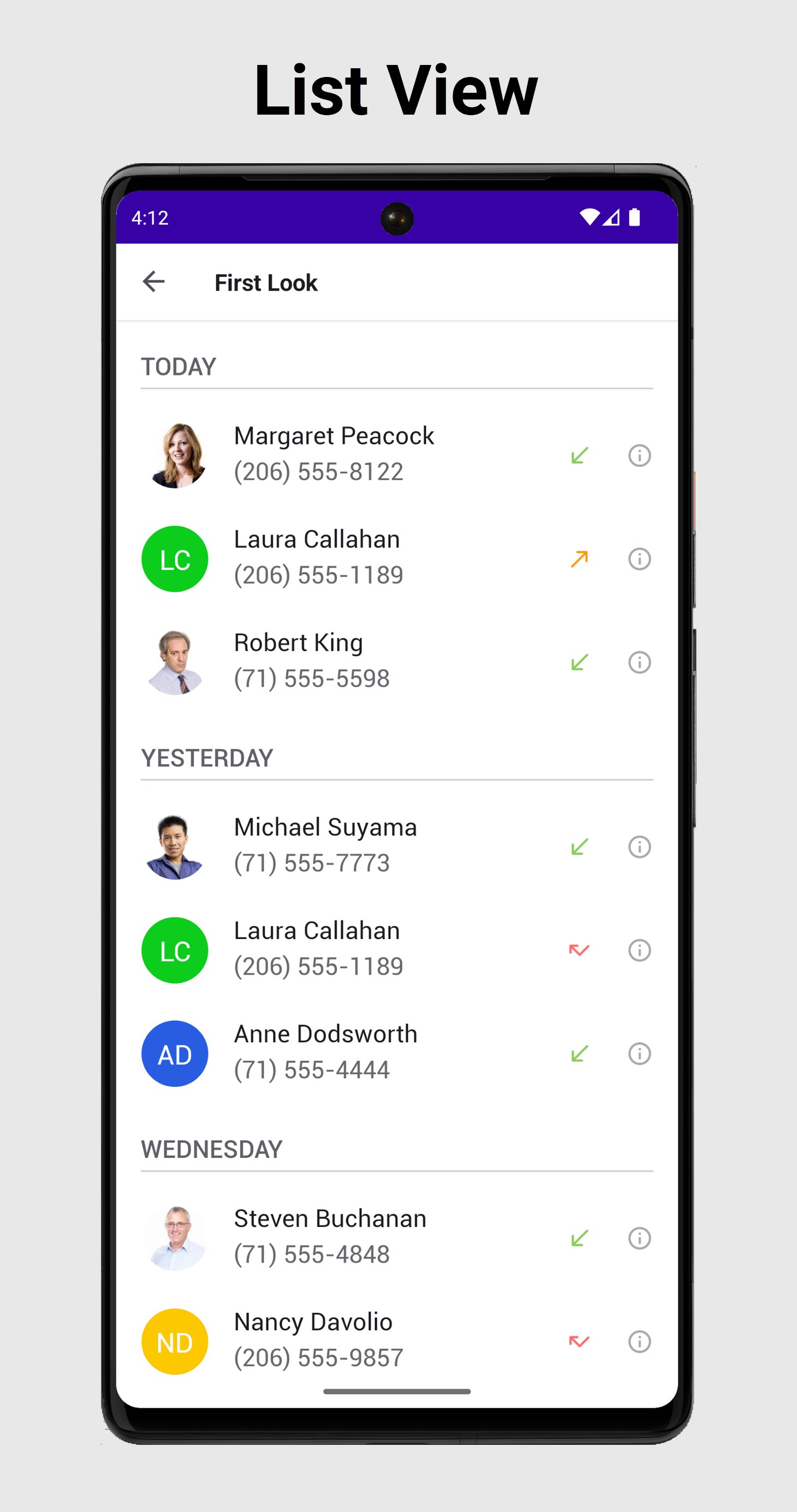
Our .NET MAUI Collection View manages a collection of data items. Features include:
• Vertical and Horizontal Layout
• Item Drag & Drop (Reorder Items)
• Data Sorting, Filtering, and Grouping
• Item and Group Header Templates
• Pull-to-Refresh
• Load-More
• Single and Multiple Item Selection
• Filtering UI
Data Editors & Controls
Our .NET MAUI suite includes the following data edit and multi-purpose controls:
• Button
• BottomSheet
• Auto-Complete Edit
• Checkbox
• Action, Filter, Choice, and Input Chips
• Combo Box
• FormItems
• Date / Time Editors
• Multi-line Edit
• Numeric Edit
• Text Box & Password Box
• Shimmer Control
Data Form
Our .NET MAUI Data Form allows you to quickly generate edit forms for any data object. Its features include:
• Built-in Custom Editors
• Commit Modes
• Validation
• Grouping/Layout Customization
Scheduler
Our .NET MAUI Scheduler features multiple calendar views so you can deliver full-featured personal information management systems in the shortest possible time. Features include:
• Day, Week, Work Week, and Month Views
• Recurring Appointments
• Appointment Editor
• Event Reminder API
• Time Zones
• Styles and Templates
Office File API
You can use the DevExpress Office File API in your .NET MAUI apps to create, manage, convert, merge, and digitally sign Word, Excel, and PDF documents (non-visually).
Source code: https://github.com/DevExpress-Examples/maui-demo-app
Documentation: https://docs.devexpress.com/MAUI
Free offer: https://www.devexpress.com/maui
Preview
Tags
BusinessInformation
Developer
Developer Express Inc
Latest Version
24.2.3
Last Updated
2024-12-11
Category
Business
Available on
Google Play
Show More
How to play .NET MAUI Demos with GameLoop on PC
1. Download GameLoop from the official website, then run the exe file to install GameLoop
2. Open GameLoop and search for “.NET MAUI Demos” , find .NET MAUI Demos in the search results and click “Install”
3. Enjoy playing .NET MAUI Demos on GameLoop
Minimum requirements
OS
Windows 8.1 64-bit or Windows 10 64-bit
GPU
GTX 1050
CPU
i3-8300
Memory
8GB RAM
Storage
1GB available space
Recommended requirements
OS
Windows 8.1 64-bit or Windows 10 64-bit
GPU
GTX 1050
CPU
i3-9320
Memory
16GB RAM
Storage
1GB available space