
Ломбард: Личный кабинет PC
1С-РАРУС Тиражные решения
Download Ломбард: Личный кабинет on PC With GameLoop Emulator
Ломбард: Личный кабинет on PC
Ломбард: Личный кабинет, coming from the developer 1С-РАРУС Тиражные решения, is running on Android systerm in the past.
Now, You can play Ломбард: Личный кабинет on PC with GameLoop smoothly.
Download it in the GameLoop library or search results. No more eyeing the battery or frustrating calls at the wrong time any more.
Just enjoy Ломбард: Личный кабинет PC on the large screen for free!
Ломбард: Личный кабинет Introduction
When you mortgage a property to a pawnshop, you want to make as little as possible additional payments on collateral.
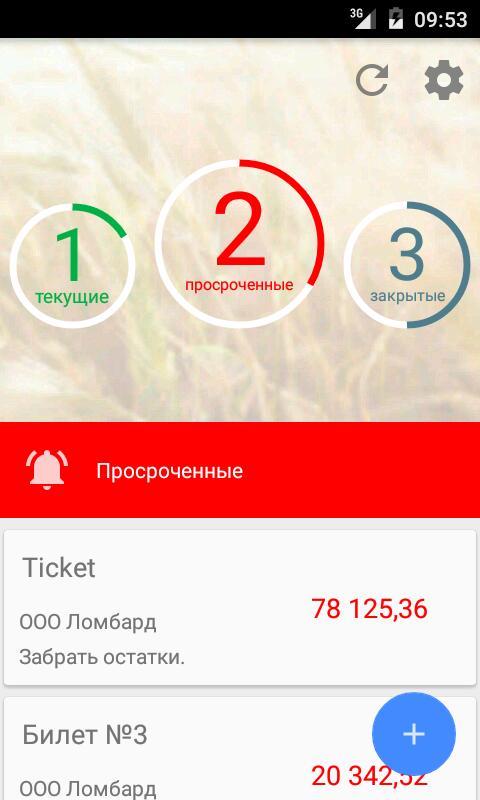
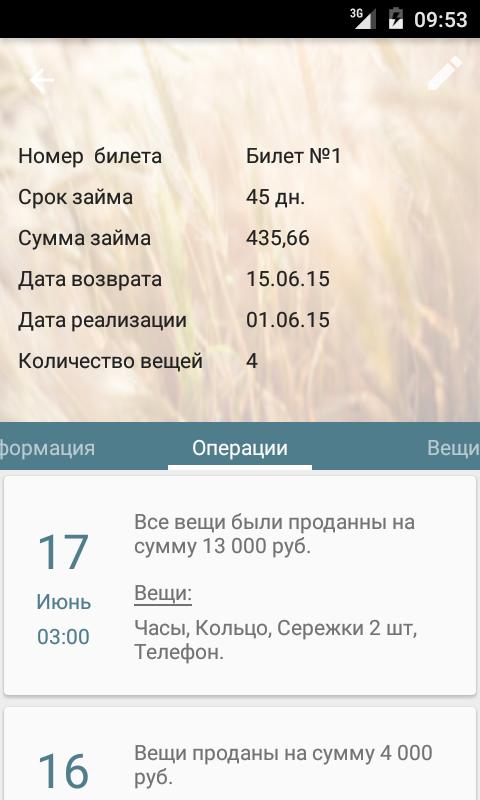
The application will not let you lose all of the important things about your pledges: The loan repayment period or the loan is overdue. Here you can see the full information about your existing loans, past and upcoming events on the pledge.
HOW TO USE:
It is very simple to connect a secured ticket to the application: you just need to enter a unique access code from the form of the secured ticket, that's all!
Ask about this opportunity in your pawnshop!
Information exchange with pawnshops using the "1C: Enterprise 8. VDGB: Pawnshop" program is supported.
CONTACT US:
Email us: otr@rarus.ru
Preview
Tags
BusinessInformation
Developer
1С-РАРУС Тиражные решения
Latest Version
1.1.3.2
Last Updated
2023-08-22
Category
Business
Available on
Google Play
Show More
How to play Ломбард: Личный кабинет with GameLoop on PC
1. Download GameLoop from the official website, then run the exe file to install GameLoop
2. Open GameLoop and search for “Ломбард: Личный кабинет” , find Ломбард: Личный кабинет in the search results and click “Install”
3. Enjoy playing Ломбард: Личный кабинет on GameLoop
Minimum requirements
OS
Windows 8.1 64-bit or Windows 10 64-bit
GPU
GTX 1050
CPU
i3-8300
Memory
8GB RAM
Storage
1GB available space
Recommended requirements
OS
Windows 8.1 64-bit or Windows 10 64-bit
GPU
GTX 1050
CPU
i3-9320
Memory
16GB RAM
Storage
1GB available space