Filipino-English Translator PC
Pakat Apps
Download Filipino-English Translator on PC With GameLoop Emulator
Filipino-English Translator on PC
Filipino-English Translator, coming from the developer Pakat Apps, is running on Android systerm in the past.
Now, You can play Filipino-English Translator on PC with GameLoop smoothly.
Download it in the GameLoop library or search results. No more eyeing the battery or frustrating calls at the wrong time any more.
Just enjoy Filipino-English Translator PC on the large screen for free!
Filipino-English Translator Introduction
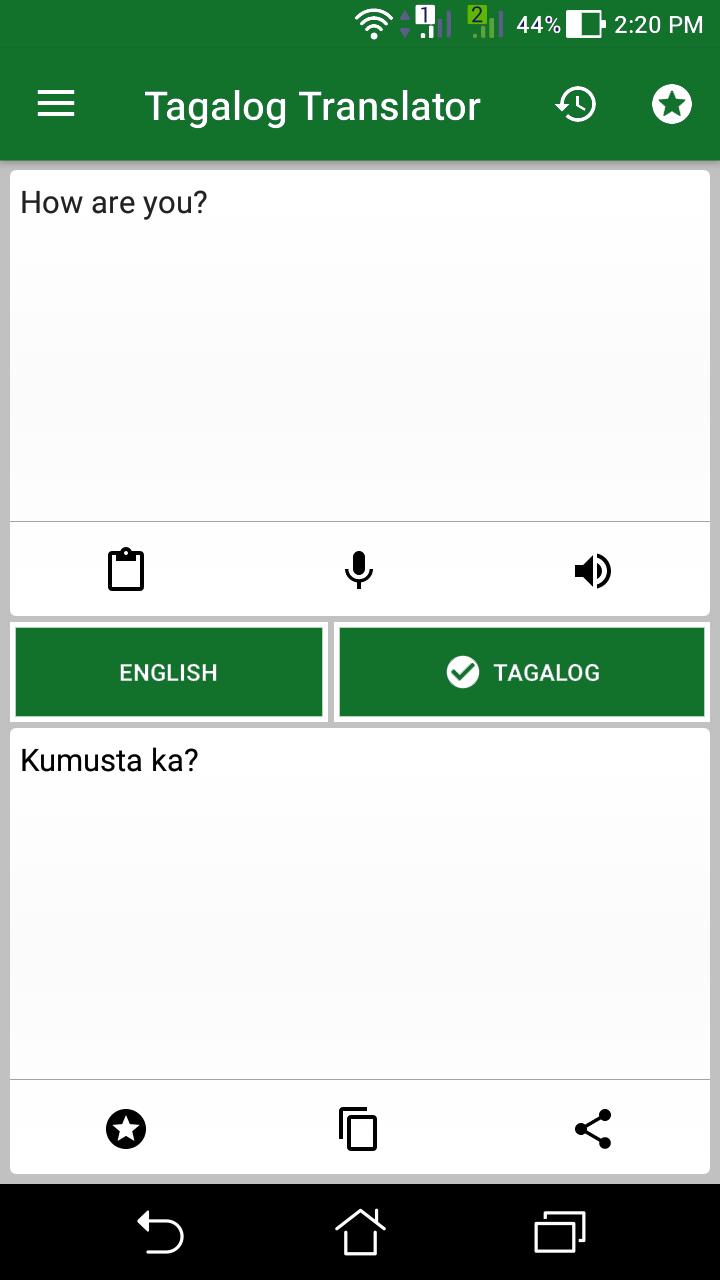
Translate between Tagalog (Filipino) and English quickly and easily. This app not only translates words and sentences but also shows dictionary definitions when available — making it a helpful tool for language learners, travelers, and daily use.
Features:
• Simple interface and easy to use
• Translate from Tagalog to English or English to Tagalog
• Translate single words or full sentences
• Dictionary definitions appear when available
• Light and dark theme support (follows system setting)
• Paste text from the clipboard to translate instantly
• Translate shared text directly from other apps
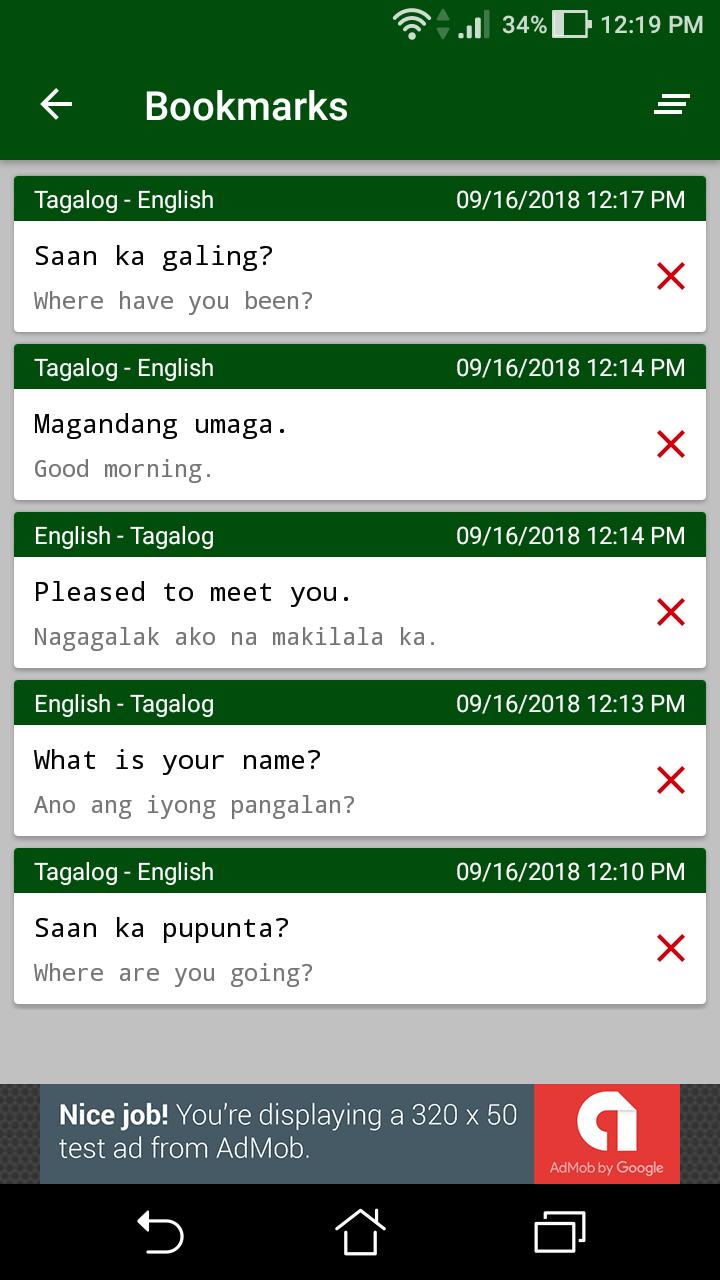
• Bookmark words or sentences for future reference
• View your translation history anytime
Notes:
• Internet connection is required for translations
• Using special or unsupported characters may cause the app to crash
Disclaimer:
Translations and definitions are powered by Google’s Cloud Translation API. Accuracy may vary. The developer is not responsible for any errors, omissions, or outcomes resulting from the use of this app.
Preview
Tags
Books-&Information
Developer
Pakat Apps
Latest Version
1.7.4
Last Updated
2025-07-05
Category
Books-reference
Available on
Google Play
Show More
How to play Filipino-English Translator with GameLoop on PC
1. Download GameLoop from the official website, then run the exe file to install GameLoop
2. Open GameLoop and search for “Filipino-English Translator” , find Filipino-English Translator in the search results and click “Install”
3. Enjoy playing Filipino-English Translator on GameLoop
Minimum requirements
OS
Windows 8.1 64-bit or Windows 10 64-bit
GPU
GTX 1050
CPU
i3-8300
Memory
8GB RAM
Storage
1GB available space
Recommended requirements
OS
Windows 8.1 64-bit or Windows 10 64-bit
GPU
GTX 1050
CPU
i3-9320
Memory
16GB RAM
Storage
1GB available space