
V380 ip camera guide PC
Exteappmobile
Download V380 ip camera guide on PC With GameLoop Emulator
V380 ip camera guide on PC
V380 ip camera guide, coming from the developer Exteappmobile, is running on Android systerm in the past.
Now, You can play V380 ip camera guide on PC with GameLoop smoothly.
Download it in the GameLoop library or search results. No more eyeing the battery or frustrating calls at the wrong time any more.
Just enjoy V380 ip camera guide PC on the large screen for free!
V380 ip camera guide Introduction
What topics are included in the content of this guide app
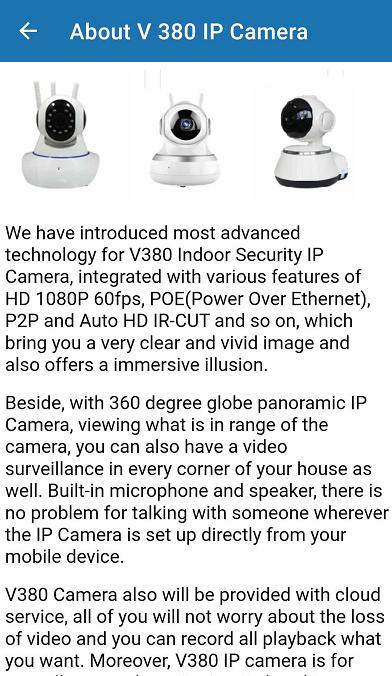
* About V 380 IP Camera* How to setup motion detection alarm
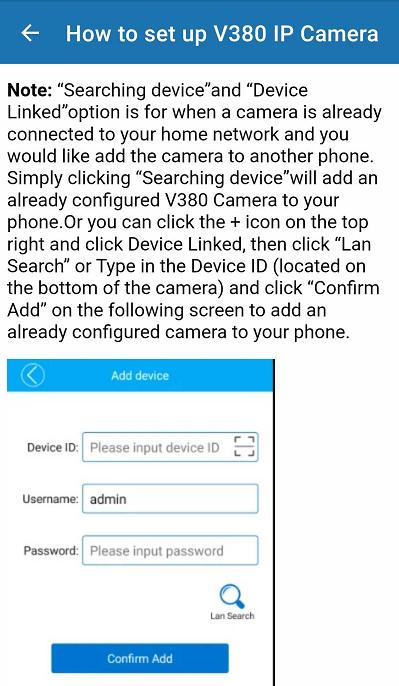
* How to set up V380 IP Camera
* Device Setting Guide
* If V380 IP Camera Offline, What to do?
* How to solve security camera connection problems
* How to reset V380 IP Camera to factory defaults?
* Questions & Answers
In the V380 cctv setup, we choose the wifi smart net camera section among the devices. You can do the necessary configurations via the V380 ip camera app. Grant the requested permissions for the device on the first installation.
You can choose the language you want to use in the setup of the V 380 camera app for Android, you must first specify the location information, then your language such as V380 Pro English.
It is very useful for those who want to talk to each other or to hear the cry of their baby. You can follow up with audio and video on the V380 app. You can take photos and make short recordings. You can configure device settings via v380 pro wifi camera app. You can receive notifications from your ip camera at any time using wifi connection.
Note: This mobile application is a guide to find out about v380 ip camera. It is not an official app or part of it.
Preview
Tags
Books-&Information
Developer
Exteappmobile
Latest Version
3.46.0.6
Last Updated
2025-10-25
Category
Books-reference
Available on
Google Play
Show More
How to play V380 ip camera guide with GameLoop on PC
1. Download GameLoop from the official website, then run the exe file to install GameLoop
2. Open GameLoop and search for “V380 ip camera guide” , find V380 ip camera guide in the search results and click “Install”
3. Enjoy playing V380 ip camera guide on GameLoop
Minimum requirements
OS
Windows 8.1 64-bit or Windows 10 64-bit
GPU
GTX 1050
CPU
i3-8300
Memory
8GB RAM
Storage
1GB available space
Recommended requirements
OS
Windows 8.1 64-bit or Windows 10 64-bit
GPU
GTX 1050
CPU
i3-9320
Memory
16GB RAM
Storage
1GB available space