
Sudoku Tiles - Block Sudoku PC
Jamcoco
Download Sudoku Tiles - Block Sudoku on PC With GameLoop Emulator
Sudoku Tiles - Block Sudoku on PC
Sudoku Tiles - Block Sudoku, coming from the developer Jamcoco, is running on Android systerm in the past.
Now, You can play Sudoku Tiles - Block Sudoku on PC with GameLoop smoothly.
Download it in the GameLoop library or search results. No more eyeing the battery or frustrating calls at the wrong time any more.
Just enjoy Sudoku Tiles - Block Sudoku PC on the large screen for free!
Sudoku Tiles - Block Sudoku Introduction
Sudoku Tiles is a revolutionary new block puzzle game that combines the logic of classic block puzzle and sudoku puzzle
Simply drag and drop the blocks to fit the board, match blocks in lines or grids to clear them. Aim for the highest score as much as possible
HOW TO PLAY:
- Drag and drop block to fill the board
- Match blocks in horizontal, vertical or designated 3x3 grids to clear them
- Match blocks in multiple lines or grids to get higher scores
Classic Mode:
Match blocks and make sure you don't fill the whole board and there is room for the next block
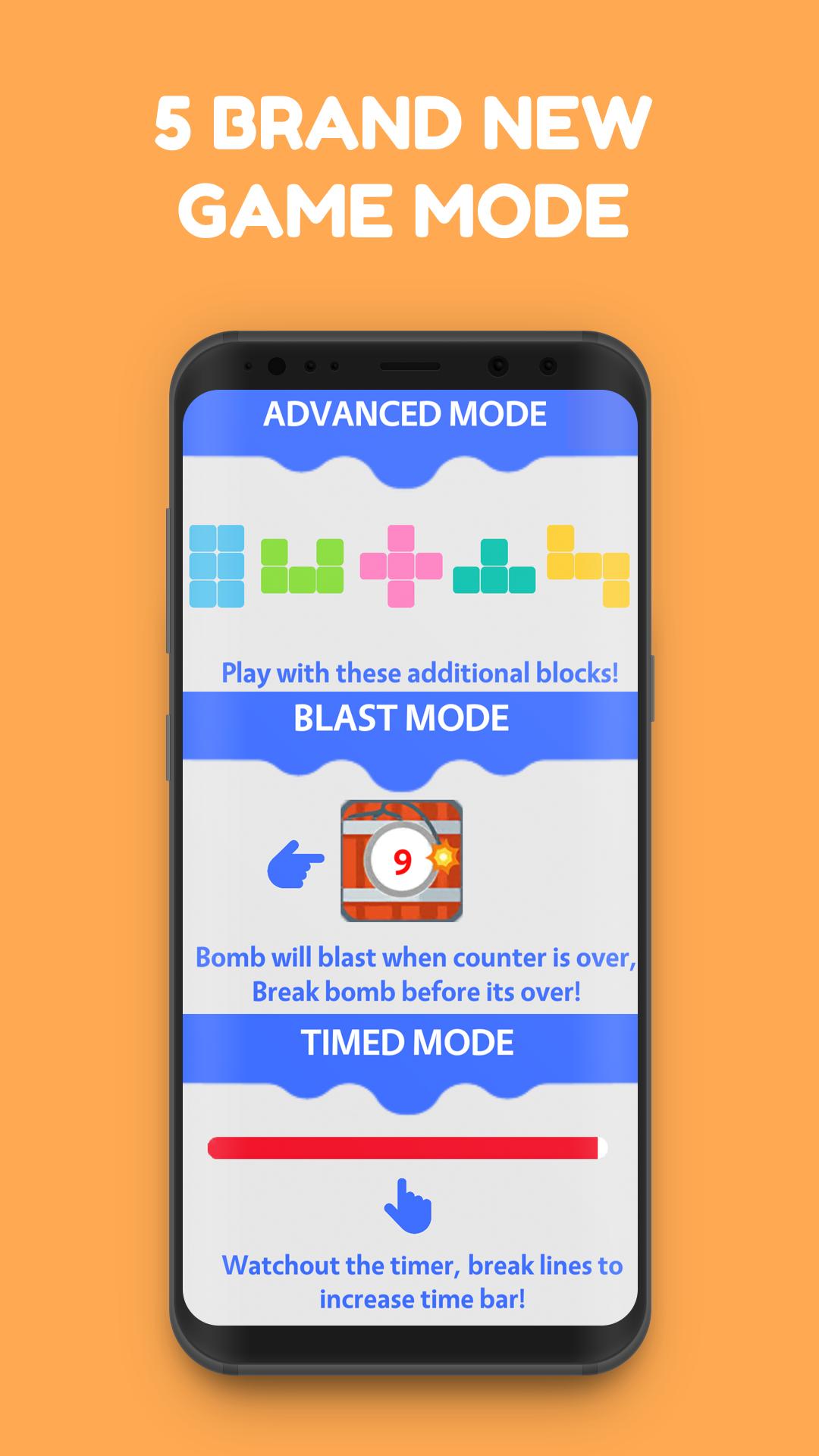
Timed Mode:
Make sure you place the blocks within the time limit, you get time rewards after clearing lines or grids
Blast Mode:
Bombs will show in random places, make sure you clear the bombs before they explode
Advanced Mode:
Additional block types are added so that you could practice your strategic block placements
Challenge Mode:
Pros needs to be challenged. Challenge mode combines classic, timed, blast and advanced mode and creates an ultimate challenge for you, clear as many blocks as possible and be the best
Feature:
- Support 9x9 board
- Guided board grids
- Combination of block puzzle logic and sudoku logic
- Easy to use interface
- Various game modes including time, challenge, bomb, classic and advanced
- Multiple language support
- Leaderboards and achievements
- Hints and rewards system
Come and enjoy with your friends
Preview
Tags
CasualInformation
Developer
Jamcoco
Latest Version
4.1
Last Updated
2023-10-23
Category
Board
Available on
Google Play
Show More
How to play Sudoku Tiles - Block Sudoku with GameLoop on PC
1. Download GameLoop from the official website, then run the exe file to install GameLoop
2. Open GameLoop and search for “Sudoku Tiles - Block Sudoku” , find Sudoku Tiles - Block Sudoku in the search results and click “Install”
3. Enjoy playing Sudoku Tiles - Block Sudoku on GameLoop
Minimum requirements
OS
Windows 8.1 64-bit or Windows 10 64-bit
GPU
GTX 1050
CPU
i3-8300
Memory
8GB RAM
Storage
1GB available space
Recommended requirements
OS
Windows 8.1 64-bit or Windows 10 64-bit
GPU
GTX 1050
CPU
i3-9320
Memory
16GB RAM
Storage
1GB available space