
ObhaiVTS™ PC
Obhai Solutions Limited
Download ObhaiVTS™ on PC With GameLoop Emulator
ObhaiVTS™ on PC
ObhaiVTS™, coming from the developer Obhai Solutions Limited, is running on Android systerm in the past.
Now, You can play ObhaiVTS™ on PC with GameLoop smoothly.
Download it in the GameLoop library or search results. No more eyeing the battery or frustrating calls at the wrong time any more.
Just enjoy ObhaiVTS™ PC on the large screen for free!
ObhaiVTS™ Introduction
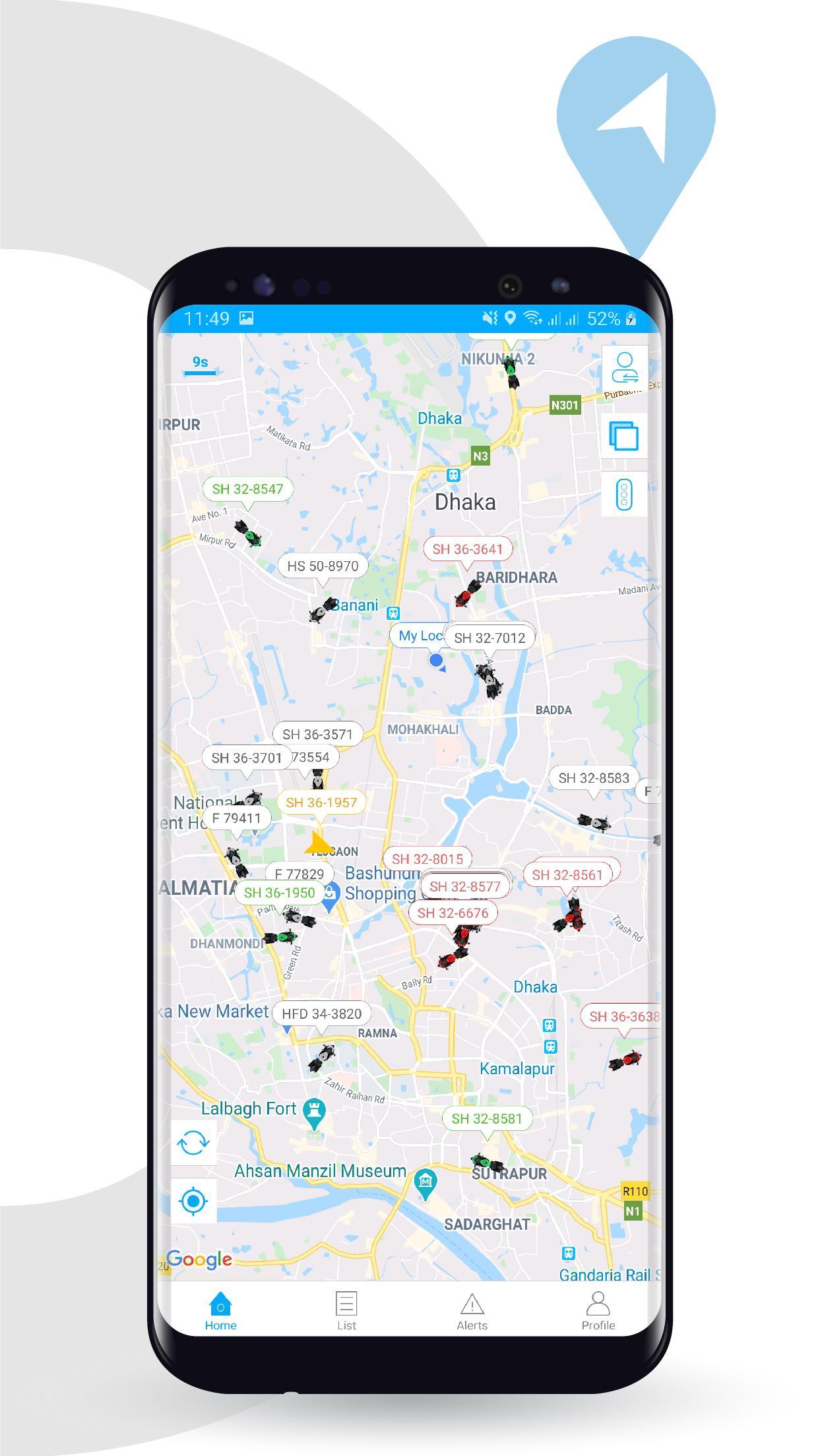
ObhaiVTS™ is a cutting-edge vehicle tracking, fleet management, and Anti-theft Security application which makes it easy for transport companies, vehicle rental firms, and individual vehicle owners to regulate their vehicles.
Key Features:
- View Live Location of Vehicle
- Real Time Location Updates
- Playback Tracking History
- View Speed of Vehicle
- Share Location via URL
- Ignition On/Off from App
- Set Geofence
- Alerts and Notifications
ObhaiVTS™ has a progressive alert and notification structure that provides real-time updates for :
- Over-Speeding
- Geofence alerts
- Low power alert
- Sudden Acceleration/ Deceleration Alert
- Driving Behaviour Alert (Sharp Left Turn / Right Turn, Harsh Brake, Collision Alert)
- Parking Alert
- Idling Alert
The app can additionally be used to trace personal cars, CNGs, motorbikes, microbus, trucks, covered vans, and cargo trailers for their live physical location.
Parents can also use this application to keep track of their children while they are driving or traveling elsewhere.
ObhaiVTS™ can also be used as an Anti-theft device for security of your vehicle and can be followed from anywhere remotely while you can also turn off the vehicle's ignition if it is running unauthentically.
Note - This application is only meant for ObhaiVTS™ clients/partners.
Preview
Tags
Auto-&Information
Developer
Obhai Solutions Limited
Latest Version
1.4.8
Last Updated
2025-02-27
Category
Auto-vehicles
Available on
Google Play
Show More
How to play ObhaiVTS™ with GameLoop on PC
1. Download GameLoop from the official website, then run the exe file to install GameLoop
2. Open GameLoop and search for “ObhaiVTS™” , find ObhaiVTS™ in the search results and click “Install”
3. Enjoy playing ObhaiVTS™ on GameLoop
Minimum requirements
OS
Windows 8.1 64-bit or Windows 10 64-bit
GPU
GTX 1050
CPU
i3-8300
Memory
8GB RAM
Storage
1GB available space
Recommended requirements
OS
Windows 8.1 64-bit or Windows 10 64-bit
GPU
GTX 1050
CPU
i3-9320
Memory
16GB RAM
Storage
1GB available space