
Incode by Outcode: PATS Calc PC
OBD High Tech
Download Incode by Outcode: PATS Calc on PC With GameLoop Emulator
Incode by Outcode: PATS Calc on PC
Incode by Outcode: PATS Calc, coming from the developer OBD High Tech, is running on Android systerm in the past.
Now, You can play Incode by Outcode: PATS Calc on PC with GameLoop smoothly.
Download it in the GameLoop library or search results. No more eyeing the battery or frustrating calls at the wrong time any more.
Just enjoy Incode by Outcode: PATS Calc PC on the large screen for free!
Incode by Outcode: PATS Calc Introduction
Incode by Outcode turns the security outcode shown by your scan tool into the matching PATS incode in seconds. Built for automotive technicians and locksmiths working on Ford, Mazda, Lincoln, Mercury, Jaguar and Land Rover vehicles.
Use it for PATS key programming, adding or erasing keys, PCM / module resets and other immobilizer tasks together with FORScan, Ford IDS, VCM II or SBB key programmers.
KEY FEATURES
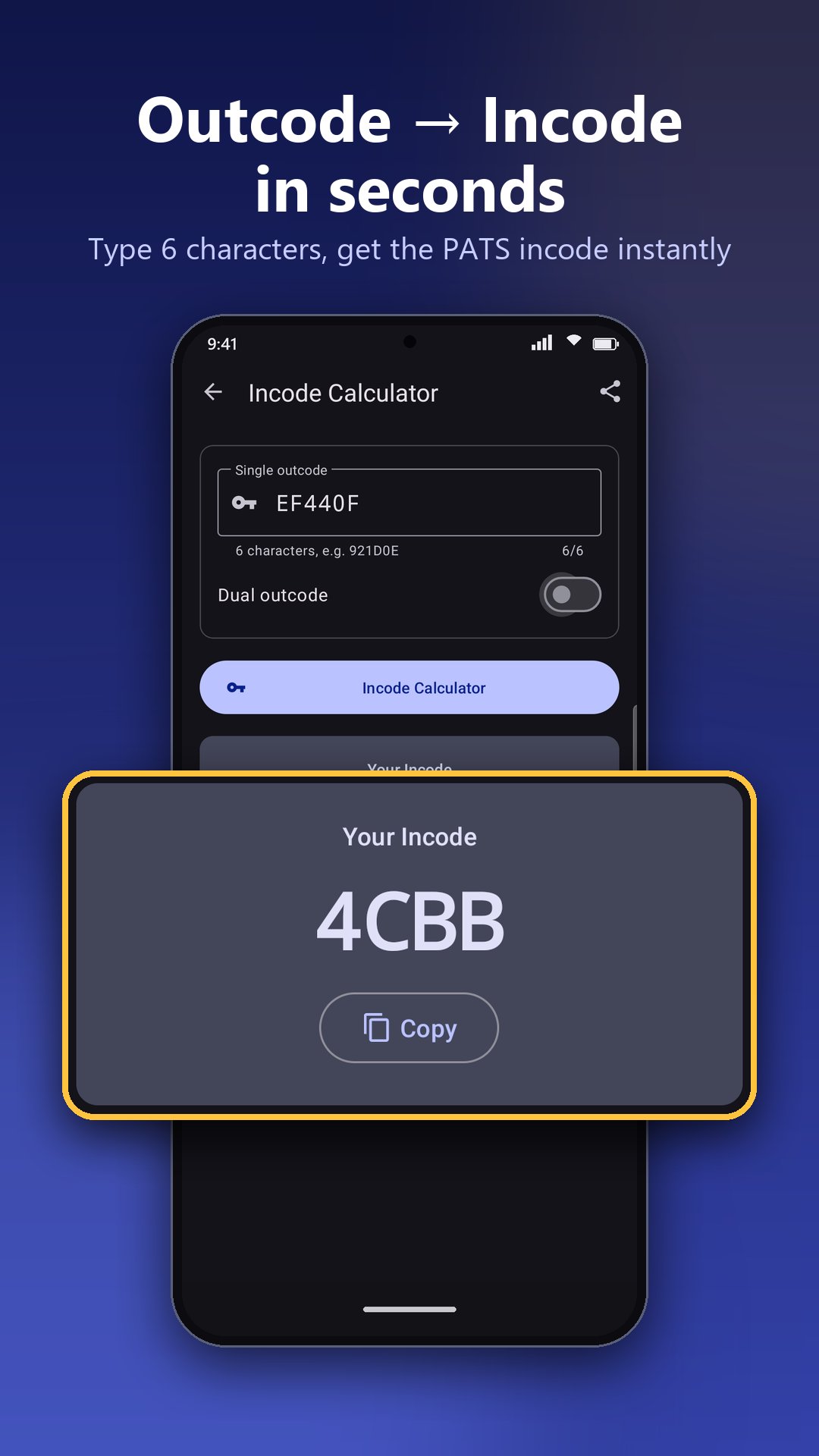
• Outcode → incode in seconds
Type the 6-character outcode and the incode appears right away, ready to copy with one tap.
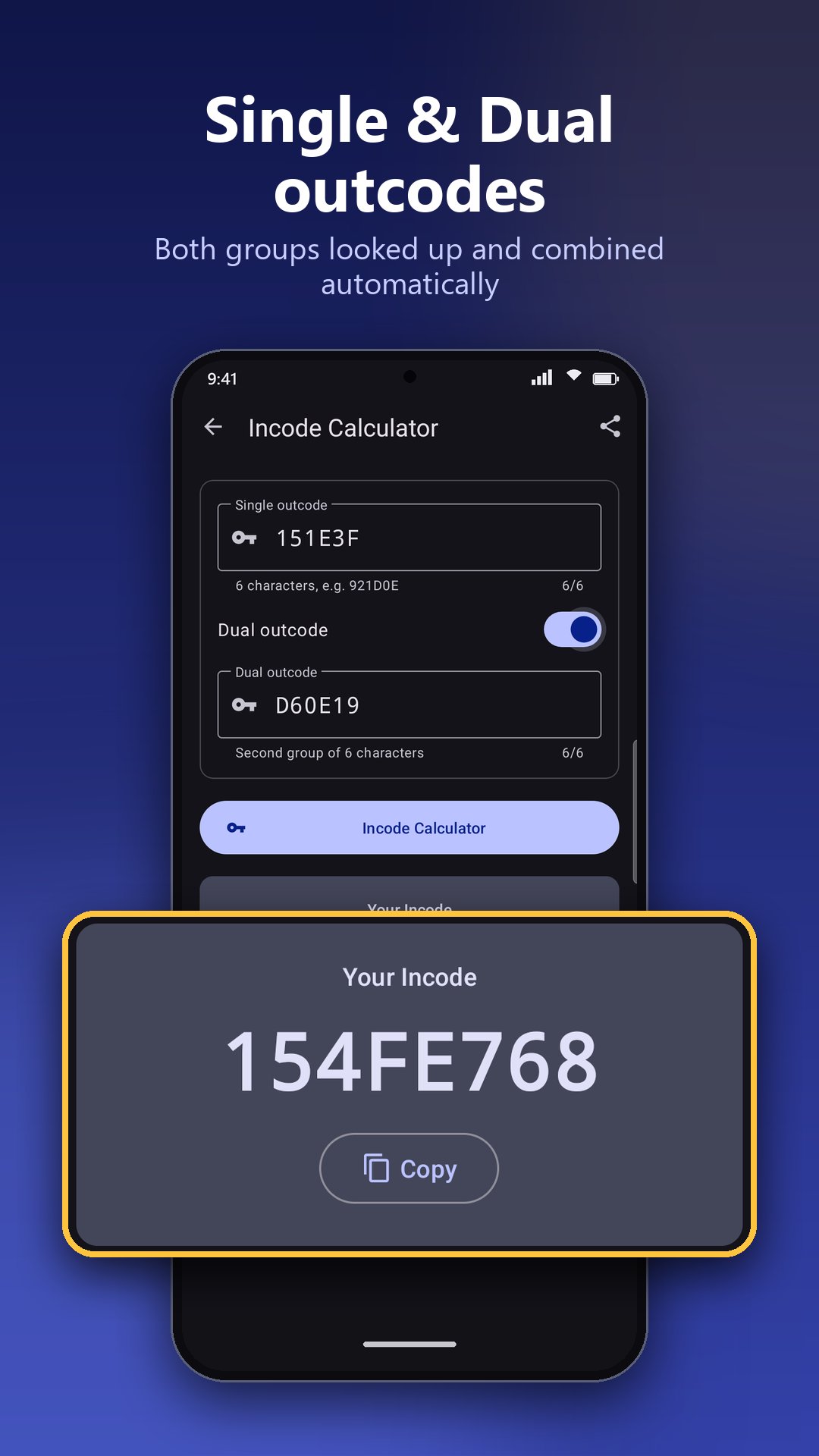
• Single and Dual outcodes
For dual outcodes, enter both groups: the app looks up each one and combines the result for you.
• Know exactly what to type
A built-in visual guide shows which part of the long code from your scan tool to enter, with real examples (Fiesta, Focus dual, Mazda 3, Jaguar X-Type).
• Lookup history
Every successful lookup is saved on your phone with outcode, incode, date and time. Repeated lookups stay as one entry. Tap any entry to copy the incode.
• Supported vehicles at a glance
68 models from 6 brands: Ford, Mazda, Mercury, Lincoln, Land Rover and Jaguar.
• 12 languages
English, Español, 中文, Français, Deutsch, العربية, Português, Русский, Bahasa Indonesia, Tiếng Việt, हिन्दी, বাংলা. Switch anytime with the globe button.
• Modern design
Material 3 interface with dark mode, made for Android 16.
SUPPORTED VEHICLES
Vehicles up to 2010 and some models after 2011, using the legacy PATS algorithm (outcodes usually start with 00).
Ford: Focus, C-MAX, S-MAX, Fusion, Mondeo, Kuga, Galaxy, Transit, Tourneo Connect, Ka, Fiesta, Taurus, Crown Victoria, Mustang, Edge, Escape, Explorer, Expedition, Ranger, Super Duty and more.
Mazda: 2, 3, 5, 6, MPV, CX-7, CX-9, MX-5, Tribute and more.
Mercury, Lincoln, Land Rover (Discovery, Range Rover, Defender, Freelander) and Jaguar (X-Type, S-Type, XF, XJ, XK).
IMPORTANT
• Keep the ignition ON after reading the outcode. Switching it off creates a new outcode and the incode will no longer work.
• Newer rolling-code systems (2011 onwards) often need dealer or online token access and may not be supported.
• An internet connection is required: incodes are looked up online.
RESPONSIBLE USE
This app is intended for professional technicians and vehicle owners. Use it only on vehicles you own or are authorized to service.
The app is free and supported by ads. If it saves you time, you can buy the developer a beer from the Donate screen.
Questions or problems? Contact oht.help@gmail.com
Preview
Tags
Auto-&Information
Developer
OBD High Tech
Latest Version
1.5
Last Updated
2026-10-21
Category
Auto-vehicles
Available on
Google Play
Show More
How to play Incode by Outcode: PATS Calc with GameLoop on PC
1. Download GameLoop from the official website, then run the exe file to install GameLoop
2. Open GameLoop and search for “Incode by Outcode: PATS Calc” , find Incode by Outcode: PATS Calc in the search results and click “Install”
3. Enjoy playing Incode by Outcode: PATS Calc on GameLoop
Minimum requirements
OS
Windows 8.1 64-bit or Windows 10 64-bit
GPU
GTX 1050
CPU
i3-8300
Memory
8GB RAM
Storage
1GB available space
Recommended requirements
OS
Windows 8.1 64-bit or Windows 10 64-bit
GPU
GTX 1050
CPU
i3-9320
Memory
16GB RAM
Storage
1GB available space