CarSys - OBD2 ELM327 Scanner PC
OBD High Tech
Download CarSys - OBD2 ELM327 Scanner on PC With GameLoop Emulator
CarSys - OBD2 ELM327 Scanner on PC
CarSys - OBD2 ELM327 Scanner, coming from the developer OBD High Tech, is running on Android systerm in the past.
Now, You can play CarSys - OBD2 ELM327 Scanner on PC with GameLoop smoothly.
Download it in the GameLoop library or search results. No more eyeing the battery or frustrating calls at the wrong time any more.
Just enjoy CarSys - OBD2 ELM327 Scanner PC on the large screen for free!
CarSys - OBD2 ELM327 Scanner Introduction
CarSys turns your Android phone into an OBD2 diagnostic tool when paired with an ELM327 Bluetooth or WiFi adapter. It talks directly to the engine ECU using the SAE J1979 standard, so you know why the Check Engine light is on before you visit the workshop.
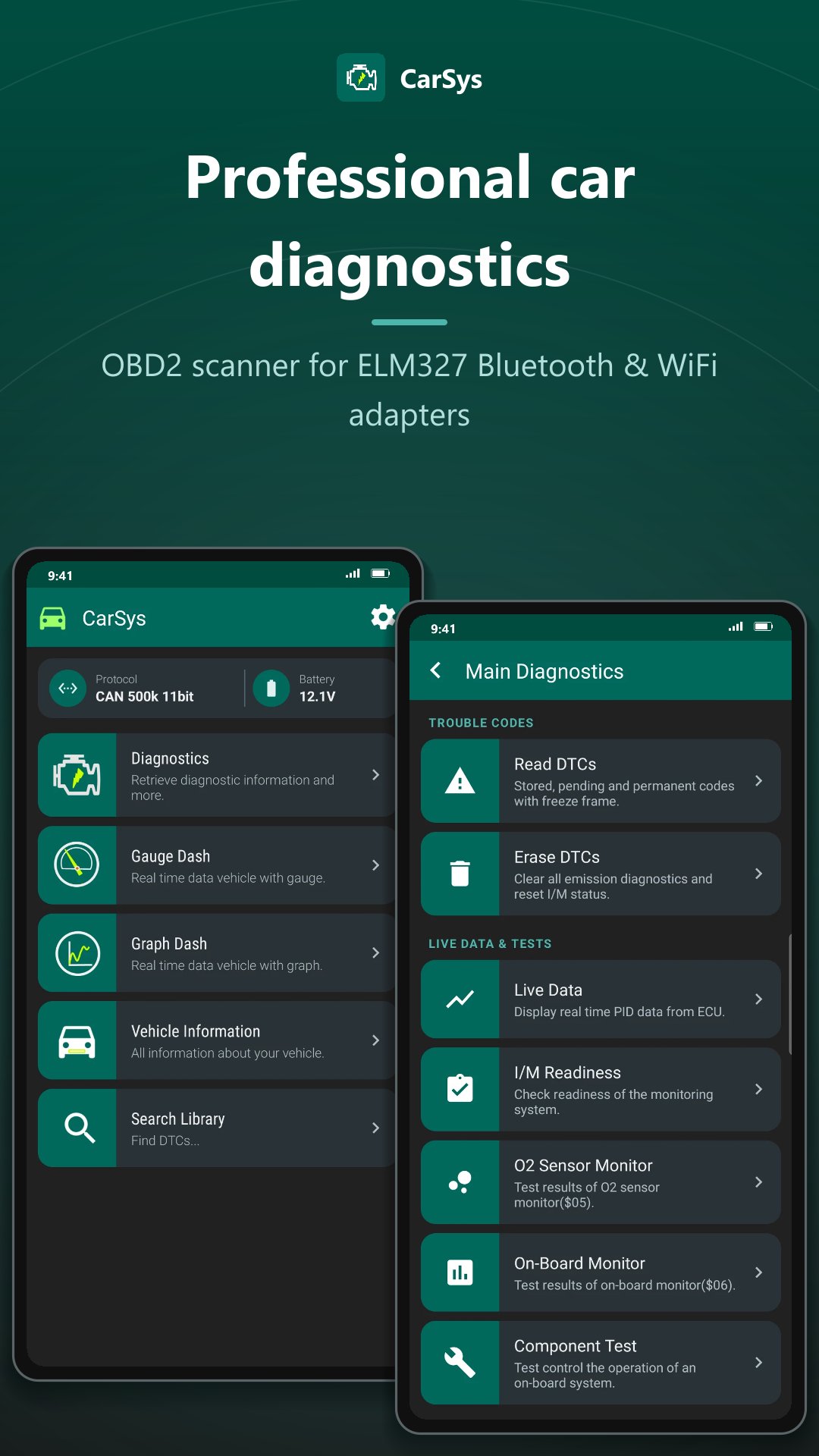
🔧 TROUBLE CODES (DTC)
• Read stored (Mode $03), pending (Mode $07) and permanent codes (Mode $0A, CAN vehicles)
• Freeze frame (Mode $02): sensor values captured when the fault was set, shown inside each code card
• Clear codes and turn off the MIL (Mode $04), with confirmation from the ECU
• Searchable SAE generic code library (P, B, C, U) with category filters
📊 LIVE DATA (Mode $01)
• Auto-detects supported PIDs: engine RPM, vehicle speed, coolant temperature, engine load, fuel trims, MAP, MAF, timing advance, throttle position, oxygen sensors and more
• Gauge Dashboard: analog and digital gauges, MIN / AVG / MAX statistics, full-screen mode
• Graph Dashboard: real-time multi-PID charts, separated or combined
• Metric or Imperial units (°C/°F, km/h/mph, kPa/psi)
✅ READINESS & MONITORS
• I/M Readiness: monitor status (misfire, fuel system, catalyst, EVAP, O2 sensors, EGR…), DTC count and MIL status – useful before an emissions inspection
• O2 Sensor Monitor (Mode $05, non-CAN vehicles)
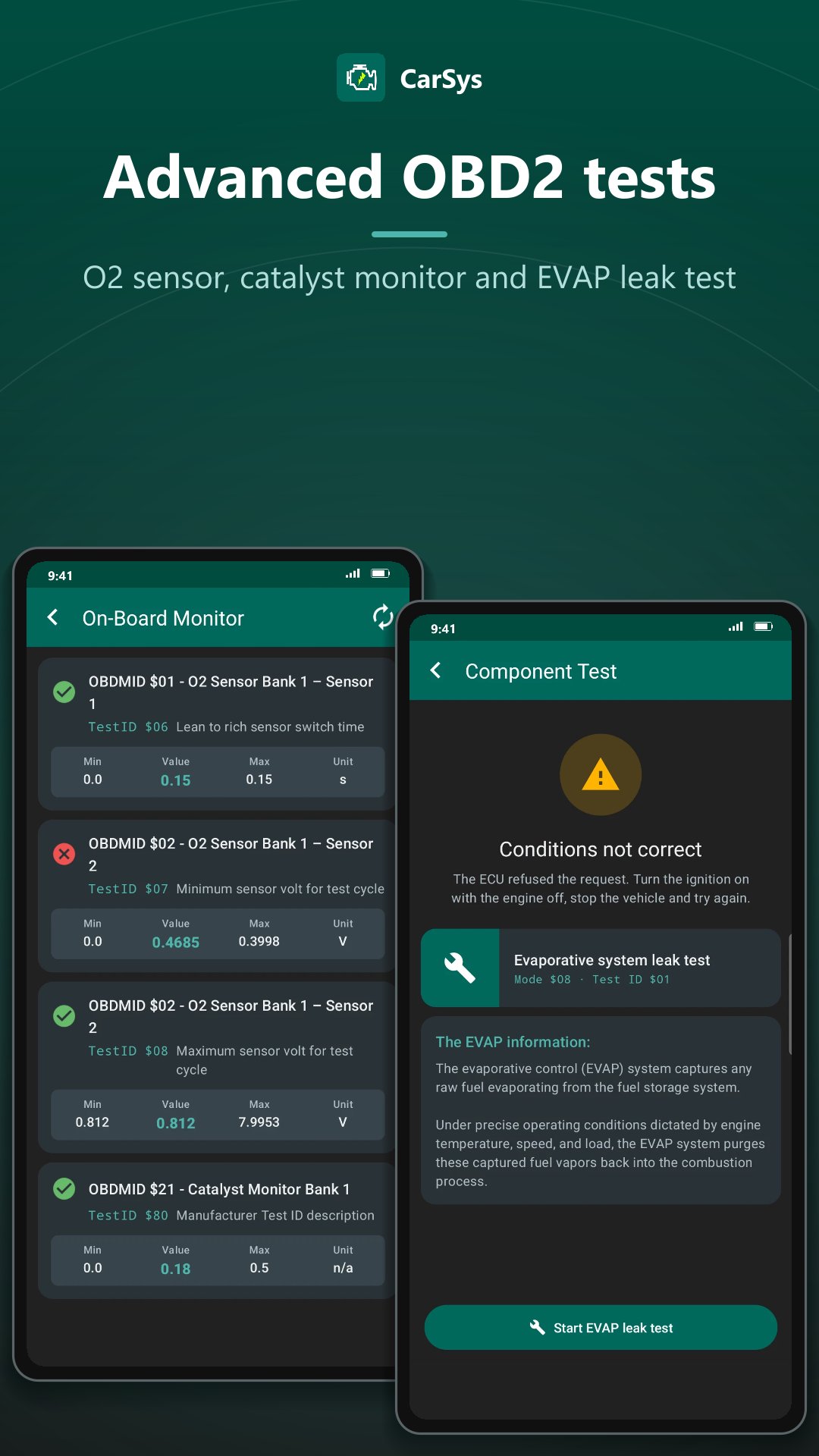
• On-Board Monitor (Mode $06): test results with min/max limits
• Component Test (Mode $08): request the EVAP system leak test where supported
🚗 VEHICLE INFORMATION (Mode $09)
• VIN, ECU name, Calibration IDs, CVNs, In-use Performance Tracking counters
🔌 CONNECTION & PROTOCOLS
• ELM327 Bluetooth (Classic/SPP) and ELM327 WiFi
• Automatic OBD2 protocol detection: ISO 15765-4 CAN (11/29-bit, 500/250 kbps), ISO 14230-4 KWP2000 (5-baud & fast init), ISO 9141-2, SAE J1850 PWM and VPW
• Protocol and battery voltage shown on the home screen
🌐 Material Design 3 dark interface, landscape support, 12 languages.
📋 REQUIREMENTS
• OBD2-compliant vehicle: US gasoline cars from 1996, EU gasoline from 2001 (diesel from 2004), and most vehicles from around 2006 onward in other markets
• ELM327 Bluetooth or WiFi adapter (a good-quality v1.5 or later is recommended)
⚠️ NOTES
• CarSys reads standard OBD2 (emissions/engine) data. Manufacturer-specific systems such as ABS, airbags, transmission or BCM require a dealer-level tool.
• Available PIDs and functions depend on what your vehicle's ECU supports.
• Clear codes only with the vehicle stationary, engine off and ignition ON. Clearing codes also resets I/M Readiness.
• Do not operate the app while driving.
Preview
Tags
Auto-&Information
Developer
OBD High Tech
Latest Version
3.0
Last Updated
2026-10-14
Category
Auto-vehicles
Available on
Google Play
Show More
How to play CarSys - OBD2 ELM327 Scanner with GameLoop on PC
1. Download GameLoop from the official website, then run the exe file to install GameLoop
2. Open GameLoop and search for “CarSys - OBD2 ELM327 Scanner” , find CarSys - OBD2 ELM327 Scanner in the search results and click “Install”
3. Enjoy playing CarSys - OBD2 ELM327 Scanner on GameLoop
Minimum requirements
OS
Windows 8.1 64-bit or Windows 10 64-bit
GPU
GTX 1050
CPU
i3-8300
Memory
8GB RAM
Storage
1GB available space
Recommended requirements
OS
Windows 8.1 64-bit or Windows 10 64-bit
GPU
GTX 1050
CPU
i3-9320
Memory
16GB RAM
Storage
1GB available space