
Auxo PC
Telenor-Pakistan
Download Auxo on PC With GameLoop Emulator
Auxo on PC
Auxo, coming from the developer Telenor-Pakistan, is running on Android systerm in the past.
Now, You can play Auxo on PC with GameLoop smoothly.
Download it in the GameLoop library or search results. No more eyeing the battery or frustrating calls at the wrong time any more.
Just enjoy Auxo PC on the large screen for free!
Auxo Introduction
AUXO is a car tracking, driving behavior analytics and engine monitoring solution that lets you interact with your car from the convenience of your smartphone. Other features like geo-fencing, vehicle log and trip history allow you to get relevant alerts and maintain records of car activity.
CORE FEATURES
AUXO allows you to connect with your vehicle through a mobile application. It offers a range of features to ensure that you can oversee all driving activities and behaviors.
- LIVE LOCATION
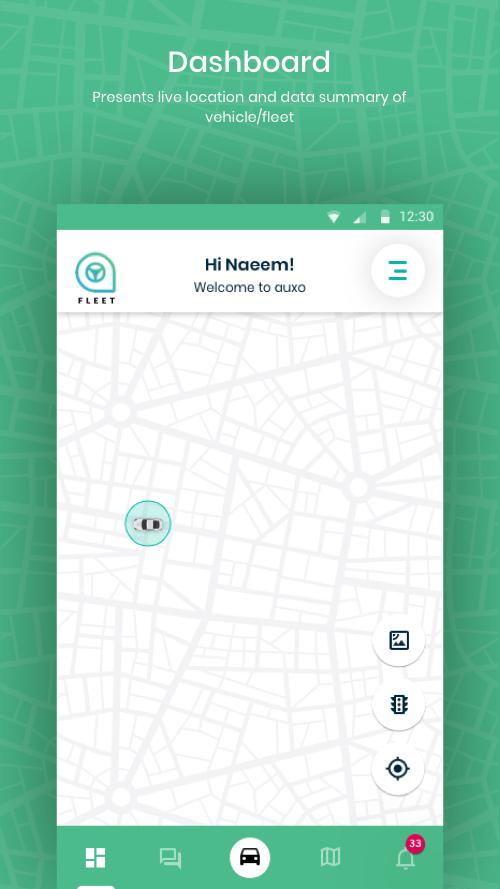
You will be able to view the real-time location, speed and status of your on our app. This allows you to not only keep an eye on vehicle movement but also oversee driving behaviors.
- DRIVING BEHAVIOR
You will be notified in case of abnormal driving behavior including over speeding, harsh acceleration, sudden brakes and sharp turns.
- DRIVING SCORE
On the basis of your driving behavior, the app will calculate your driving score.
- TRIP HISTORY
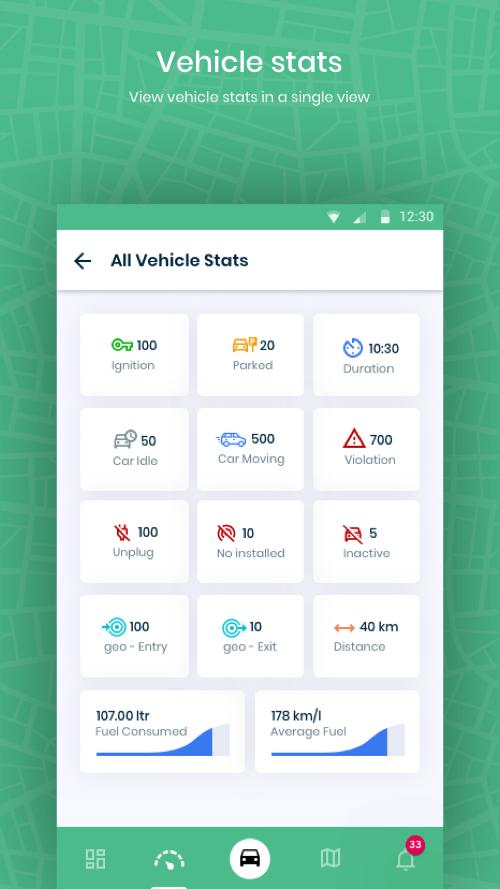
The app will keep a record of the past trips of your vehicle. For every trip, you will be able to view metrics like distance travelled, time duration and violations that occurred.
- GEO-FENCING
By using the geo-fence feature, you can create a virtual boundary on the map and get alerts when your vehicle exits or enters the specified area.
- NOTIFICATIONS
The user can enable and disable notifications for engine fault code, violation and geo-fences. Moreover, SMS notifications can also be enabled.
To know more about our solution, visit: www.auxo.com.pk
For queries: support@auxo.com.pk
Preview
Tags
Auto-&Information
Developer
Telenor-Pakistan
Latest Version
1.1.6
Last Updated
2023-11-29
Category
Auto-vehicles
Available on
Google Play
Show More
How to play Auxo with GameLoop on PC
1. Download GameLoop from the official website, then run the exe file to install GameLoop
2. Open GameLoop and search for “Auxo” , find Auxo in the search results and click “Install”
3. Enjoy playing Auxo on GameLoop
Minimum requirements
OS
Windows 8.1 64-bit or Windows 10 64-bit
GPU
GTX 1050
CPU
i3-8300
Memory
8GB RAM
Storage
1GB available space
Recommended requirements
OS
Windows 8.1 64-bit or Windows 10 64-bit
GPU
GTX 1050
CPU
i3-9320
Memory
16GB RAM
Storage
1GB available space