
LineArt Generator PC
mlkSoft
Download LineArt Generator on PC With GameLoop Emulator
LineArt Generator on PC
LineArt Generator, coming from the developer mlkSoft, is running on Android systerm in the past.
Now, You can play LineArt Generator on PC with GameLoop smoothly.
Download it in the GameLoop library or search results. No more eyeing the battery or frustrating calls at the wrong time any more.
Just enjoy LineArt Generator PC on the large screen for free!
LineArt Generator Introduction
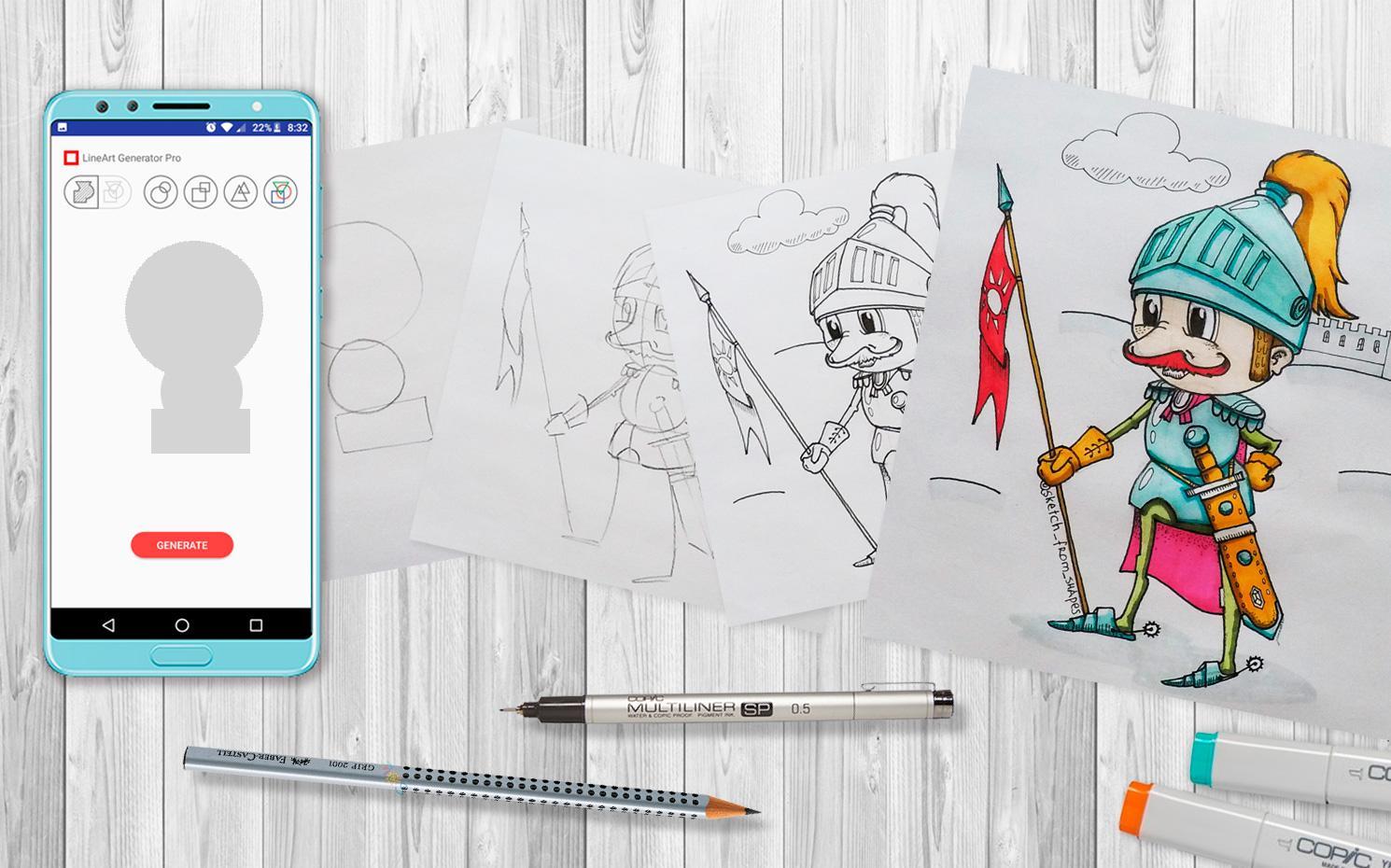
LineArt Generator will help you get started with ideas of what to draw, teach you how to see new drawing subjects in different forms.
By practicing you will overcome most common artist problems such as "fear of a blank page" and "absence of a creative idea"
Square, triangle and circle shapes are the bases for any character or plot.
The application generates a complex shape from several simple ones. Your task is to see the associations and draw the subject that came to your mind.
HOW TO USE:
1. Prepare sheet of paper, sketchbook, pencil, or pen.
2. Open application and click "GENERATE" button.
3. Draw the resulting shapes on the paper.
4. Find associations and draw a subject that formed in you mind based on generated shapes.
FEATURES:
- Endless ideas.
- Development and training of abstract thinking and fantasy.
- Development of skills for quick sketching.
Create characters, make whole plots and stories with them, create your own comics!
Instagram: @sketch_from_shapes
Preview

Tags
Art-&Information
Developer
mlkSoft
Latest Version
1.5.0-free
Last Updated
2022-09-18
Category
Art-design
Available on
Google Play
Show More
How to play LineArt Generator with GameLoop on PC
1. Download GameLoop from the official website, then run the exe file to install GameLoop
2. Open GameLoop and search for “LineArt Generator” , find LineArt Generator in the search results and click “Install”
3. Enjoy playing LineArt Generator on GameLoop
Minimum requirements
OS
Windows 8.1 64-bit or Windows 10 64-bit
GPU
GTX 1050
CPU
i3-8300
Memory
8GB RAM
Storage
1GB available space
Recommended requirements
OS
Windows 8.1 64-bit or Windows 10 64-bit
GPU
GTX 1050
CPU
i3-9320
Memory
16GB RAM
Storage
1GB available space